Cloud vs Local Security Cameras in 2026: Which Is Better for a Smart Home?
Smart home security has moved well beyond simply mounting a camera above the front door. Cameras now identify people, distinguish vehicles from animals, send instant mobile alerts, connect with doorbells and sensors, and store weeks of footage. As these capabilities become more common, homeowners face a more important decision: where should all that video actually be stored?
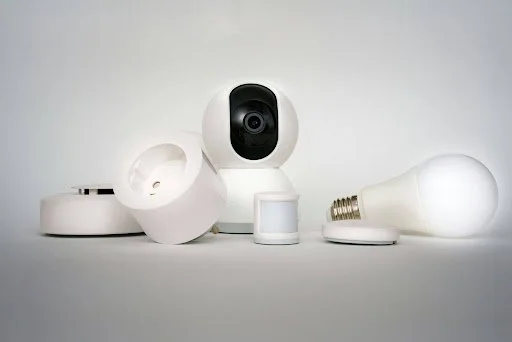
Connected-home adoption shows how relevant the question has become. NIST reported that an estimated 45% of U.S. households with internet had at least one smart home device in 2024, while 18% had six or more. Separate consumer research found that security cameras had reached 26% of U.S. households, making them one of the most widely owned smart-home categories.
At the same time, homeowners are becoming more conscious of recurring subscriptions, internet reliability, data privacy, and what happens to recordings when a service is unavailable. A camera that captures an important event is only useful if the homeowner can reliably retrieve that footage afterward.
In 2026, the cloud-versus-local decision therefore comes down to more than storage space. Remote access, cost, cybersecurity, smart detection, resilience, and integration all matter. Understanding those differences can help homeowners choose a system that actually fits the way their home operates.x
Why Camera Storage Matters More in a Modern Smart Home
Traditional CCTV systems were relatively straightforward. Cameras recorded continuously to a DVR or NVR sitting somewhere inside the property. Accessing footage often meant going directly to that recorder, scrolling through a timeline, and manually locating the event.
Modern smart cameras work differently. A camera may detect movement at the driveway, classify it as a person, create an event clip, send a phone notification, and make that recording available remotely within seconds. Storage is therefore becoming part of the intelligence layer rather than simply a place where video files sit.
Cloud systems generally send footage or event recordings to remote servers managed by the service provider. That makes footage accessible through an app or browser even when the homeowner is away from the property. If a camera itself is damaged or stolen, previously uploaded footage may still be available.
Local systems keep recordings inside the property, usually on a microSD card, base station, NAS device, NVR, or built-in memory. That gives homeowners more direct control over their video and can reduce dependence on paid storage plans.
Neither architecture is automatically superior. The better choice depends on whether the homeowner values remote convenience, direct data ownership, lower ongoing costs, resilience, or a combination of all four.
Where Cloud Security Cameras Have the Advantage
Convenience remains the strongest argument for cloud storage. A homeowner on holiday can receive an alert, open an app, watch recorded footage, and potentially share a relevant clip without being physically connected to a recorder at home.
Consumer behavior suggests that people are willing to pay for this convenience. Omdia reported in late 2025 that 21% of surveyed UK consumers were already paying for smart-camera video recording and storage services. Among people who were not subscribers, another 29% expressed interest in adopting such services.
Cloud platforms can also make multi-camera management easier. Instead of checking individual SD cards or navigating separate storage devices, homeowners can often search events from several cameras through one interface. Cloud processing can support features such as person, package, vehicle, or animal classification, depending on the camera provider and subscription.
Off-site storage provides another practical advantage. Imagine a burglar taking an outdoor camera or damaging a recorder after entering a property. Locally stored footage on the stolen device could disappear with it. If the relevant clip had already reached remote storage, the recording could remain accessible.
Cloud storage does introduce a dependency, however. Uploading footage requires sufficient internet connectivity, and remote viewing may become limited during broadband outages. Households with several high-resolution cameras should therefore consider bandwidth as carefully as camera resolution.
The Rise of Connected and Hybrid Camera Ecosystems
The distinction between local and cloud storage is becoming less rigid. Many newer systems combine local recording with cloud connectivity, allowing homeowners to keep important footage inside the property while still receiving remote notifications and accessing selected events through an app.
This model can be particularly useful in larger smart homes. Cameras, video doorbells, motion sensors, smart locks, lighting, and alarms can generate different pieces of information about the same event. Connecting those systems can create context that a standalone camera cannot provide. A door sensor opening at the same time a driveway camera detects a person, for example, is potentially more meaningful than either event alone.
The same shift can be seen at a larger scale in the professional surveillance market. Cloud based security cameras increasingly use software and remote infrastructure to make stored video easier to manage. Coram is one example of this approach. According to its supplied cloud-camera overview, its platform can work with existing camera infrastructure, provides AI-powered natural-language video search, and can scale from a single location to multiple sites rather than requiring every existing camera to be replaced.
For homeowners, the broader lesson is that storage architecture should not be considered in isolation. The most useful system is one in which cameras, storage, alerts, search tools, and other smart-home devices work together without creating unnecessary complexity.
Local Storage Is Becoming Much More Capable
Local cameras used to involve noticeable compromises. Homeowners could avoid subscription fees, but advanced detections and easy remote access were often associated with paid cloud services. That gap has narrowed considerably.
Consumer Reports noted in 2025 that many highly rated wireless security cameras cost less than $100 and that several models from brands including Blink, Eufy, Reolink, and TP-Link support local recording without requiring a cloud-storage subscription. Some locally recording cameras now also provide intelligent detection for people, pets, and vehicles.
Storage capacity has improved as well. Some current consumer cameras support microSD cards of 256GB or even 512GB, while home hubs and NVRs can provide substantially more capacity. The amount of recording time depends on resolution, frame rate, compression, motion frequency, and whether the camera records continuously or only when events occur.
Cost is another major advantage. A local system normally requires more spending upfront on memory cards, a hub, hard drives, or an NVR, but there may be little or no recurring storage charge afterward. By comparison, cloud subscriptions can continue for as long as the cameras remain in service. Consumer Reports has noted that annual cloud-storage costs can, in some cases, approach the purchase price of the camera itself.
Local recording can also continue when the internet goes down, provided the cameras, recorder, and local network still have power. For homes with unreliable broadband, that resilience can be more valuable than sophisticated cloud features.
Privacy, Security, and Reliability Need Equal Attention
Storage location changes the privacy equation, but local does not automatically mean secure and cloud does not automatically mean unsafe.
A local camera limits the amount of footage that must leave the property, which can appeal to homeowners uncomfortable with indoor video being stored on third-party servers. A 2025 NIST study of 401 U.S. smart-home users highlighted how security and privacy remain important concerns across connected devices, reinforcing the need for consumers to understand how different device categories collect and protect data.
Local storage creates its own risks. If an NVR is stolen, a microSD card fails, or a hard drive becomes corrupted, footage can disappear. Homeowners also become responsible for maintaining storage capacity, firmware, account security, backups, and physical protection of the recorder.
Cloud systems shift some of those responsibilities to the provider, but homeowners should still examine encryption, account security, multi-factor authentication, retention periods, privacy policies, and procedures for deleting recordings.
Network security matters in both cases. Cameras should use unique passwords, receive firmware updates, and ideally sit behind a properly secured router. Smart-home owners should also avoid exposing local recorders directly to the public internet simply to gain remote access.
The goal should be to reduce single points of failure. Important footage should not depend entirely on one SD card, one internet connection, one account, or one piece of hardware.
What the Real-World Cost Difference Looks Like
Subscriptions are one of the clearest differences between cloud and local security.
A homeowner buying three inexpensive cameras may initially see little price difference between the two approaches. Over several years, however, monthly cloud fees can become a significant part of the ownership cost. One major camera provider, for example, raised its single-camera cloud plan to $9.99 per month in 2025, while its unlimited-camera option increased to $19.99 per month.
At $9.99 per month, a single camera would generate nearly $360 in subscription charges over three years before considering future price changes. A local system might instead require an SD card, home hub, or hard drive purchased upfront.
Cost alone should not determine the choice. Cloud plans may include advanced alerts, longer recording histories, remote backups, or AI features that a homeowner genuinely values. Paying for those capabilities can make sense if they are used regularly.
Local storage usually becomes more attractive as the number of cameras increases because additional cameras do not necessarily create another recurring storage charge. A household covering the front door, garage, garden, side entrance, and indoor common areas may therefore see a bigger long-term financial difference than someone using a single video doorbell.
Which Approach Makes More Sense in 2026?
For many households, the strongest answer in 2026 is not exclusively cloud or exclusively local. It is a carefully designed hybrid system.
Cloud-first cameras make sense for renters, frequent travelers, second-home owners, and anyone who prioritizes simple remote access. They are also convenient for people who do not want to maintain storage hardware or manually manage recording capacity.
Local-first cameras are better suited to homeowners who want greater control over their recordings, dislike recurring fees, have unreliable internet, or operate several cameras where subscriptions could become expensive.
Hybrid systems can combine the strengths of both. Continuous or high-volume footage might remain on a local recorder, while significant motion events are backed up remotely. The system can continue recording during an internet outage while still offering mobile access when connectivity returns.
This balance is likely to become increasingly important as smart homes add more cameras and sensors. NIST estimated that 18% of internet-connected U.S. households already had six or more smart devices in 2024. As that number grows, homeowners will increasingly need to think about the security architecture of the whole property rather than buying each camera as an isolated gadget.
FAQs
Are cloud security cameras better than local cameras?
Cloud cameras are generally better for convenient remote access, off-site backup, and software-based features. Local cameras can be better for privacy, internet independence, and avoiding recurring storage fees. The better option depends on the household's priorities.
Do local security cameras work without internet?
Many locally recording cameras can continue saving footage to an SD card, hub, NAS, or NVR when the internet connection fails. Remote notifications and app access may stop until connectivity returns, depending on how the system is designed.
Do smart security cameras always require a subscription?
No. A growing number of consumer cameras offer local recording without mandatory monthly storage fees. Some also provide optional cloud subscriptions for homeowners who want remote backups, extended history, or additional smart features.
Is cloud storage safer if someone steals the camera?
It can be. If footage has already uploaded successfully, stealing or destroying the physical camera does not necessarily remove the stored recording. With local-only cameras, homeowners should consider placing recorders in secure locations or maintaining a separate backup.
Is a hybrid camera system worth it?
For many smart homes, yes. Local storage can provide continuous recording, direct data control, and resilience during internet outages, while cloud connectivity provides remote access and off-site protection for important events. The combination reduces dependence on a single storage method.
Conclusion
The better security-camera architecture in 2026 depends less on whether one storage method is technologically superior and more on how a household actually uses its cameras. Cloud systems offer accessibility and convenience, while local systems provide stronger cost control, greater storage independence, and more direct ownership of recordings.
As homes become more connected, homeowners should prioritize reliability, cybersecurity, privacy, useful integrations, and total long-term cost. For many properties, combining local recording with selective cloud services provides the most practical balance, keeping important footage accessible without making the home's security completely dependent on either the internet or a single recorder.