
Swann Evo Wireless Video Doorbell Review
When you buy through links in this article, I may earn an affiliate commission. Learn More.
This product was purchased for this review.
Tested with scoring system 1.0
What do these scores mean?
Learn about our data-driven scoring system.
Pros
✔ Detects motion accurately✔ Fast live stream activation
✔ Full range of smart detection features
Cons
✘ Video quality is dissappointing✘ Package detection is hit and miss
✘ App is a confusing mess
The Verdict
The main selling point of the Swann Evo Wireless Video Doorbell is it’s AI features. These offer a variety of functions such as being able to converse with a caller on your behalf, identifying specific events by description, and providing a comprehensive description of what the camera has seen when motion is detected. Unfortunately, these features are marred by slow response times and frequent inaccuracies making them largely useless when compared with the common rich notification experience offered by most other doorbells.
The Evo comes in at the lowest price bracket, which is good considering you won’t be getting much for your money. The camera quality of the 1.7MP camera is abysmal with terrible dynamic range and a frustrating pattern of interference across the details of the image when zoomed. Audio is not much better with poor pickup volume on the microphone and a fairly tinny voice reproduction from the speaker.
The range of smart detection features do work reasonably well, but not reliably enough to count on. This is especially the case with packages which seem to be highly dependent on the appearance of the package itself. Most of the notification types seem overly reliant on the AI to figure out, which results in notification of these events being very delayed.
This is all capped off by the most unintuitive app I’ve seen so far, and a battery that simply doesn’t go the distance. Thankfully you can power it off either a DC power pack or a doorbell transformer to get around this. I’d say you get what you pay for, but I’ve tested far better performing doorbells in this price bracket.
Type: Hybrid video doorbell
Subscription: Required for cloud storage (60 days) and smart features
Price Segment: $$$$$
Test Results
Each doorbell I review is put through a series of repeated test cycles over a 30-day period. These tests give me 32 data points that make up the 7 overall category scores above. These scores rate each doorbell key performance requirements like video and audio quality, motion capture performance, smart detection accuracy and the overall user experience.
Here’s how this video doorbell ranks compared to the average of other doorbells I’ve tested:
| Data Point | ||
|---|---|---|
| Video Quality | 3.6 | 7.6 |
| Night Vision Quality | 3.3 | 6.9 |
| Dynamic Range | 1.3 | 6.0 |
| Two-Way Talk | 5.6 | 7.5 |
| App Audibility | ||
| Outdoor Audibility | ||
| Recorded Audio | 6.6 | 8.2 |
| Notification Delay | 0.0 | 7.8 |
| Thumbnail Average | ||
| Doorbell Average | ||
| Text-only Average | ||
| Thumbnail Effectiveness | 8.6 | 7.1 |
| Day Success | ||
| Night Success | ||
| Missed Events | 8.5 | 9.4 |
| Day Misses | ||
| Night Misses | ||
| Camera Wake Delay | 5.2 | 8.0 |
| Frame Remaining Day | ||
| Frame Remaining Night | ||
| Event Capture | 7.0 | 6.3 |
| Record Start Day | ||
| Record Start Night | ||
| Package Monitoring | 5.5 | 6.3 |
| Package Features | ||
| Detection Success | ||
| Smart Detection | 6.7 | 7.7 |
| Smart Features | ||
| Day Accuracy | ||
| Night Accuracy | ||
| Live View Response | 8.5 | 8.2 |
| Live View Time | ||
| Doorbell Ring Response | ||
| Privacy Features | 3.1 | 8.1 |
| App Usability | 5.0 | 7.3 |
| Battery Performance | 0.0 | 6.6 |
| After 30 days | ||
| Time To Dead |
The Basics
Tech Specs
Power: Battery or wiredRemovable Battery: No
Can Use Wired Chime: Yes
Connectivity: 2.4GHz Wi-Fi
Resolution: 1296 x 1296
Storage: Cloud or SDCard
Weather Rating: IP56
Field of View: 140 degrees
Compatibility: None
Smart Detection: Yes
Footprint (WxH): 54mm x 144mm
Notable Features:
- AI Descriptions
- Concierge
- Siren
The Swann Evo Wireless Video Doorbell is a hybrid model that can run on either its internal rechargeable battery or a wired power source if you don’t care so much about the ‘wireless’ part. This can be a standard 12-24VAC doorbell transformer or a 5V DC power pack that can plug into any wall socket. You’ll need to provide these if you want to avoid battery charging.
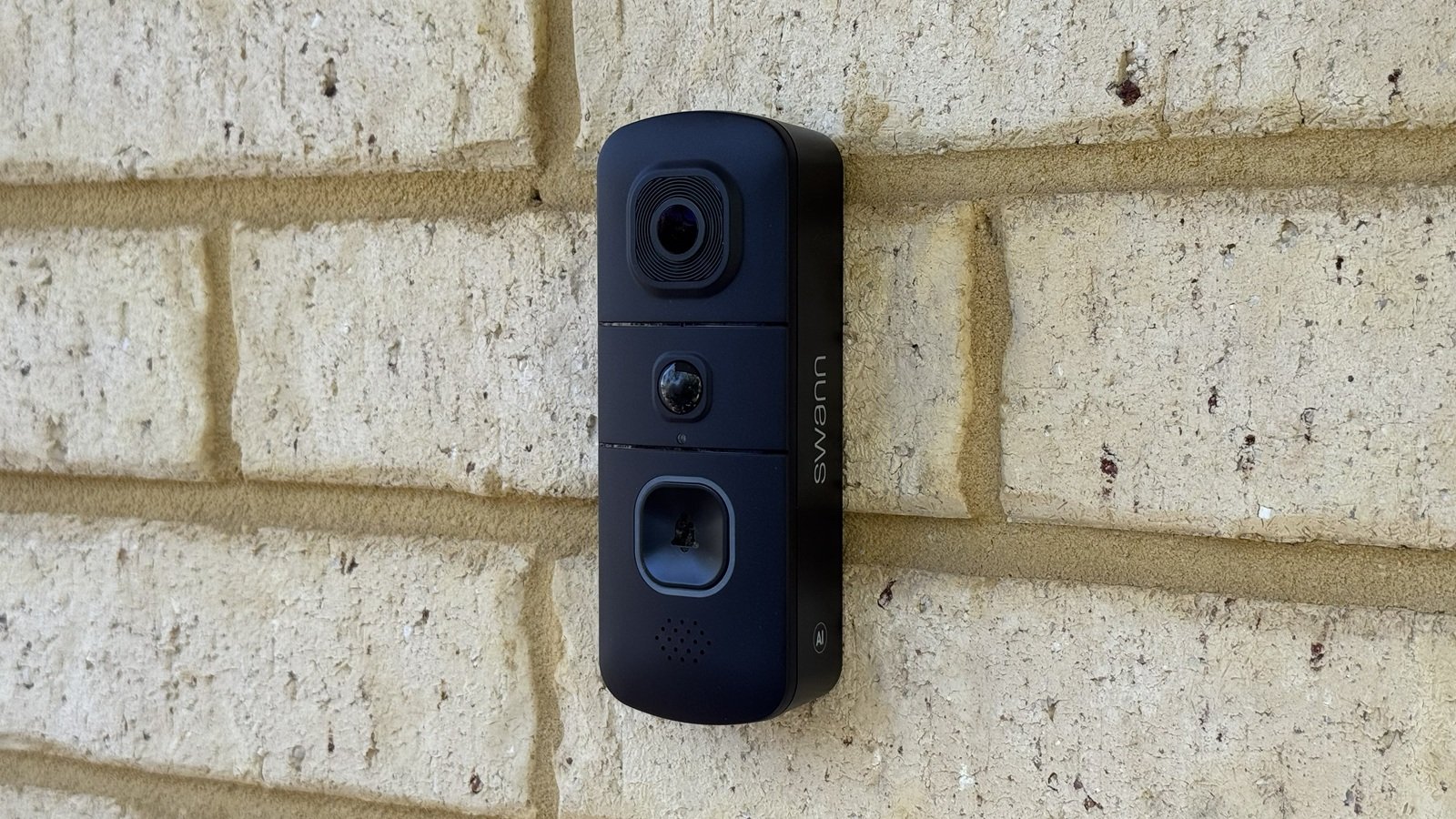
The front of the doorbell has the usual camera, sensor, button arrangement top to bottom. The button is large, clearly identifiable, and includes a LED light ring to draw attention to it when someone approaches and to provide status information as to what the doorbell is doing. On the back are easy access wire terminals and a weatherproof cover protecting the USB charge port and memory card slot.
The doorbell itself has a fairly standard footprint for a battery doorbell and is rated IP56 for outdoor use. This is notably a lower rating than most doorbells which come in around IP65 or above. To help with this, some foam tape is included in the box to pad out any gaps behind the mounting bracket if you’re installing on a rough surface.
The mount itself is refreshingly simple and robust, being a solid metal design with 4 connecting hooks to the doorbell and a screw to hold it all in place. The screw is, however, only a regular philips head. Still, this provides a good solid attachment to whatever mounting surface you have. A second foam tape piece is included it you want to mount on glass instead.
The box includes any mounting hardware you’ll need, as well as a charge cable and jumper leads to assist with connecting existing doorbell wiring.
Video Storage
MicroSD Card up to 256GB (not included)
Swann cloud subscription (60 days)
Chime Options
Wired mechanical or digital chimes
Swann wireless chime (sold seperately)
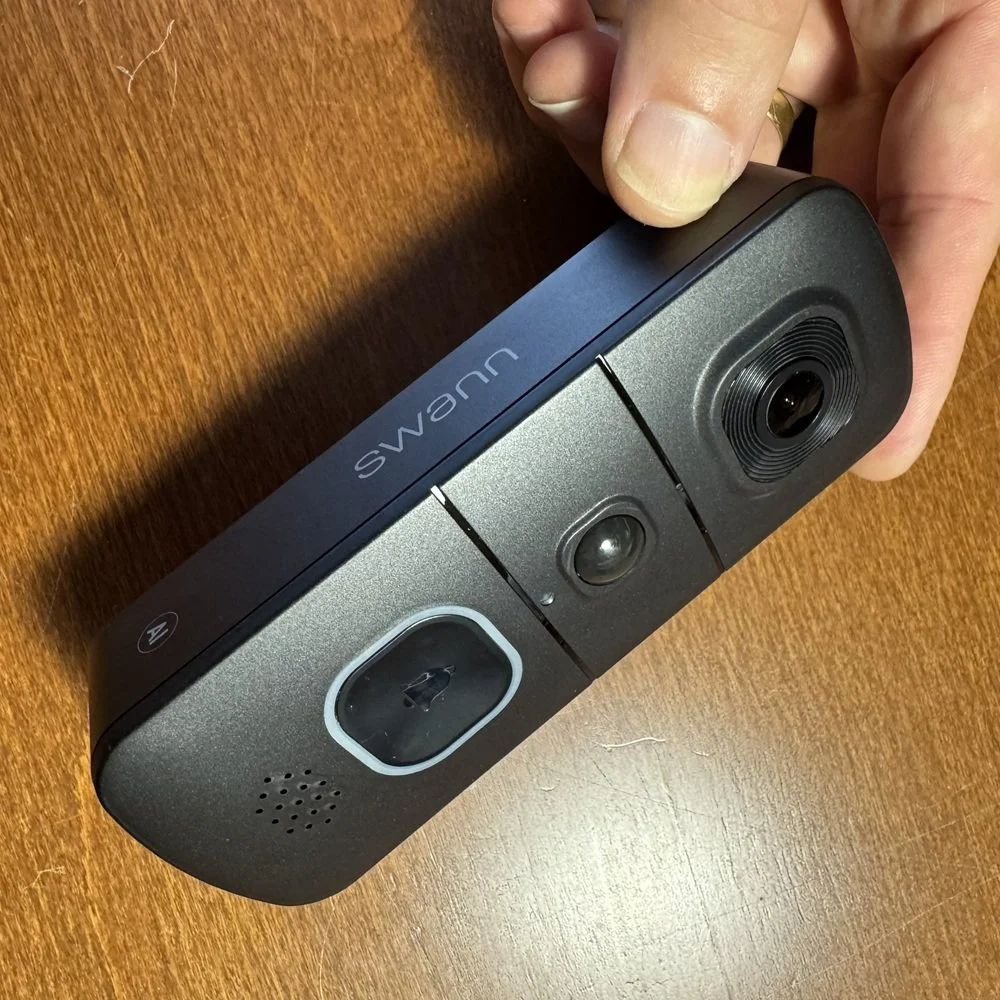
Large, illuminated button
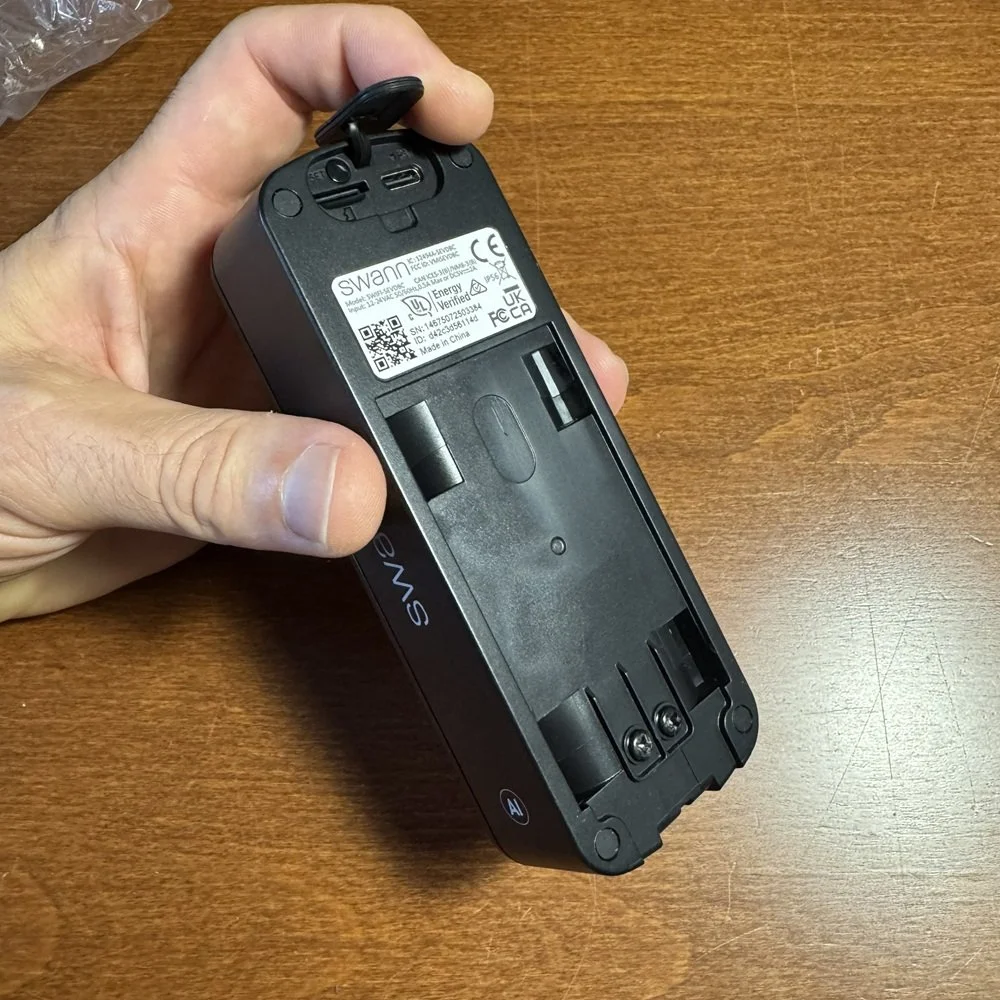
Wire terminals and charge port
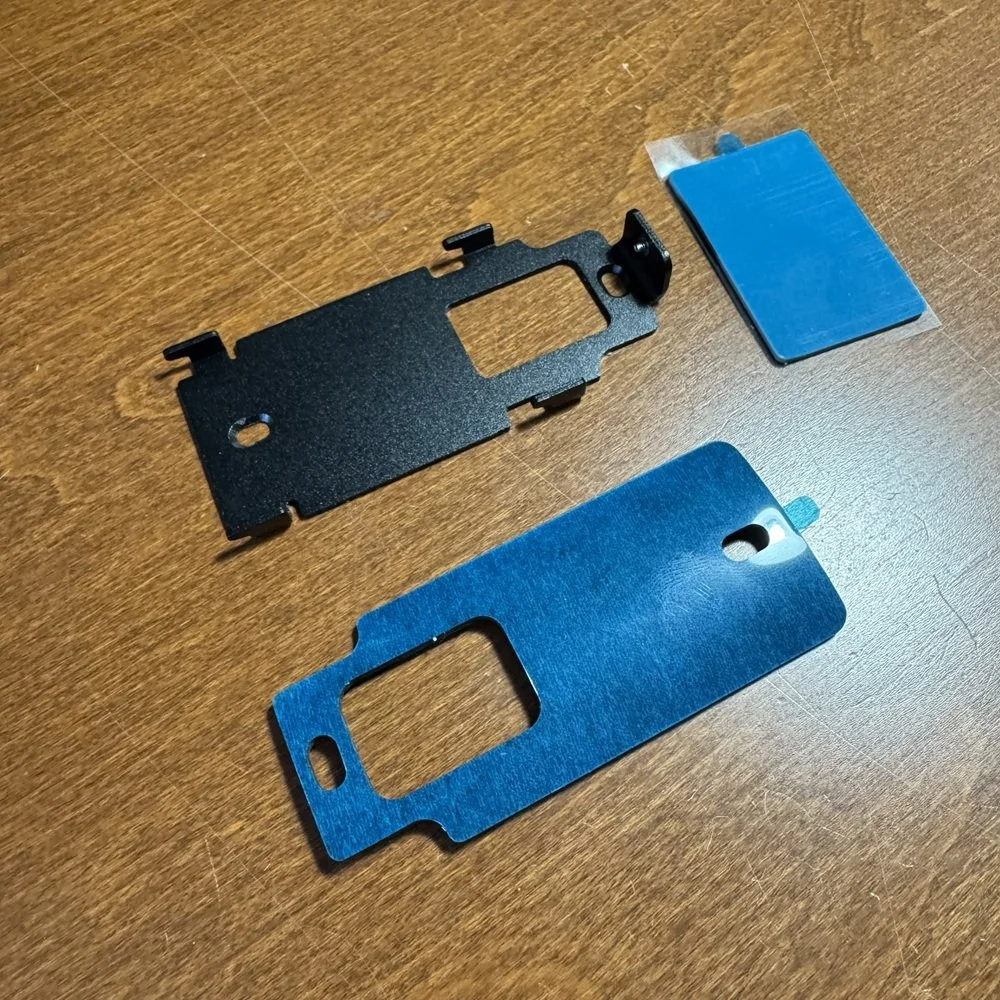
Metal mount bracket and adhesive options
Camera Performance
The Swann Evo touts a camera running as a 1:1 resolution of 1296 × 1296. My testing found that the output of this camera was lackluster to say the least. It should produce an HD equivalent picture, but the image was pixelated and riddled with interference patterns of some sort that made getting a read on the test chart difficult at any distance. Ultimately I could only resolve the image at a range of 2.9m (9 ft), which is the second worst clarity result I’ve had so far. The video image contains a lot of static and moving artefacts which severely impact any fine detail.
At night, the situation was very similar to the day tests, with clarity being severely impacted by artefacts and poor image quality overall. With a sharper image I would have still faced limitations due to the short range of the infra-red output from the doorbells 4 IR LEDs. These only lit up the subject to about 3m (9ft) and I could only get a read on the test chart at 2.3m (7.5ft).
Again, this was a very poor result putting the Evo doorbell at 3rd last in my test results.
The Swann Evo has no HDR functionality, and as you can see in the daytime video sample above the camera has generally poor dynamic range on its own. The dark shadowing of my face and virtually no detail visible in the adjacent garage was a warning sign, so I wasn’t surprised when I ran the OEFC test and was only able to partially resolve 3 gray tones. The rest were blurred together or complete invisible with bright daylight behind the chart. This is the second worst result I’ve obtained for this test so far.
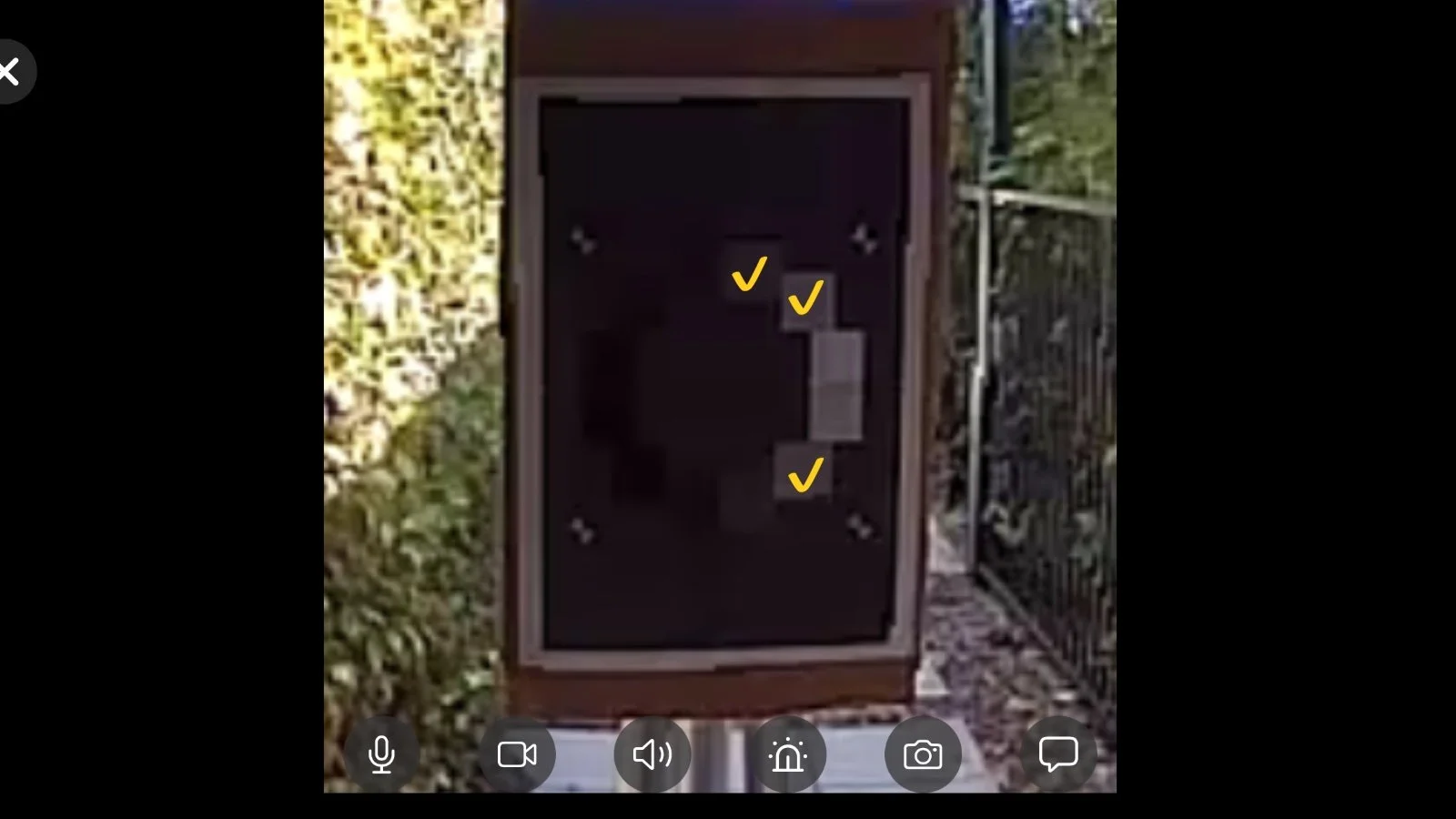
Imatest OECF 36 Test Chart
Audio Performance
The two-way talk feature was functional and usable. I was able to hold a conversation through the doorbell with some minor difficulties, these being limited microphone pickup and a pronounced delay in transmitting the audio after speaking. This was about 1-2 seconds, so not the worst I’ve had, but enough to make conversing a little awkward.
While the app user could only clearly make out speech from the caller about 2m (6ft) away, the doorbell’s speaker was a little better and allowed comfortable reception out to about 3.5m (11.5ft). Voice reproduction was good in the app, but outside the output was ‘tinny’ and subject to some occasional breakup or garbling. Again, so wasn’t enough to make it unusable, but it’s lower quality than many other doorbells.
Without the added necessities of holding a conversation, the recorded audio in video clips was somewhat better. Microphone pickup is decent quality with none of the usual audio compression artefacts commonly found on video doorbells. Some breakups or corruption in the stream was occasionally evident which made hearing spoken words are range a problem and pulled down the overall score. Swann has nonetheless fared better here than most low-cost doorbell models.
Notification Performance
The Swann Evo draws a big zero for this test, but this deserves some exploration. With a subscription plan in place, you get access to the various AI features that make up the main selling point of this doorbell model. One of those features is to generate a descriptive notification as part of their rich thumbnail. The doorbell will actually send up to three notifications for a motion event, depending on your preferences. The first is a basic text ‘Motion was detected’ message. This took between 8.7 and 12.5 seconds to arrive in my test passes. That’s actually pretty poor right off the bat.
Second, you’ll get an object detection message if it’s a person, if you have that enabled. This is a couple of seconds later. Then you’ll get the AI generated description and a thumbnail image of what happened. In my test passes this took between 53 and 82 seconds to arrive. Outside of formal testing I’ve had some take up to 5 minutes to show up. This is abysmal, and utter useless since whatever was happening has long since finished. I’ve had a package arrive, gone to get it, and then sometime after I’ve come inside and sat down received the package notification.
I concede this could be a useful feature for the vision impaired, but not when it takes this long to arrive.
What’s worse is that the description that is taking all this time to produce is pointless since you can glean all of that information in a single glance at the included image, and more accurately since the AI description was frequently wrong about clothing, age, gender, and what the person was doing. That aside, the score for this test is based on the average of all notification times, and that is well past the useful threshold.
The thumbnail that is delivered with rich notifications provides valuable information about what is happening and if you need to worry about it. For that to work the thumbnail needs to effectively capture the cause of the motion event. In that, the Swann Evo does a decent job. Delivery time aside, the thumbnails that were produced were consistently useful and captured the event well.
Day and night capture of the events was fairly consistent, with only two tests not generating a thumbnail at all in both cases, and no bad thumbnails were delivered.
Motion Detection Performance
When detecting me during test passes, the Swann Evo performed reasonably well, but far from perfectly. Interestingly, night detection seemed to be more reliable, perhaps due to consistent infra-red lighting versus variable light conditions during the day. During the day tests the doorbell failed to detect me in 9 out of 61 tests, for a miss rate of 14.75%. This is consistent with a ‘middle of the pack’ position out of my tests done to date.
Battery powered doorbells must conserve energy and do this by putting the camera to sleep when not in use. I measure how long the camera takes to wake up and start recording by passing across the field of view at close range (to eliminate detection range difference) and measure how much of the video frame I was recorded crossing. A wired doorbell should capture me 100% of the frame as it would start recording instantly, where battery models vary considerably.
The Swann Evo demonstrated very consistent wake times, starting up when I was about halfway across the frame. This varied only between 42% and 57%, which is a fairly minor variation. It’s also better than some models which can miss a crossing test entirely, or capture only a vary short portion of the frame at then end. While better than many low-cost models, it falls well short of more expensive options and, obviously, wired models (which you can also do with this one if you have the wiring).
How much of a motion event the camera can capture is an important part of any video doorbell, especially in a security context. The doorbell’s motion sensing is a bag part of this, but the camera wake time also plays a part. The Swann Evo came in a little short on this test, but not terrible. The doorbell is capable of detecting large motion well beyond 10m (30ft), but for people movement I was able to get it to pick me up at 9m (18ft). This was an outlier however and more of a loitering situation where camera wake time wasn’t involved.
Approaching the doorbell combines both delay factors and reduces the results considerable. In these tests the Swann Evo captured my approach from between 7.5 and 1.8m away, with the average coming in at only 4.7m overall.
Smart Detection Performance
The Swann Evo supports package detection with AI notifications and has a 1:1 aspect ratio which helps by providing better visibility of the ground in front of the door. In this case, that view doesn’t extend far enough to see the ground directly in front of the doorbell, so a package placed too close would be missed. The package detection itself seems to rely on the AI analysis of the image. Unlike person detection, which happens right away, I only got package notifications after the AI summary had been delivered. This could be up to 5 minutes after the package was delivered.
Detection of the package was also not great. The low contrast test, which involves a typical cardboard box of a tan brick surface, was only successful in 20% of tests. The high contrast test, which uses a white padded Amazon bag, was much better with successful identification 80% of the time.
Feature scoring:
✘ Visibility of the test package directly below doorbell.
✔ Visibility of porch area in front of the doorbell.
✔ More than 30 degrees off center visibility to the side.
✔ Presence of active package alerting feature.
✘ Presence of additional package alerts
A full suite of object detection types is on offer here, with Person, animal, vehicle, and package detection available. In addition is a custom AI alert which allows you to describe the type of event you want to know about in plain English text.
Person detection was a bit hit and miss, with correct identification in only 53% of tests. The doorbell handled this better in the morning with light on the front of the subject, and at night, where the inbuilt IR LEDs provide a similar benefit. Backlit afternoon tests were poor, possibly due to the abysmal dynamic range of the camera in these conditions.
Animal detection seemed reasonable, with my small dog triggering detection when present down the test range, and vehicle detection worked well, perhaps too well. Any motion, including moving plants, would cause a car detection notification due to my parked car in the garage, and every vehicle that drove past on the street would trigger the same. It’s unclear if this was due to accurate identification of the passing vehicle, or simply a motion event causing my car to be detected again.
Feature scoring:
✔ Custom motion zones.
✔ Person detection.
✔ Animal Detection.
✔ Vehicle Detection.
✘ Facial Recognition.
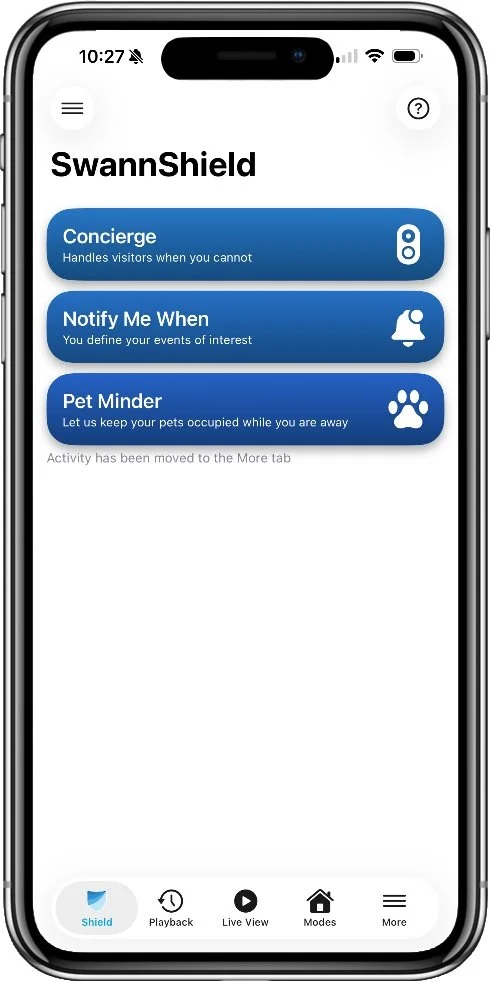
Prominent AI features page
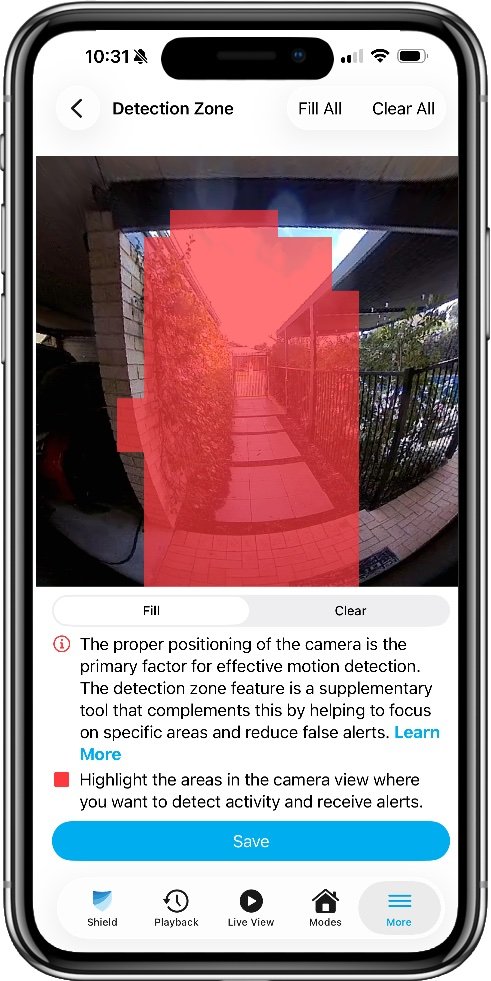
Motion zones can be include or exclude
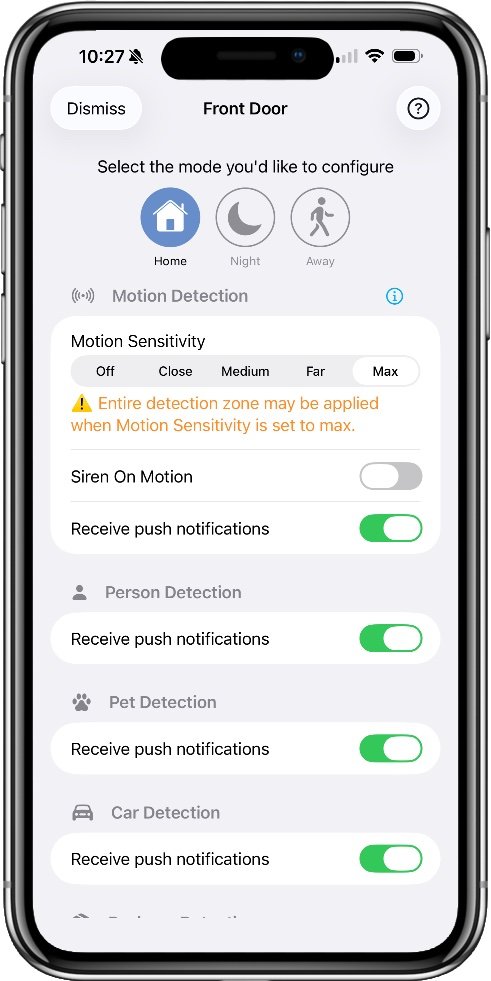
Notifications are handled using modes
Battery Performance
The Swann Evo battery didn’t hold up under the testing load. With regular testing and high settings, the doorbell died after only 28 days, resulting in a 30-day score of 0. While this might seem harsh, I test all doorbells on maximum settings in order to assess what they are actually capable of, and to provide a comparative battery score based on the worst-case scenario. Under these test conditions, doorbells will come out with between 50 and 80% charge after the 30-day test cycle. Clearly this one doesn’t deliver anywhere near that.
To be fair, I’ve recharged the Evo and put it on the rundown rack where it will receive a consistent level of activity everyday. So far it’s performing a little better and I’ll update this section when the test is complete.
Swann Evo Battery SoC
App Experience
In a rare positive, the Swann Evo delivered very fast live stream performance. I was able to consistently get the live view running within about 2 seconds when accessing it directly from the app. There was very little variation here with the stream starting between 1.5 and 2.1 seconds in all tests. Doorbell response was slower, which is actually the opposite of what I typically see from a battery doorbell because the approaching motion will have already woken the camera.
In this case, tapping on a doorbell ring notification got me into the live view between 4.2 and 5 seconds. That’s a little long, but not terrible.
For a security company, the Swann Security app offers virtually no security features at all. There’s no two-factor authentication or any way to see which devices are logged into your account. This is particularly surprising since the only way you can share access to your doorbell is by giving someone else your login details and having them use the same account on their own phone. I guess that explains why they don’t offer two factor authentication.
Privacy features are equally absent. You can’t quickly turn off recording, disable audio, or mark out privacy zones to protect certain areas from being recorded. Firmware updates are announced in the app if you look in the right place, but I found installing these to be frustrating since it would keep saying it had an update to install, even after I’d already done it. Repeating the install several times seemed to satisfy the app eventually. It may have been different updates, but it doesn’t provide any information about what the update is, or what has been installed before.
The Swann Security app is, well, confusing. Perhaps I’m used to testing doorbell apps which all work largely the same way, but the Swann app simply seems to be unsure of where it should put things. Even after using it for a couple of days I was still struggling to find things that should be obvious when using a video doorbell. Playback of recorded video clips and the live view are fine. These both have a dedicated option on the menu at the bottom of the screen, but the issue comes when trying to find settings to adjust the doorbell behavior or make changes to your account preferences.
Retreiving recordings was also a lot more frustrating than I would expect. I was frequently met with a “Something went wrong” error for both cloud and local recordings. If the AI was still processing a recorded clip when I tried to view it, I got this message and the clip then disappeared from the list. Local recordings would simply be missing inexplicably for periods of time and then come back.
The list of recordings is presented with large thumbnails and an icon denoting the type of motion that was identified, be it car, person, animal, package or custom. You can select which date to look at, but there’s no filter for notification type in the main playback list. You can sort of do this through a separate Activity page, this allows you to select events of a particular type on a given date. Tapping one of this will jump to it in the regular playback interface, but it doesn’t filter anything.
Playback itself, providing the AI doesn’t block it, works fine, and you can pause and scrub through the clip easily using the on-screen controls. The live view also offers on-screen controls for two-way talk, screenshotting and a built-in siren. These are only available after tapping the live view a second time after it starts playing. This seems superfluous and also can lead to these features being missed by the user.
Smart Home Features
No smart home integration is offered.
Extra Features
Concierge - Included with a subscription, this uses and AI chatbot to have a conversation with a caller on your behalf.
Notify Me When - Included with a subscription, this allows you to define custom events using a text description that you want to be notified about.
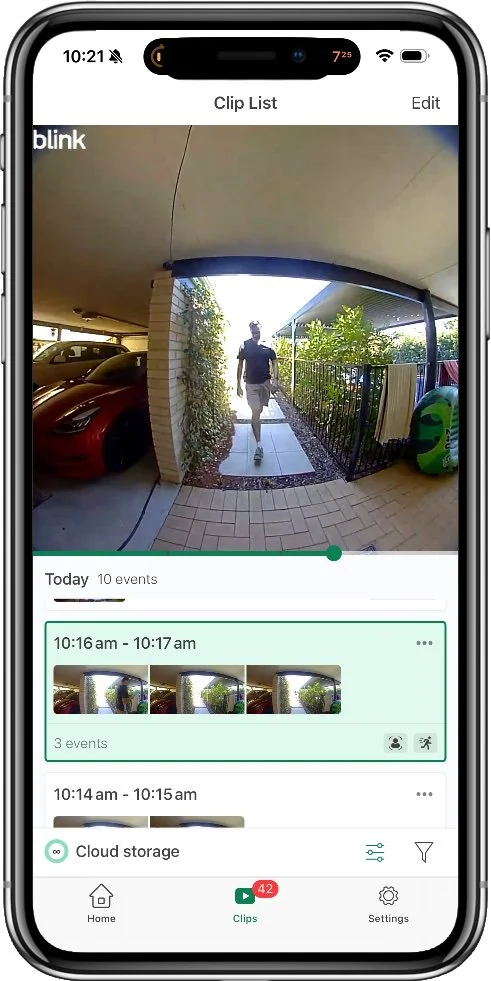
Main event list and playback
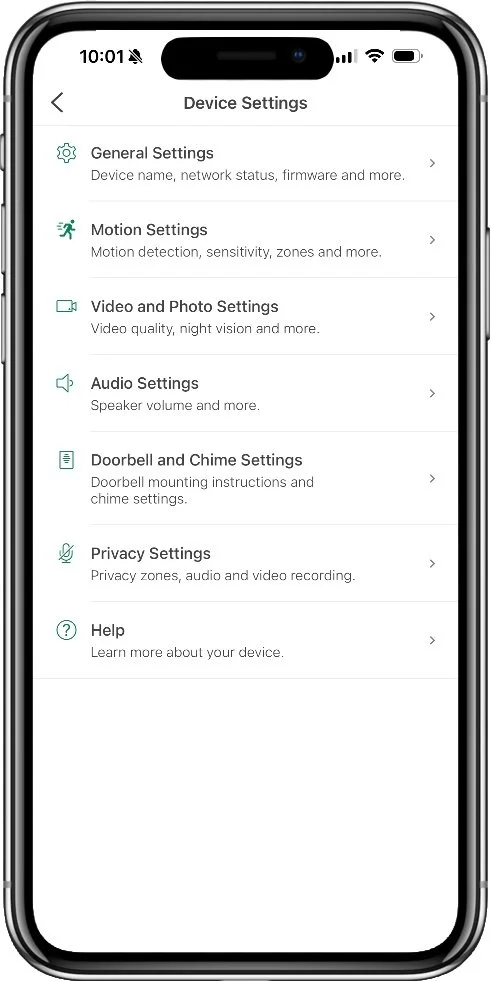
Device management options
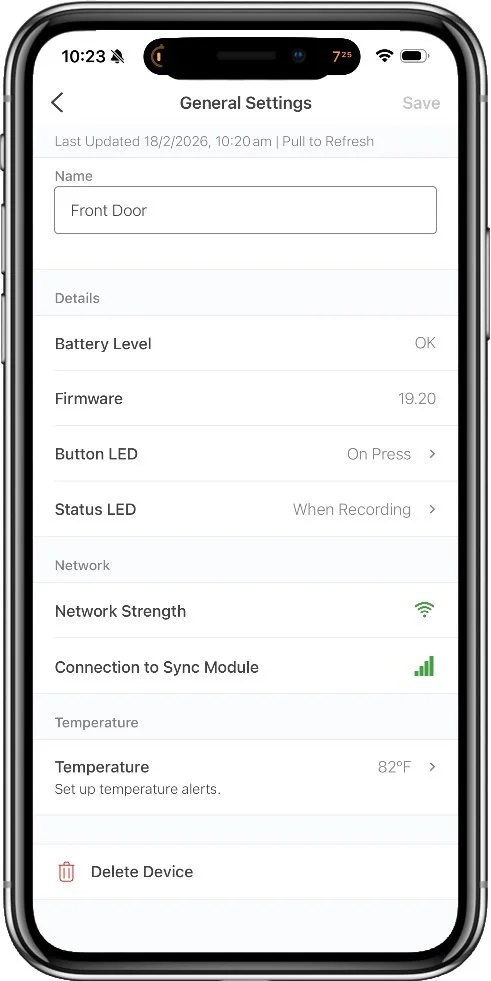
Device status screen
Alternatives
Package Security
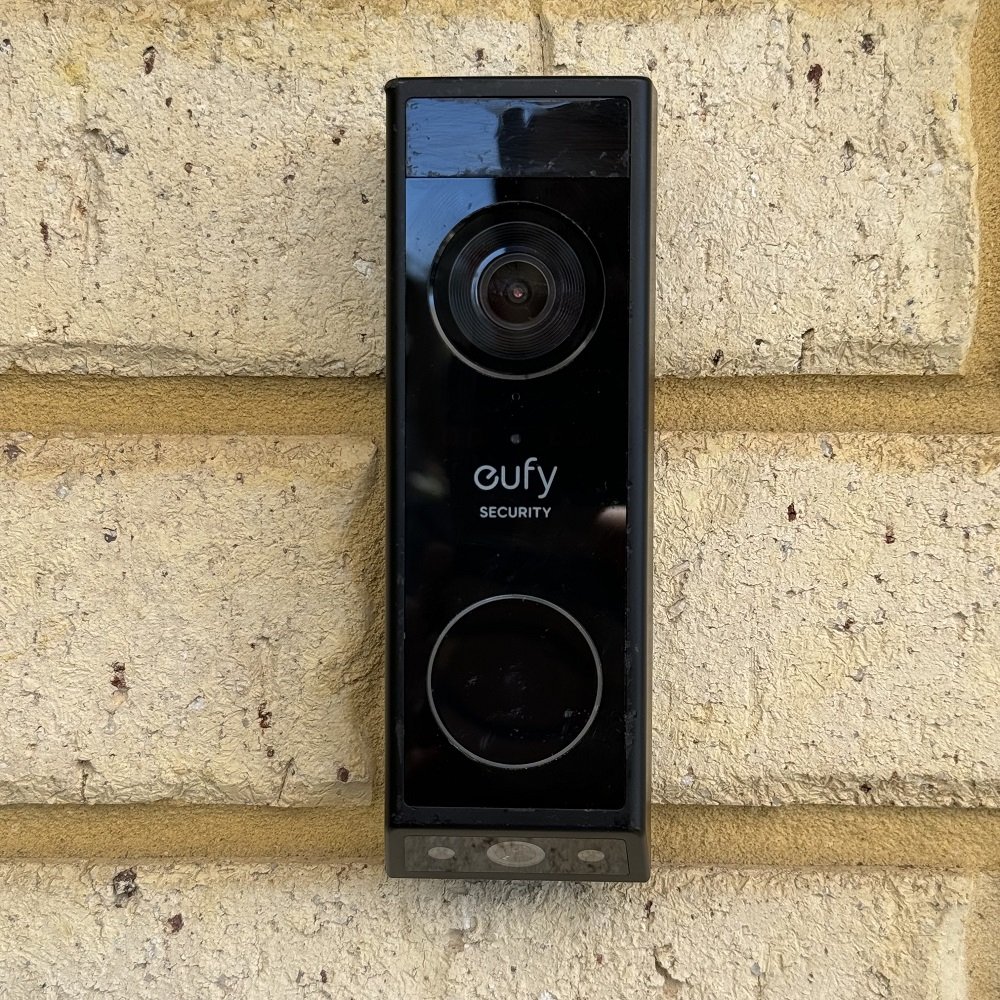
Eufy E340
7.5 Overall Score
A dual camera design from major player Eufy Security provides far superior package security thanks to a dedicated package monitoring camera, built-in LED porch lighting, and the Delivery Guard feature. Delivery Guard not only detects packages and alerts you, but actively monitors them for interference and reminds you to collect them if you forget for too long.
Best Camera

Aosu V8P
7.0 Overall Score
While this budget doorbell does cost a bit more than Blink, you'll get a lot more featuers, good rich notifications, and the best video quality from a bettery doorbell I've tested so far. The biggest downside here is the audio quality, which is pretty much unusable, but if you want video quality without caring about two-way talk, this is a good option.
Smart Detection
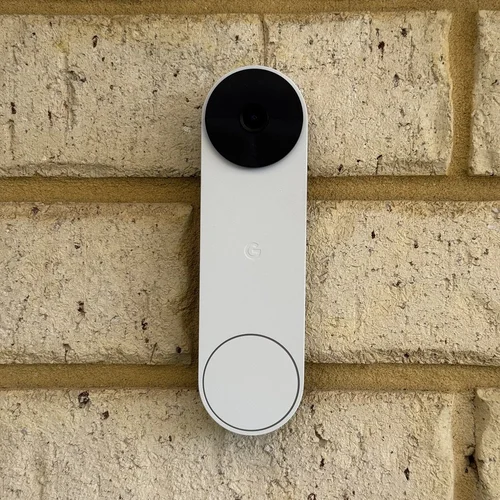
Google Nest
7.3 Overall Score
The Google Nest battery doorbell doesn't fare particularly well on video quality, but if you're looking for smart detection of various objects and known people, this is the best option by far (outside of using Apple HomeKit). Most features are usable without a subscription, and you get a short 3 hours of event history for free. If you're only interested in the immediate past this may be enough.
Common Questions
Is cloud storage worth it?
No one is looking for the opportunity to pay for yet another subscription, but in some cases it might be worthwhile. Having your security recordings in the cloud keeps them safe from theft or disaster, and you can access them from any internet connection if needed, where a local storage card can be stolen or destroyed by fire. The best case for a cloud subscription is where it comes with a range of other benefits like a monitoring service, extended warranties, longer recording times, and so forth. These are most often worthwhile if you have invested in a brand for a more complete security system.
Can you store video locally?
Yes, the Swann Evo supports local storage without a subscription using it’s Micro SD card slot. This supports cards up to 256GB, which is more than enough for simple doorbell video clips.
What is a good battery life for a doorbell?
In temperate climates, you can expect a doorbell that sees frequent motion to consume about 1% per day, so you can reasonably get 3 months at a minimum from a charge. In my testing, this generalization holds up fairly well with battery doorbells giving me a run time between 74 days and 102 days depending on model. Most models land close to 90 on maximum settings. Reducing the sensitivity and types of capture events can help extend this further.
The Blink Video Doorbell breaks from this norm by using non-rechargeable lithium batteries. These are pricey for single use batteries, but do last a very long time. Blink claims 2 years on this model.
See my video doorbell guides to learn more about other models, features, and options.



In a rare showdown between two native HomeKit video doorbells, I pit the Aqara G4 against Wemo's smart doorbell. There are some clear wins on both sides with this one.