
Blink Video Doorbell (2nd Gen) Review
When you buy through links in this article, I may earn an affiliate commission. Learn More.
This product was purchased for this review.
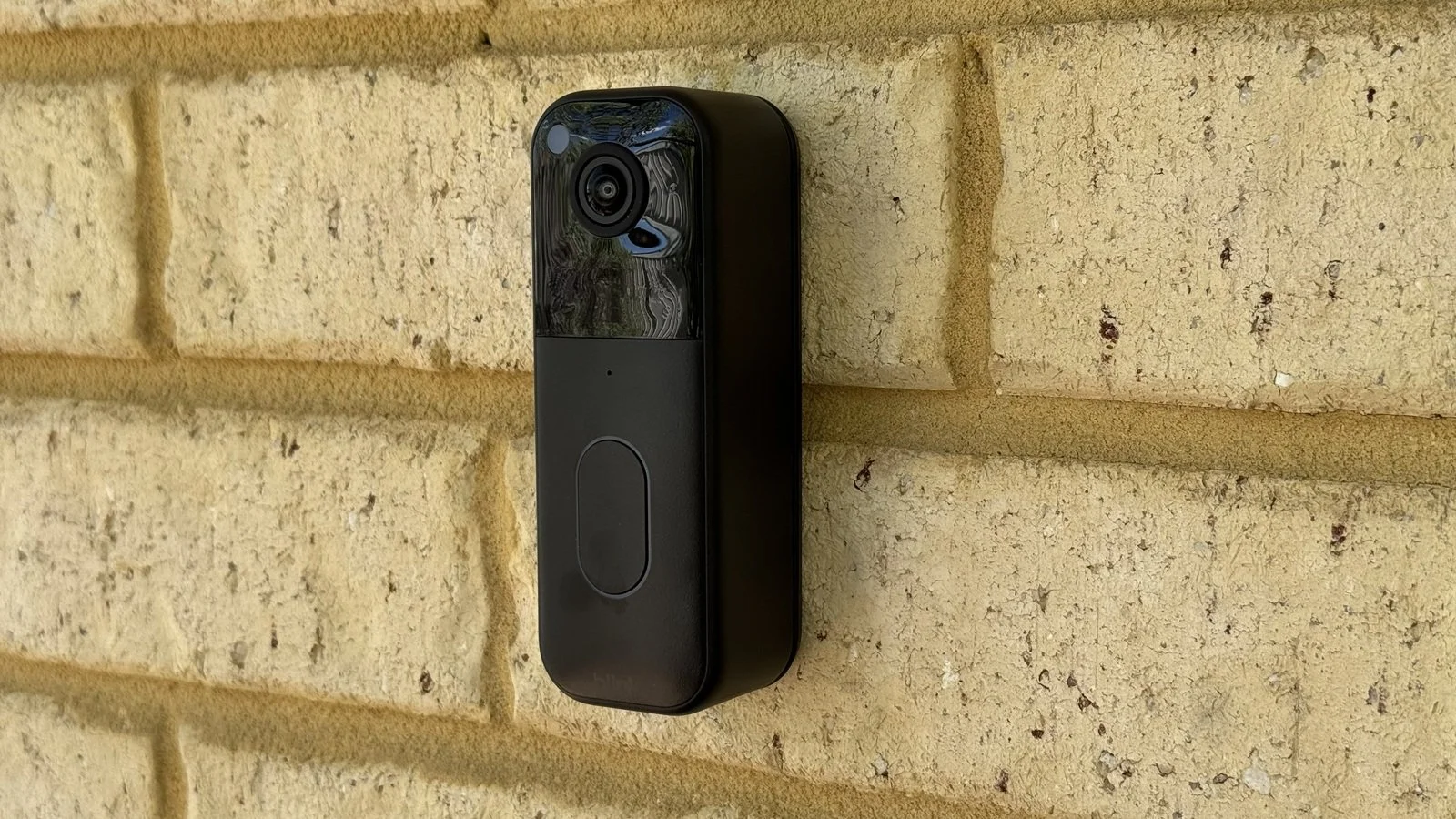
Tested with scoring system 1.0
What do these scores mean?
Learn about our data-driven scoring system.
Pros
✔ Highly accurate smart motion detection✔ Polished app experience
✔ Decent two way talk quality
Cons
✘ Video lacks fine detail✘ No package detection feature
✘ Camera is slow to wake up
The Verdict
Blink has been a popular low-cost option for video doorbell buyers for a number of years, with the release of the 2ng Gen model I’ve finally been able to get my hands on one for review. The limitations from the original version remain the same, but there are some enhancements with this model. More importantly, the app experience has benefitted from some time in the market and a co-parent relationship with Ring through Amazon.
There are some clear parallels that are apparent through the design of the app itself, plus the optional support for Blink doorbells in Ring’s Neighbors app. This delivers a smooth and trouble-free users experience for Blink owners, and I was impressed with the security features and performance of the app overall.
Equally impressive was Blink’s smart motion detection. While it only supports person and vehicle types, detection accuracy was 100% and I experienced absolutely no false positives from moving plants and such even on very windy days. Unfortunately, this was let down somewhat by the wake-up speed of the camera from sleep. You’ll lose the first few seconds of any event, despite the motion sensor able to pick things up out to a good mid-range distance.
Two-way talk quality was decent, with excellent sound quality from the speaker on the doorbell, and clear pickup of voices and other sounds in the app. The audio stream does suffer from some continuous compression noise, but it doesn’t obscure things too much. Video quality was probably the worst performer in my tests. The audio encoding was far more stable than many low-cost doorbells, but clarity of the image was held back by the limited resolution of the camera.
Type: Battery video doorbell
Subscription: Required for video storage (60 days) and smart features
Price Segment: $$$$$
Test Results
Each doorbell I review is put through a series of repeated test cycles over a 30-day period. These tests give me 32 data points that make up the 7 overall category scores above. These scores rate each doorbell key performance requirements like video and audio quality, motion capture performance, smart detection accuracy and the overall user experience.
Here’s how this video doorbell ranks compared to the average of other doorbells I’ve tested:
| Data Point | ||
|---|---|---|
| Video Quality | 4.4 | 7.6 |
| Night Vision Quality | 2.9 | 6.9 |
| Dynamic Range | 3.8 | 6.0 |
| Two-Way Talk | 8.9 | 7.5 |
| App Audibility | ||
| Outdoor Audibility | ||
| Recorded Audio | 7.8 | 8.2 |
| Notification Delay | 9.1 | 7.8 |
| Thumbnail Average | ||
| Doorbell Average | ||
| Text-only Average | ||
| Thumbnail Effectiveness | 0.0 | 7.1 |
| Day Success | ||
| Night Success | ||
| Missed Events | 10.0 | 9.4 |
| Day Misses | ||
| Night Misses | ||
| Camera Wake Delay | 4.9 | 8.0 |
| Frame Remaining Day | ||
| Frame Remaining Night | ||
| Event Capture | 4.0 | 6.3 |
| Record Start Day | ||
| Record Start Night | ||
| Package Monitoring | N/A | 6.3 |
| Package Features | ||
| Detection Success | ||
| Smart Detection | 8.0 | 7.7 |
| Smart Features | ||
| Day Accuracy | ||
| Night Accuracy | ||
| Live View Response | 6.4 | 8.2 |
| Live View Time | ||
| Doorbell Ring Response | ||
| Privacy Features | 8.8 | 8.1 |
| App Usability | 7.9 | 7.3 |
| Battery Performance | 8.8 | 6.6 |
| After 30 days | ||
| Time To Dead |
The Basics
Tech Specs
Power: BatteryRemovable Battery: No
Can Use Wired Chime: Yes
Connectivity: 2.4GHz Wi-Fi
Resolution: 960 x 960
Storage: Cloud
Weather Rating: IP65
Field of View: 150 degrees
Compatibility: Alexa
Smart Detection: Yes
Footprint (WxH): 47mm x 130mm
Notable Features:
- Blink Moments
- Ring Neighbors supports
- 2 year battery life (tbc)
This 2nd generation of the Blink Video Doorbell offers a fairly polished experience from setup through to everyday use. Everything works as advertised and the product seems well made-enough. My biggest concern is with the mount plate as the doorbell doesn’t sit firmly on it.
There is a noticeable gap between the back of the doorbell and the mount, and the removal process simply involves inserting a flat plate to push the spring back. This could be done with literally any small flat object, like a screwdriver, so not the most secure option if you’re worried about theft.
Power is provided by 3 AA Lithium Metal batteries. These are the non-rechargeable kind, but in my experience do offer very long life in low power devices like this. I’d take the 2 year battery life claim with a grain of salt as with all marketing claims, but I’ll be interested to see how it pans out once I’ve completed the run down test. The doorbell does have wire terminals for doorbell wiring, but these are primarily for connecting to a wired chime. The batteries still need to be inserted to use the doorbell.
The doorbell connects to your Wi-Fi with the aid of the included Sync Module. The is a small USB powered dongle that acts as the hub of your Blink security system and can support up to 10 cameras. The basic module included only provides this function, but the optional Sync Module 2 or Sync Module XR provide local recording options on USB drive or MicroSD card respectively.
Without those optional accessories, you’ll need to pay for a Blink subscription. This provides both 60 days of cloud storage as well as access to a range of additional app features including the smart detection options for people and vehicles, and a Blink Moments feature which bundles frequent motion events together so you can watch them as one clip.
Video Storage
Blink cloud subscription (60 days)
Optional Sync Module 2 or XR with MicroSD card or USB drive.
Chime Options
Wired mechanical or digital chimes
Alexa smart speakers
Blink indoor cam
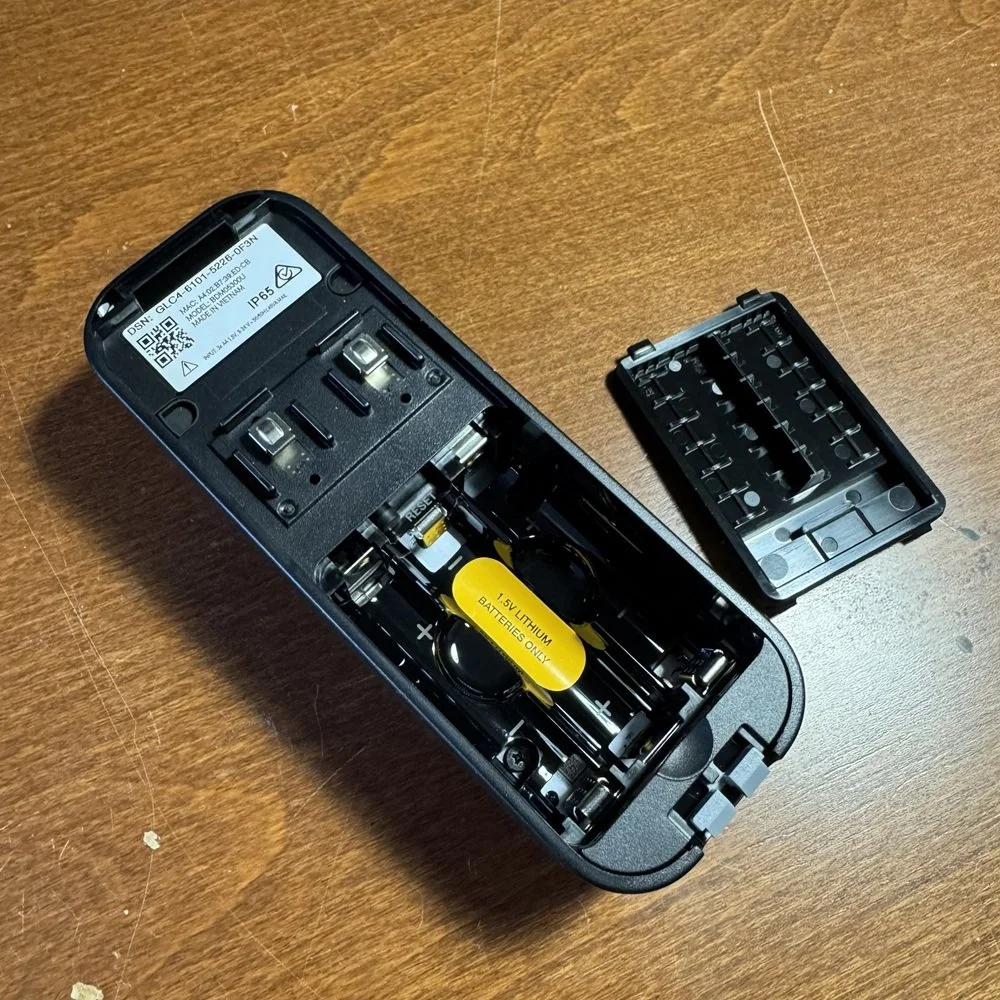
3 AA batteries required
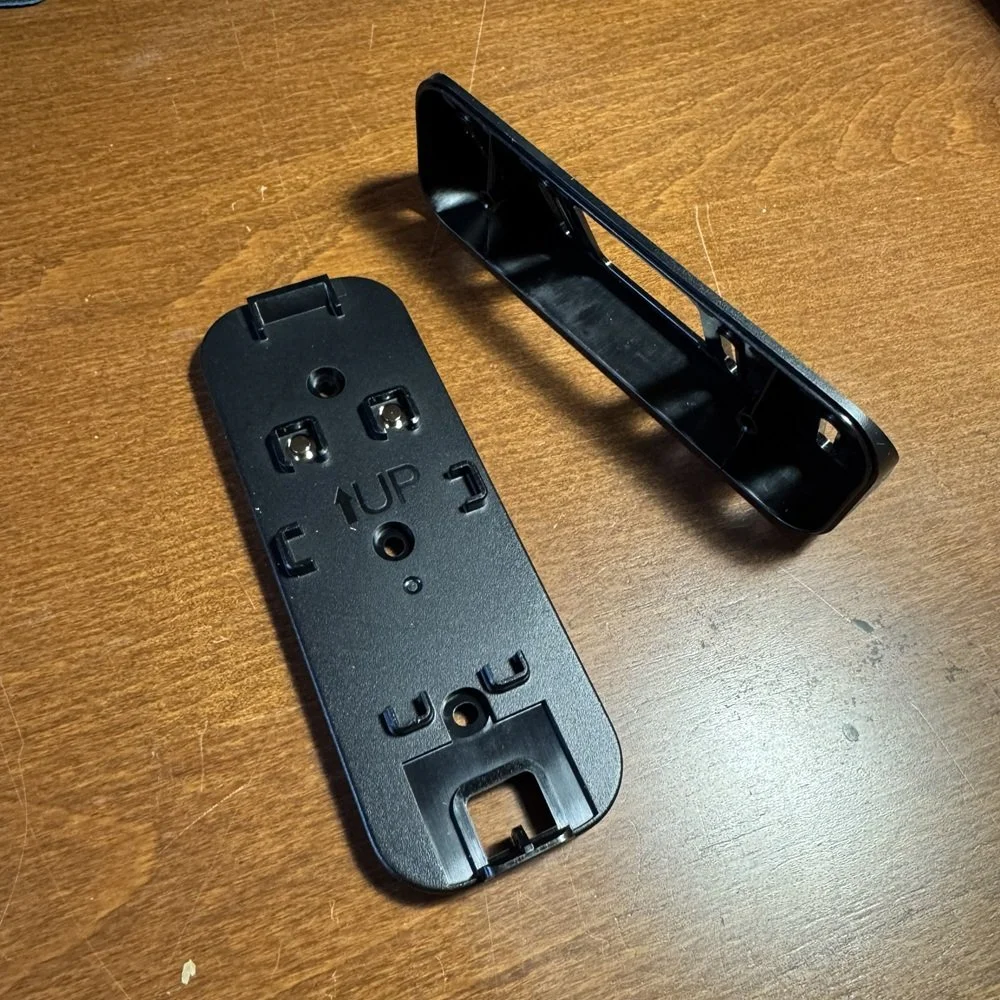
Flat and angle mount options
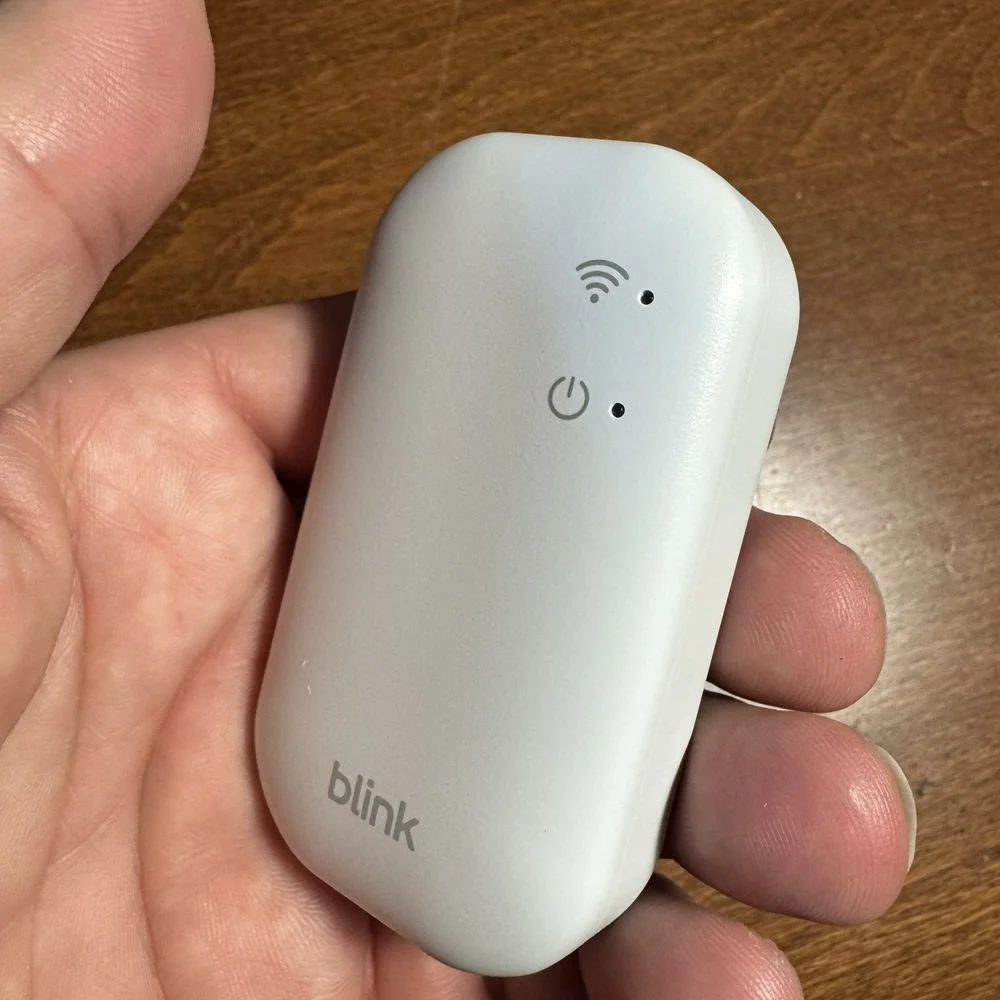
Sync Module provides Wi-Fi connectivity
Camera Performance
Unlike most video doorbell cameras, the Blink Video Doorbell utilizes a compression regime that doesn’t introduce a whole lot of temporal artifacts. This is where you see the image filled with shifting blocky elements between key frames that has a very detrimental effect on image clarity and fine details. I saw none of that in this test, the Blink image was very stable and consistent.
The camera only delivers a 960 x 960 square image, however, and this naturally pulled down the score as it simply couldn’t deliver the details at longer distances. The app also has fairly limited digital zoom compared to most doorbell apps, which made it harder to get a good read on the test chart beyond a medium range of 3.5m (11.5ft).
You can see in the sample below that there is also a significant degree of overexposure in the brightly lit areas. This is unfortunately very common on these cheaper cameras, and this is certainly not the worst example I’ve tested.
At night, the Blink Video Doorbell supports the usually infra-red camera mode boosted by onboard infra-red LEDs on the doorbell. In this mode the doorbell suffered from some reduced image clarity despite having very good infra-red illumination. We can see in the clip that I was lit from over halfway down the test run, but the increased grain in the image cut the clarity score down significantly.
I was only able to get a clear read on the test chart at 2m (6ft), which is a very poor result for this test. It looks as if the infra-red mode is running at considerably lower resolution, and the pixelation of the image is very apparent. On the up-side, Blink is running this at 20fps compared to the common 15fps I often see, so I didn’t observe any ghosting or blurring of movement.
If detail is not a concern, then this should be taken with a grain of salt given the decent coverage the camera can manage in night mode.
Experiencing significant exposure challenges during sunny days on the video quality test, I wasn’t surprised to see middling performance from the Blink Video Doorbell when looking at dynamic range. This test was hampered somewhat by the low camera resolution, but I was still able to get a good software definition on 3 swatches, with a partial make on 3 more. This puts blink in the lower half of the pack for this test, which isn’t bad given the lack of any explicit HDR mode on the camera.
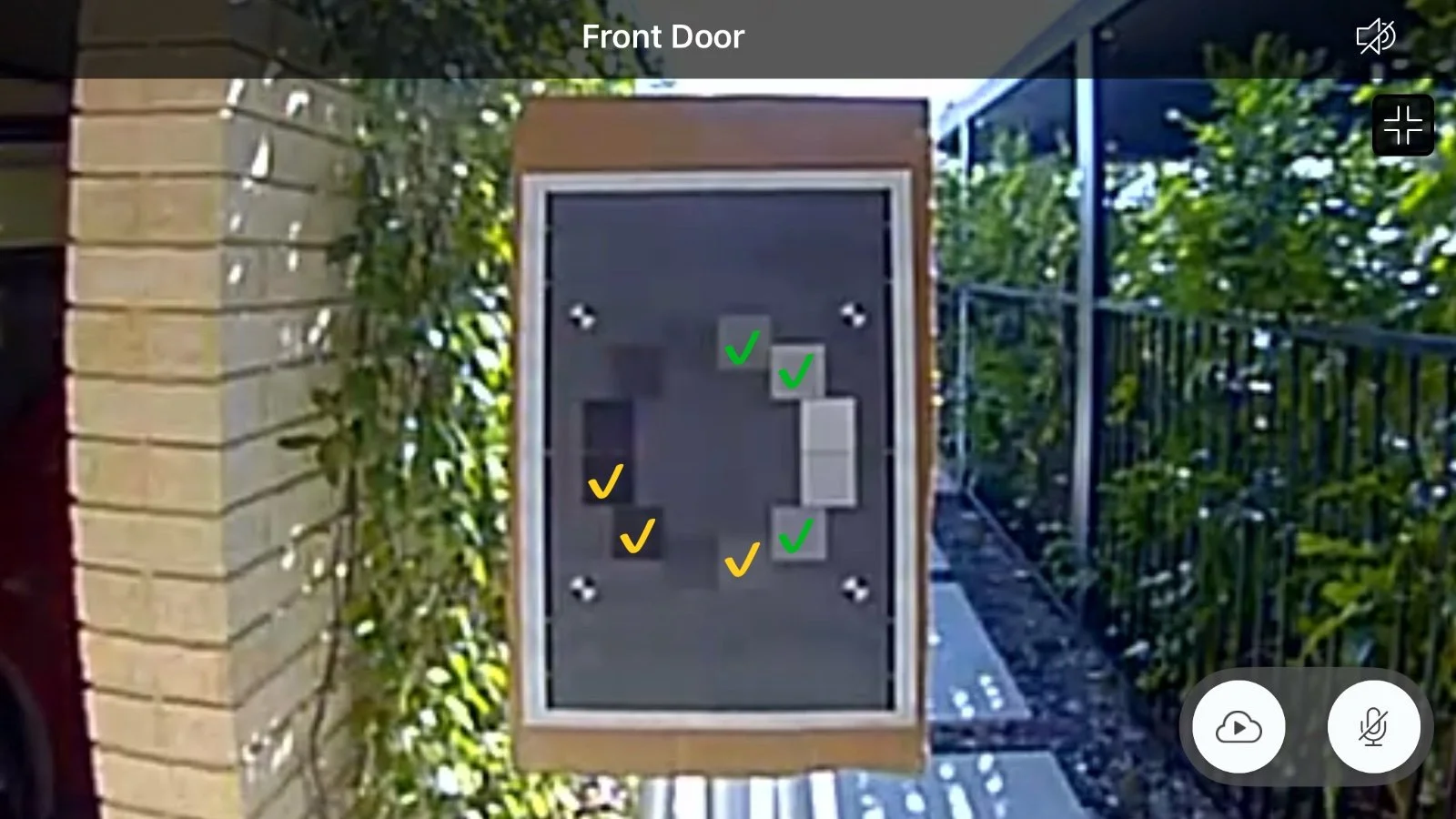
Imatest OECF 36 Test Chart
Audio Performance
Holding a conversation through the doorbell via the Blink app was acceptable. The doorbell speaker delivered clear, high quality voice reproduction with enough volume to be audible and understandable from the full 10m of the test run. There was no corruption, break ups, or distortion present in the stream so Blink scores a perfect score for the outdoor portion of this test.
Using the app, the microphone in the doorbell delivered a similarly good voice capture and reproduction and was able to get usable audio from the maximum test range as well. Unfortunately, the audio stream on this end was plagued with a constant background noise riddled with audio artefacts. It wasn’t bad enough to significantly interfere with the conversation, but was a nuisance given it’s every-present nature.
Talking was also a little awkward because the micrphone cuts out whenever the app user is speaking. This is likely a ham-fisted solution to creating feedback and echo for the person speaking, but if feels jarring and can result in cutting off what is being said outside.
The audio captured in recorded clips was usable but suffered from the same persistent background noise as in the two-way talk test. Sounds were loud and picked up over a good range, but making out sound at longer ranges or lower volumes were impacted by the noise enough to be a problem if you want to keep an ear on things over the full field of view of the camera.
Notification Performance
Notification speed is an important aspect of any smart doorbell. There’s no point in having something that can alert you to activity if it does so too slowly to act on it. Being able to tell what caused the alert at a glance makes thumbnails very helpful, unfortunately the Blink Video Doorbell doesn’t provide that functionality.
As such, the score for this category is slightly inflated as it is based on an average of all notification types. Without thumbnails, which are typically slower, we get an average notification delivery time of 5.4 seconds. Even with that advantage, this result is still below average as a 7+ second delivery time for just a basic text is quite slow compared to other doorbell models.
The overall average was boosted by the quick turnout of doorbell ring notifications. These came in between 1.4 and 2.2 seconds, which is a very good result for this notification type. Actually responding to those notifications wasn’t so good, however, with the Blink app taking its sweet time to get me into the live view.
Rich notifications are a huge benefit when it comes to smart video cameras, and this is more so in the case of doorbells when you actually might need to respond. A rich notification of some kind provides you instant information as to whether you need to pay attention to the motion being detected or not, without having to open the app.
The Blink app simply doesn’t support this functionality, and in this day and age it’s a fairly egregious omission since most of the cheapest off brand models will provide it.
Motion Detection Performance
The Blink Video Doorbell excels in this area. Over 50 test passes the doorbell correctly detected me on every occasion in both day and night conditions. Overall, during the test cycle all person and vehicle motion was correctly detected, with only a tiny handful of events not accurately marked as ‘person’ type events but nonetheless were recorded and notified.
Furthermore, over the entire 30-day period, including on some very windy days, there were exactly ZERO false positives, both in terms of notifications and recorded events. This is an impressive result.
Battery powered doorbells need to conserve power to extend their useful battery life. To do this they go into a sleep mode where the camera is off until triggered by the motion sensor. This test measures how quickly the camera can wake from sleep in order to capture an event.
By walking across the camera’s field of view at close range, we can eliminate other factors such as motion sensitivity and detection range and measure the portion of the frame used up before recording commences. Wide-angle cameras like this one usually fare better on this test as they have more distance in the frame and can wake before I’ve crossed too far in, but not here.
The Blink Video doorbell demonstrated a consistently slow wake speed during the day with the camera only capturing me once I was around half-way across the field of view.
At night this result was made worse by reduced motion detection sensitivity, with most test passes only capturing me on the last third of the distance in view. These result limit the effectiveness of the Blink Video Doorbell in capturing security-related events as the source of the motion could well have left the frame by the time the recording starts.
The ability to capture an approaching person is important as it directly ties into how much of a motion event will be recorded, and how much warning you’ll have between someone entering the property and receiving an alert. For Blink this was hampered by the camera wake speed given the maximum effective detection range was determined to be 7.6m (25ft).
Once an approaching person was detected, only the last 2.9m (9.5ft) on average was actually recorded because it took that long for the camera to start. Results were slightly worse at night, where I recorded the only 0m recording distance, meaning I had already walked up to the doorbell and left the frame by the time the camera started. Most results were on the lower side, between 0.5 and 2.5m captured, with some outliers running closer to the motion sensor capability between 5m and 7m.
Smart Detection Performance
As the Blink Video Doorbell does not offer an active package detection feature, I’ve had to mark this test as not applicable. However, it’s worth noting that thanks to the square aspect ratio of the camera view and the wide-angle lens it does have some package monitoring capability. You have good visibility of the ground right down to the area below the doorbell itself, and well to the sides. This means that any delivery left in the area can be monitored through the doorbell camera based on motion detection events. You have to check these manually, but you’ll at least have some visibility of what’s going on.
Feature scoring:
✔ Visibility of the test package directly below doorbell.
✔ Visibility of porch area in front of the doorbell.
✔ More than 30 degrees off center visibility to the side.
✘ Presence of active package alerting feature.
✘ Presence of additional package alerts
With a Blink subscription you get access to Person and Vehicle detection options along with the motion zone feature. During my testing the doorbell correctly identified both object types with perfect reliability on all 50 test attempts. This gives the doorbell a perfect score on this test, only losing points for the lack of lack of two other common features - Face recognition and animal detection. Neither of those is a deal breaker so this is an excellent result.
Blink’s motion zone feature is a little different to most doorbells. Typically, a custom motion zone will allow you to create an arbitrary polygon outlining the area you want to observe. Blink instead provides a grid of squares that you toggle on and off to define the area of interest. It’s not as precise as a fully custom shape, but as you can enable ‘advanced’ mode to double the number of squares you can get things pretty fine if you need to.
Feature scoring:
✔ Custom motion zones.
✔ Person detection.
✘ Animal Detection.
✔ Vehicle Detection.
✘ Facial Recognition.
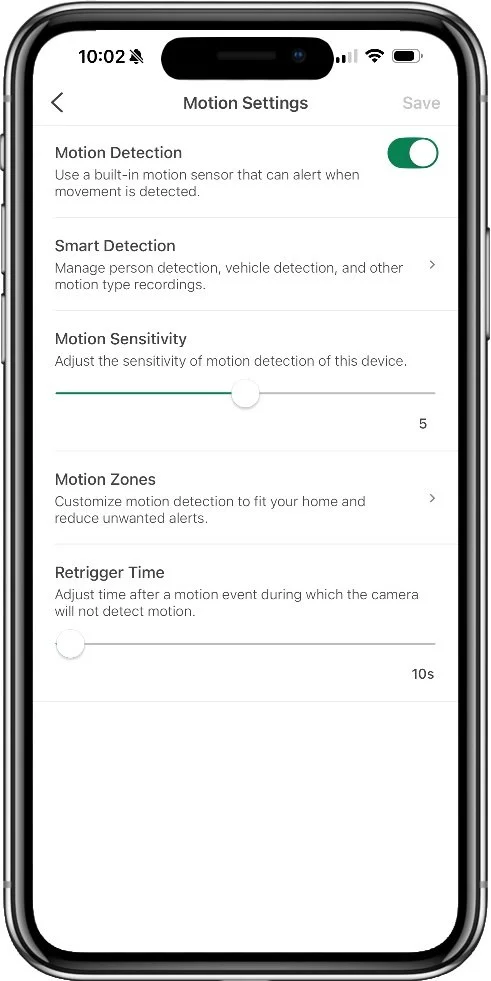
A good set of motion detection controls
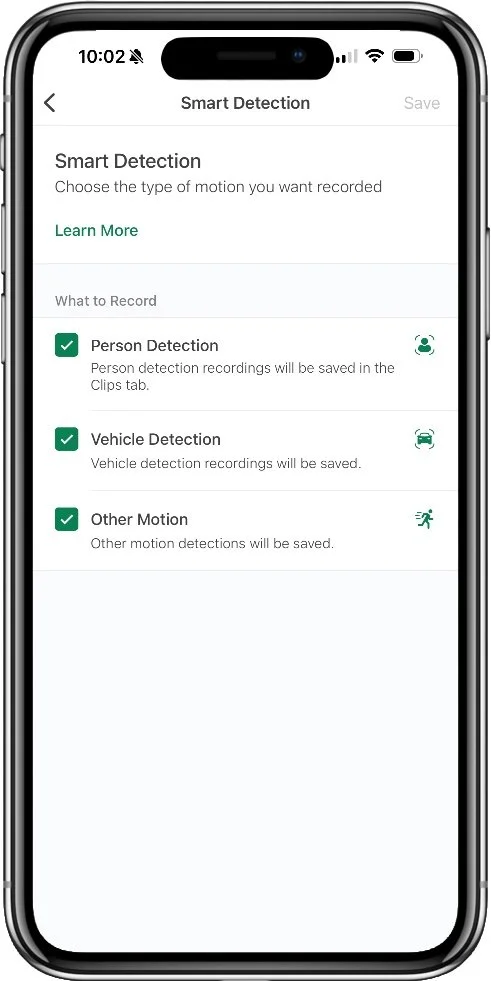
Smart detection available with subscription
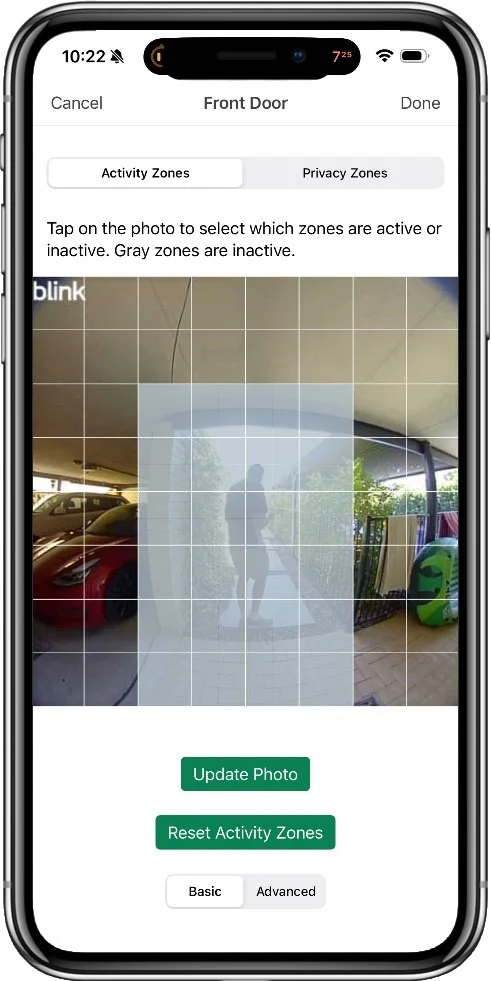
Motion zones are handled with a grid
Battery Performance
Scoring this category has proven to be a challenge. Blink uses regular non-rechargeable AA batteries which are very difficult to provide any kind of reliable state of charge for, especially early on in their life. Because of this, the Blink app is the first one I’ve tested that doesn’t provide a percentage. It just shows the battery state as “OK”. Naturally this prevents me scoring after my 30-day test cycle other than confirming it still says “OK”.
As I fully expect to get a very good runtime from these batteries, I’ve opted to give an interim score based on the only other doorbell I’ve test that uses AA batteries - the Aqara G4. That doorbell gave me an indicative estimate of 80% after 30 days, which panned out pretty well over its total run time. In this case the Time Til Dead result will be far more instructive, so I’ll update this result when I have that result.
App Experience
Live view is an important feature of any smart camera as this your first port of call when an alert is raised that you want to check up on. Being able to fire up the live stream quickly is essential to that task if you want to have any chance of seeing what’s actually happening in time to respond to it.
Accessing the live view from the Blink app is done right from the main dashboard screen and gave me fairly consistent results from 5.2 seconds to 6.6 seconds. This puts Blink at the higher end of the field in terms of response time where you really want a lower response for quick actions.
Responding to a doorbell notification was considerably worse, with results range from 8.7 seconds all the way up to 15 seconds. Obviously, this is the time where you really want to be able to respond quickly. 15 seconds is pretty unacceptable when someone is waiting at the door. Some delivery drivers won’t wait that long.
The Blink app has clearly benefitted from their ‘family relationship’ with Amazon, and I can see a lot of influence from Ring in the design and features. It’s a lot more simplified than the Ring app with far fewer features, but very polished, nonetheless. The mandatory two-factor authentication is a welcome influence here, something very few doorbell apps require leaving users vulnerable to password theft and intrusion.
Access control is provided primarily by managing which devices have access. This is presented clearly and allows you to cut off devices you don’t want in your account. This is important because, inexplicably, Blink has not implemented any kind of device sharing features. If you want to share you Blink doorbell and cameras with other household members you need to give them you account login. As such, there is no permission control, everyone gets full access, the only caveat being that a new device logging in must be approved by the primary device first.
In terms of privacy controls Blink comes up fairly well here. Privacy zones are provided in the same way as motion zones, and you have clear toggle options for disabled audio and recording in general. Live view can’t be turned off, however, and there no quick way to disable the camera on a temporary basis. Only motion detection can be disabled from the main screen.
Otherwise, Blink has put in place all the security features I would expect to see, with clear support documentation on firmware updates and data protection as a bonus, so the overall score here is very good.
As I’ve noted before, the Blink app feels very polished. Everything is well laid out and snappy, controls are where you would expect to find them, and everything is explained with additional text descriptions. I was also pleased to see hyperlinks to support documentation on more advanced features. The ease of finding things is, of course, aided by the no-frills approach Blink has. There simply isn’t that much to find, but all the necessary features are present and work well.
Recorded events are accessed from a seperate button on the main screen that takes you to a pretty typical event playback screen. The playback window is at the top with a list of events below that in chronological order. Each event is timestamped and has icons to indicate the type of motion that was identified (if you have a subscription).
Another subscription feature I found quite nice was Blink Moments. This automatically groups events that are close together into a single video clip that can be watched as one continuous video and downloaded as a single video as well. This greatly helps when you have a lot of events close together by both reducing the clutter in the list and making it easier to review the action.
When it comes to review, the blink app provides very good scrubbing control in the playback. You can grab the position marker and drag it forwards or backwards, the video will respond instantly and smoothly. This is rare, with most doorbell apps providing very limited ability to move within a playing clip, especially at this price point.
Smart Home Features
Live video access from Alexa smart displays.
Extra Features
Blink Moments - Optional subscription feature that groups events where it makes sense.
Ring Neighbors - Supports use of the Ring Neighbors app to share and coordinate with other camera owners in your neighborhood.
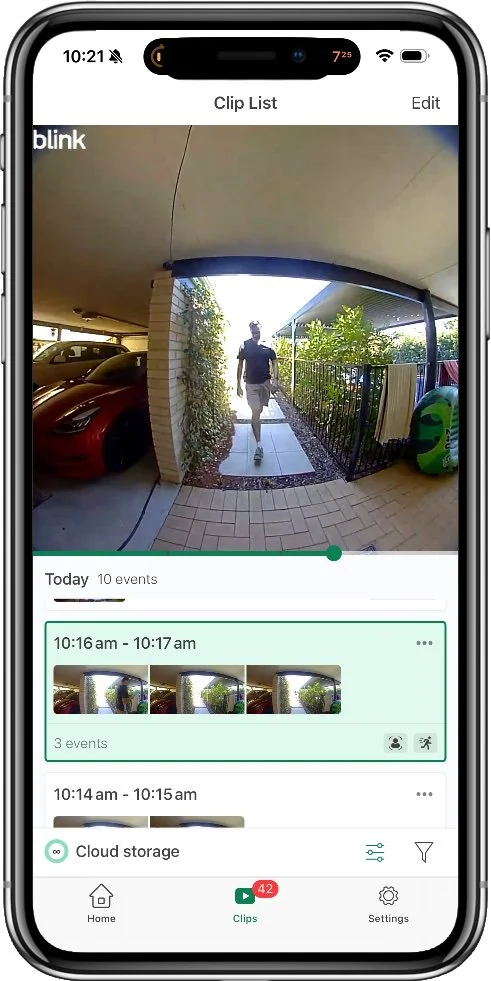
Main event list and playback
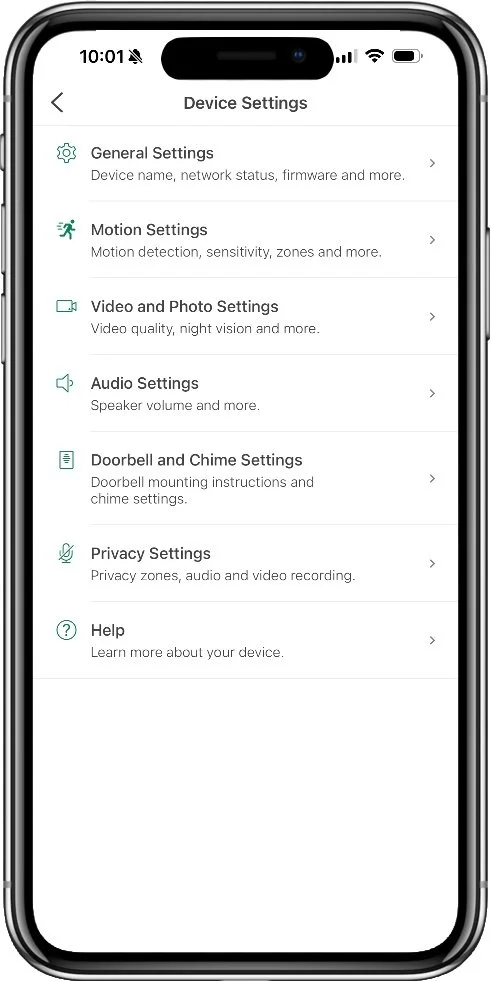
Device management options
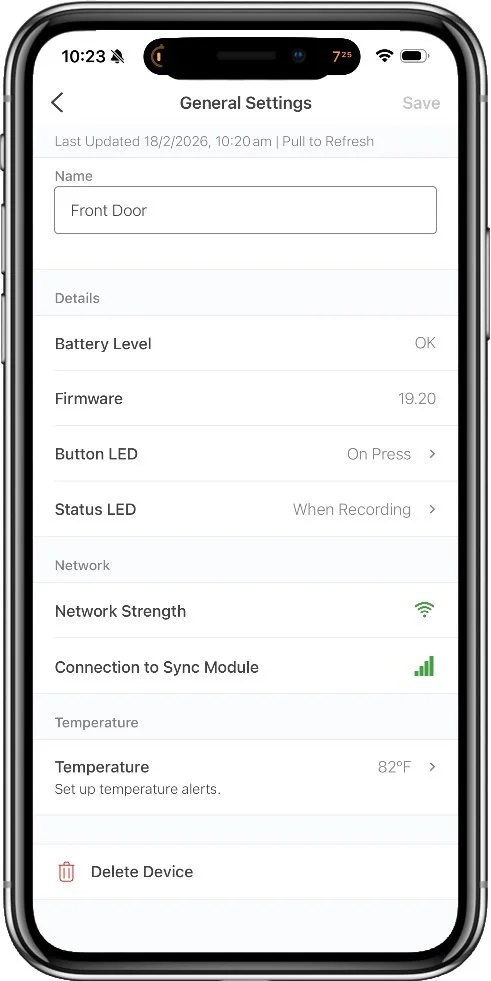
Device status screen
Alternatives
Package Security
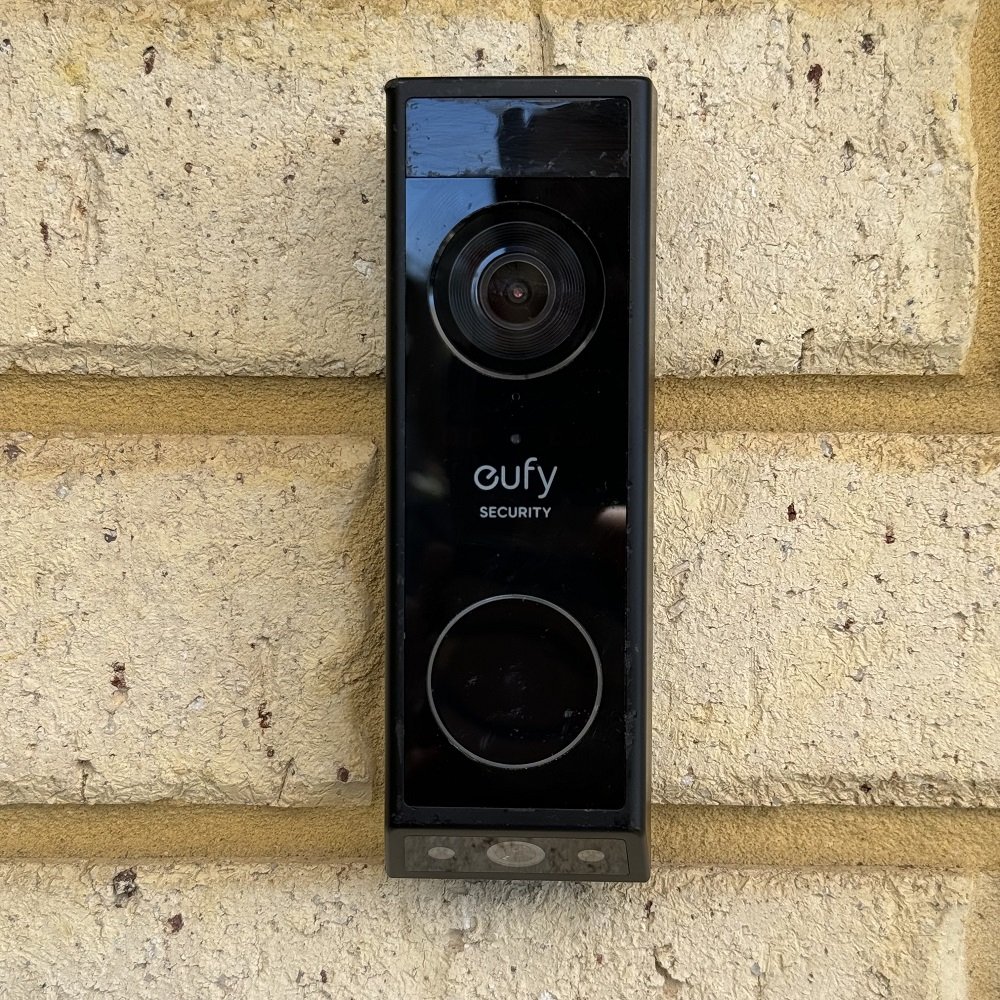
Eufy E340
7.5 Overall Score
A dual camera design from major player Eufy Security provides far superior package security thanks to a dedicated package monitoring camera, built-in LED porch lighting, and the Delivery Guard feature. Delivery Guard not only detects packages and alerts you, but actively monitors them for interference and reminds you to collect them if you forget for too long.
Best Camera

Aosu V8P
7.0 Overall Score
While this budget doorbell does cost a bit more than Blink, you'll get a lot more featuers, good rich notifications, and the best video quality from a bettery doorbell I've tested so far. The biggest downside here is the audio quality, which is pretty much unusable, but if you want video quality without caring about two-way talk, this is a good option.
Smart Detection
Google Nest
7.3 Overall Score
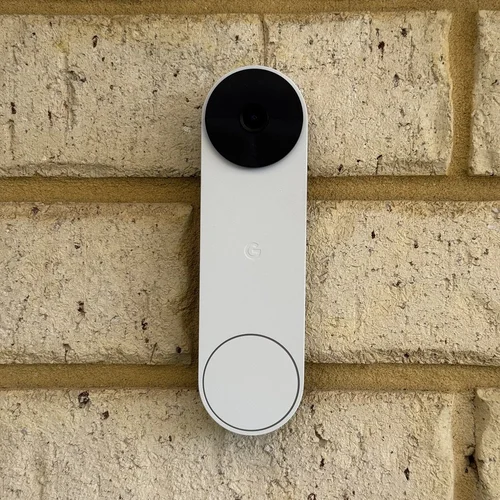
The Google Nest battery doorbell doesn't fare particularly well on video quality, but if you're looking for smart detection of various objects and known people, this is the best option by far (outside of using Apple HomeKit). Most features are usable without a subscription, and you get a short 3 hours of event history for free. If you're only interested in the immediate past this may be enough.
Common Questions
Is cloud storage worth it?
No one is looking for the opportunity to pay for yet another subscription, but in some cases it might be worthwhile. Having your security recordings in the cloud keeps them safe from theft or disaster, and you can access them from any internet connection if needed, where a local storage card can be stolen or destroyed by fire. The best case for a cloud subscription is where it comes with a range of other benefits like a monitoring service, extended warranties, longer recording times, and so forth. These are most often worthwhile if you have invested in a brand for a more complete security system.
Can you store video locally?
Yes, but you’ll need to spring for a upgraded Blink Sync module. The Sync Module 2 allows you to store video clips on a USB flash drive and works otherwise the same as to core module, while the Sync Module XR provides for longer range and stores video on a MicroSD card. Beware that the XR drops the video quality even more to do this, though.
What is a good battery life for a doorbell?
In temperate climates, you can expect a doorbell that sees frequent motion to consume about 1% per day, so you can reasonably get 3 months at a minimum from a charge. In my testing, this generalization holds up fairly well with battery doorbells giving me a run time between 74 days and 102 days depending on model. Most models land close to 90 on maximum settings. Reducing the sensitivity and types of capture events can help extend this further.
The Blink Video Doorbell breaks from this norm by using non-rechargeable lithium batteries. These are pricey for single use batteries, but do last a very long time. Blink claims 2 years on this model.
Who owns Blink?
Blink is a wholly owned brand of Amazon. It benefits from tight integration with other Amazon products and Alexa account linking but also suffers from lock in as Amazon doesn’t generally like integrating with other brands products of smart homes.
See my video doorbell guides to learn more about other models, features, and options.



In a rare showdown between two native HomeKit video doorbells, I pit the Aqara G4 against Wemo's smart doorbell. There are some clear wins on both sides with this one.