
SwitchBot Smart Video Doorbell Review
When you buy through links in this article, I may earn an affiliate commission. Learn More.
This product was purchased for this review.
Tested with scoring system 1.0
What do these scores mean?
Learn about our data-driven scoring system.
Pros
✔ Sensitive motion detection out to long range✔ Included indoor monitor for accessibility
✔ Local storage on MicroSD
Cons
✘ Terrible video and audio quality✘ No package detection
✘ App is slow and clunky
The Verdict
I’ve long been a fan of SwitchBot. They have been steadily growing their lineup of clever smart home devices and often innovating ahead of the pack on features and design. When they announced their new video doorbell, I was naturally excited to see what they had come up with. Unfortunately, it’s been a huge disappointment.
While the doorbell sports the usual 2K camera and smart detection features, and comes with both a dedicated indoor monitoring screen and memory card, the performance of all these features leaves a lot to be desired.
The camera performed particularly poorly on both dynamic range and overall clarity, and the audio performance wasn’t much better. There’s no package detection capability, and most of the smart detection features are locked behind a subscription. Reliability of those features was lacking, and there doesn’t appear to be any rich notification support either, which makes vetting the frequent false positives all the more difficult.
This is topped off by a battery that simply doesn’t stack up to the competition, and no support for standard doorbell wiring to work around that. All said and done, SwitchBot has managed the lowest overall score I’ve yet recorded in my testing. It might be worthwhile for the monitor alone if you need to provide easy access for someone with low tech literacy, like and elderly relative, but otherwise you’re better off looking elsewhere.
Type: Battery video doorbell
Subscription: Optional for cloud storage, required for smart features
Price Segment: $$$$$
Test Results
Each doorbell I review is put through a series of repeated test cycles over a 30-day period. These tests give me 32 data points that make up the 7 overall category scores above. These scores rate each doorbell key performance requirements like video and audio quality, motion capture performance, smart detection accuracy and the overall user experience.
Here’s how this video doorbell ranks compared to the average of other doorbells I’ve tested:
| Data Point | ||
|---|---|---|
| Video Quality | 2.9 | 7.6 |
| Night Vision Quality | 4.7 | 6.9 |
| Dynamic Range | 0.4 | 6.0 |
| Two-Way Talk | 5.0 | 7.5 |
| App Audibility | ||
| Outdoor Audibility | ||
| Recorded Audio | 4.4 | 8.2 |
| Notification Delay | 8.9 | 7.8 |
| Thumbnail Average | ||
| Doorbell Average | ||
| Text-only Average | ||
| Thumbnail Effectiveness | 0.0 | 7.1 |
| Day Success | ||
| Night Success | ||
| Missed Events | 8.6 | 9.4 |
| Day Misses | ||
| Night Misses | ||
| Camera Wake Delay | 3.4 | 8.0 |
| Frame Remaining Day | ||
| Frame Remaining Night | ||
| Event Capture | 6.6 | 6.3 |
| Record Start Day | ||
| Record Start Night | ||
| Package Monitoring | N/A | 6.3 |
| Package Features | ||
| Detection Success | ||
| Smart Detection | 6.3 | 7.7 |
| Smart Features | ||
| Day Accuracy | ||
| Night Accuracy | ||
| Live View Response | 7.3 | 8.2 |
| Live View Time | ||
| Doorbell Ring Response | ||
| Privacy Features | 6.9 | 8.1 |
| App Usability | 5.0 | 7.3 |
| Battery Performance | 5.0 | 6.6 |
| After 30 days | ||
| Time To Dead |
The Basics
Tech Specs
Power: BatteryRemovable Battery: No
Can Use Wired Chime: No
Connectivity: 2.4GHz Wi-Fi
Resolution: 2304 x 1296
Storage: SD Card
Weather Rating: IP65
Field of View: 130 degrees
Compatibility: Alexa, Google
Smart Detection: Yes
Footprint (WxH): 64mm x 130mm
Notable Features:
- Tamper alarm
- Indoor monitor unit
- Smart lock integration
The SwitchBot Smart Video Doorbell has one significant unique feature; the indoor monitor. This is a standalone wireless display unit which pairs directly to the doorbell and allows you to access the live view, respond to doorbell rings, and review past events without the need to use the smartphone app. The monitor also acts as an indoor chime that can either sit on a bench or be wall mounted using the included bracket.
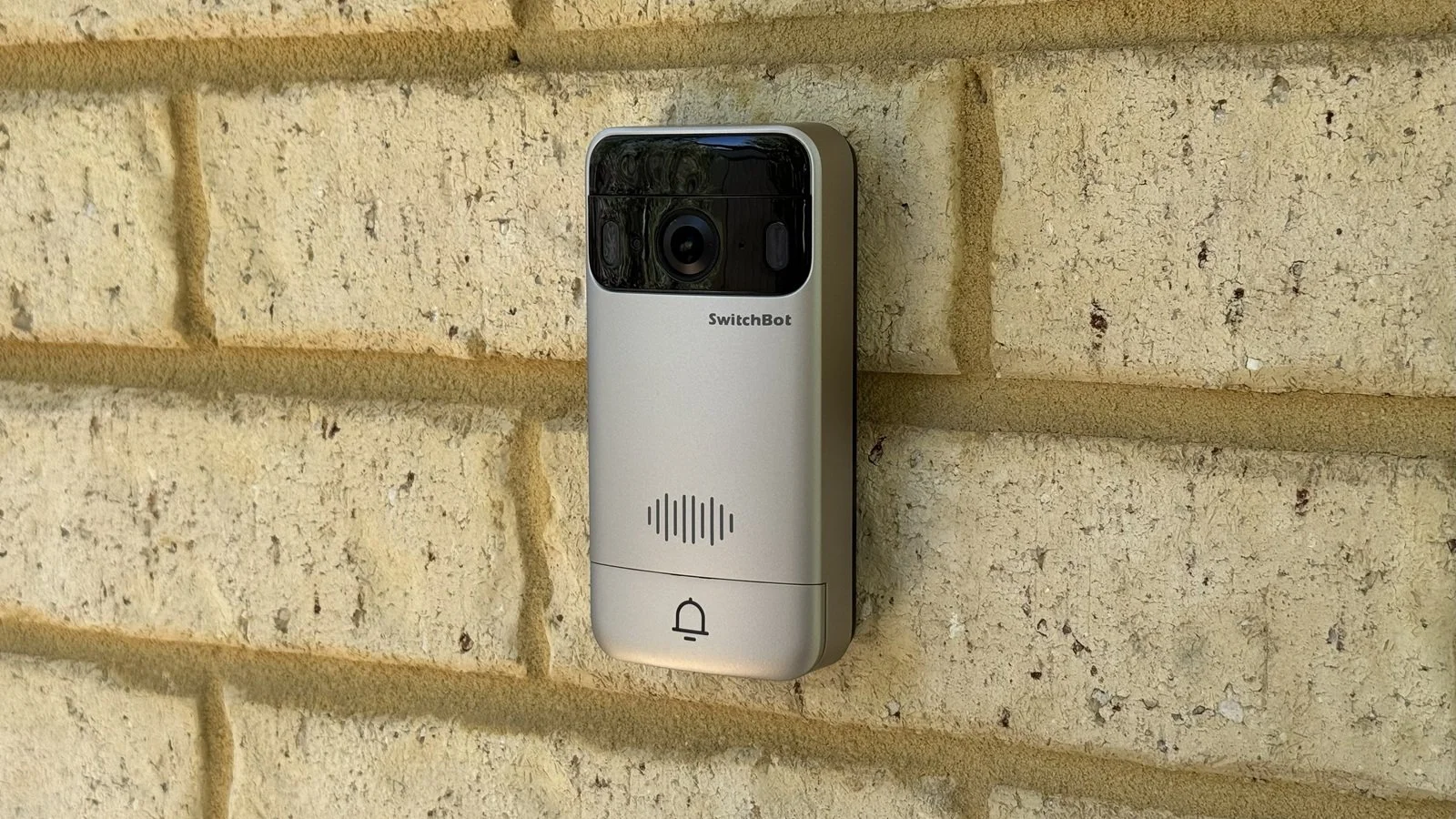
The doorbell itself breaks from the typical rectangle or pill shape, instead opting for a more retro design in silver that resembles conventional video intercoms. The doorbell mounts easily and securely to the plastic mounting bracket, and an optional wedge insert is also provided for better horizontal angling of the camera.
The doorbell is powered by an internal rechargeable battery that is not removable and is charged via a USB-C port in the bottom. You might notice the wire terminals on the back and thing you can use doorbell wiring for permanent power as well, but this is not the case. Oddly, these terminals are intended for hard wiring to the indoor monitor. The monitor can provide a DC power source to the doorbell, so connecting regular doorbell wires, which are AC, will probably not end well.
This seems a strange design choice as you would have very limited scenarios in which this kind of wiring would be practical. Primarily, I can think only of the case of wall mounting the monitor right inside the door so they can be connected back-to-back by drilling a hole through the wall.
You’ll get the usual basic wall mounting hardware for both the doorbell and the monitor in the box, along with the charge cable and mount plates. SwitchBot also provides adhesive pads for mounting the doorbell without having to drill holes if you need that option.
SwitchBot products tend to integrate in various ways, and the doorbell does this by providing a way to unlock SwitchBot smart locks using NFC once the two are paired. An interesting feature not common amongst the competition.
Video Storage
SwitchBot cloud subscription
Optional MicroSD card (included in monitor)
Chime Options
Included monitor unit
Alexa smart speakers
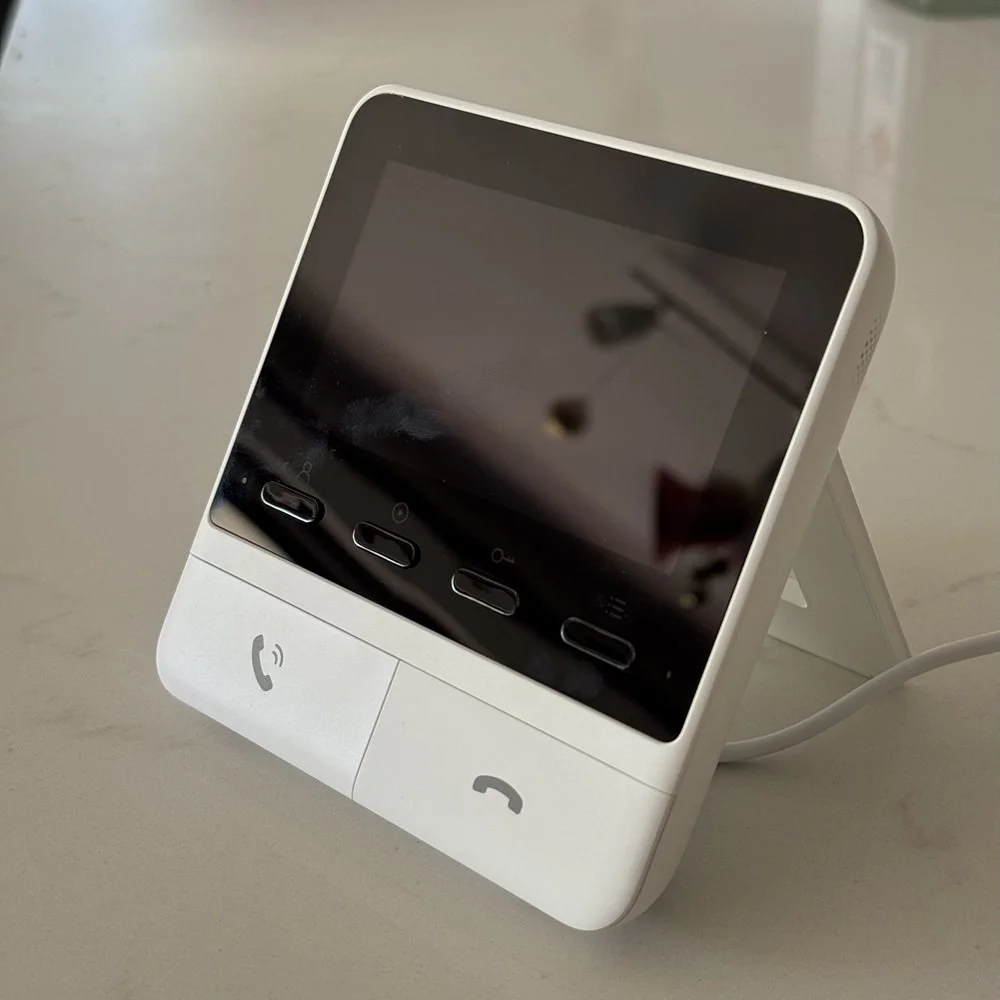
The included indoor monitor
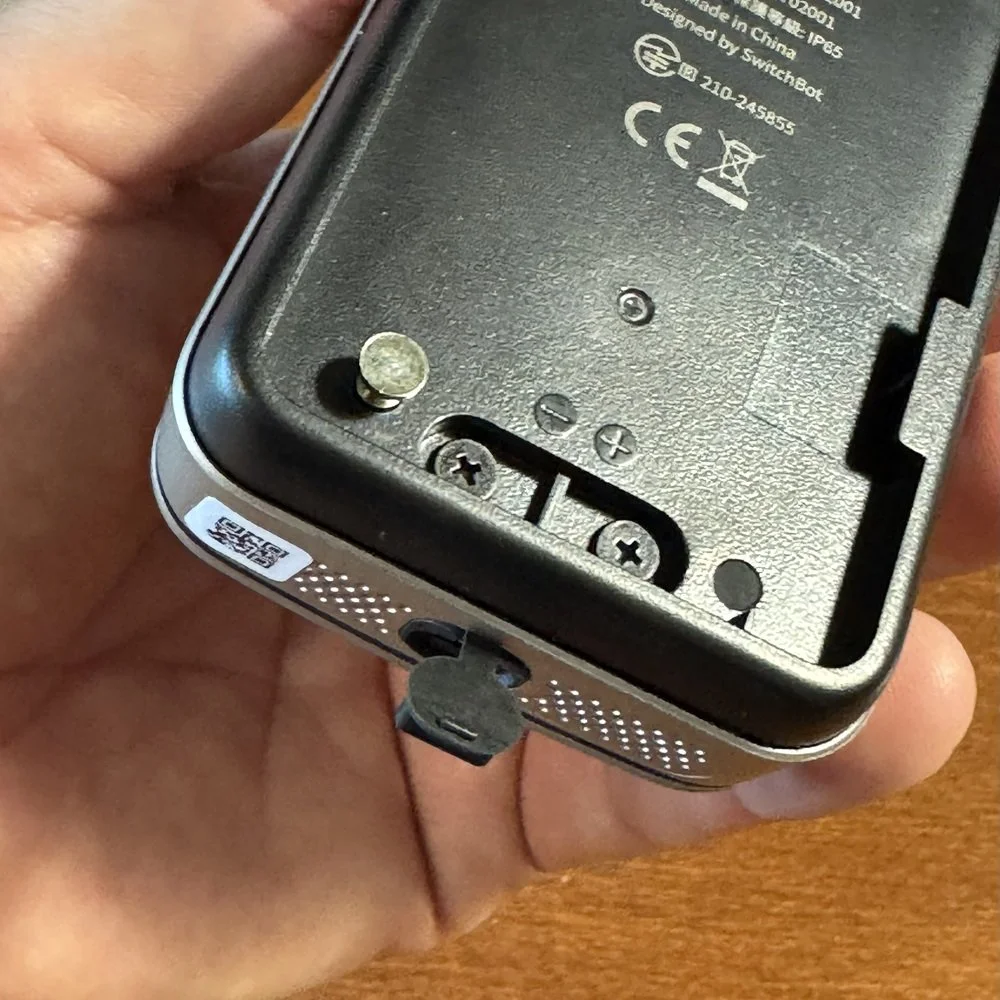
USB port and DC terminals
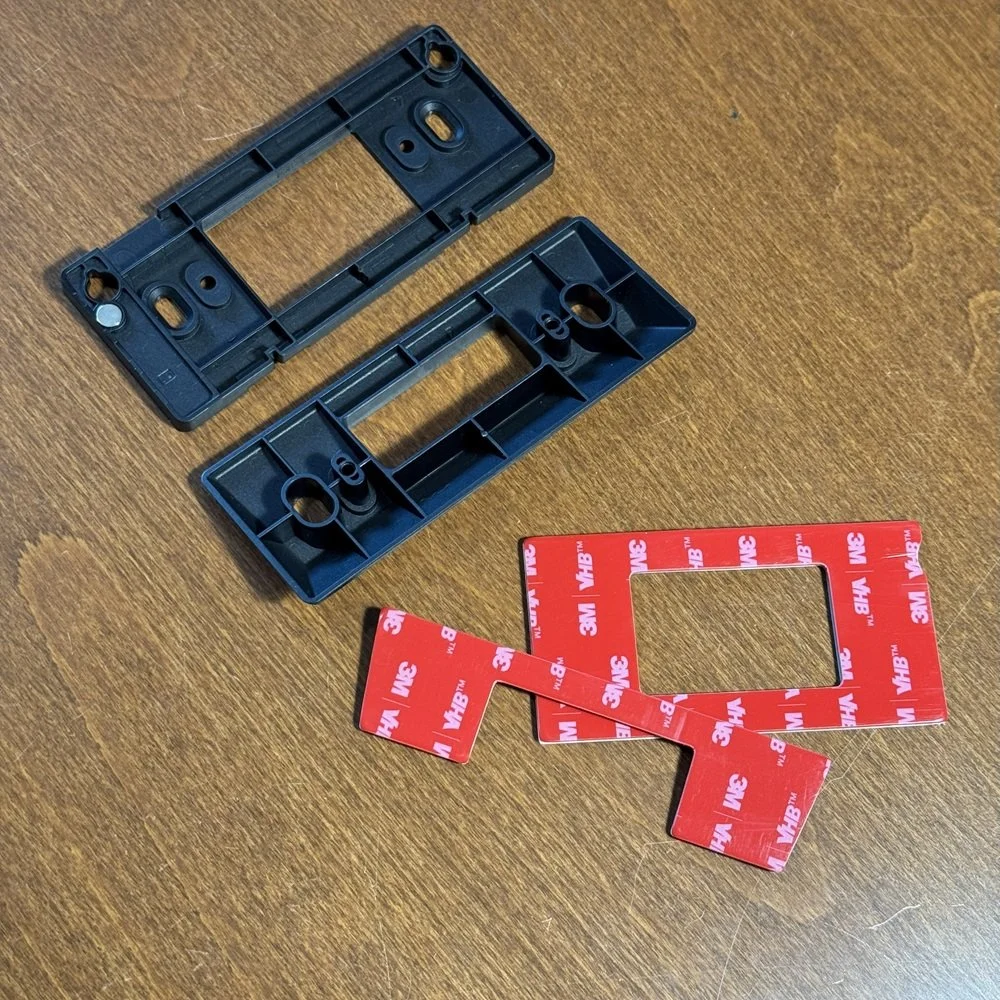
Plastic bracket and optional no-drill adhesives
Camera Performance
SwitchBot has included a (now almost obligatory) 2K camera in their video doorbell which outputs video at 2304 x 1296. In my testing, 2K doorbell cameras vary widely in their actual resolutions, but this one is an exact match for the cameras in two entry-level Chinese models I’ve tested recently. Both of those fared better in the video clarity test that this one, though.
The SwitchBot implementation suffers from the fairly common overexposure in full sun, as you can see in the sample clip. Shadows are not too bad, and the color definition is fine, but the problem seems to be in the compression being used. It’s extremely aggressive and results in massive temporal artifacts throughout the video. Most of the time fine details are a smudged, blocky mess.
This issue made it very hard to get a good read on the test chart, and I was only able to meet the criteria for the test at a distance of 2.3m (7.5ft). This gives SwitchBot the second lowest score in my library.
SwitchBot supports both infra-red (black and white) night vision, and color night vision. The latter is a popular feature now, but it basically means a low-light capable camera that can see details with some ambient light, but much lower than what a standard camera would need. This is usually boosted by some form of LED lighting on the doorbell itself, and SwitchBot is no exception.
The doorbell sports two large LED spotlights in the top corners which illuminate when motion is detected. This provides the cameras with enough light to see a person standing in front of the doorbell without a reasonable distance, but is subject to exposure issues if there is any kind of background light. In the clip below you can see there is some street lighting on the road outside the gate. In reality this is not bright, but the low-light mode of the camera boosts it in preference to the person in front of it.
In color mode I was able to get a good read on the test chart at a distance of 3.3m (10.8ft). While this is a better result than the daytime test, it’s still below average for night vision cameras.
While the SwitchBot doorbell does suffer from over exposure issues, that alone would tank the HDR score as much as this. The excessive compression in this case results in a fairly unreadable test image, and you can clearly see the impact with blurry, smudged details everywhere.
That said, is still clear that the camera is unable to make out many of the grey shades in the image, even allowing for blurred borders. Under these conditions, only a single partial swatch was defineable, resulting in a very poor score.
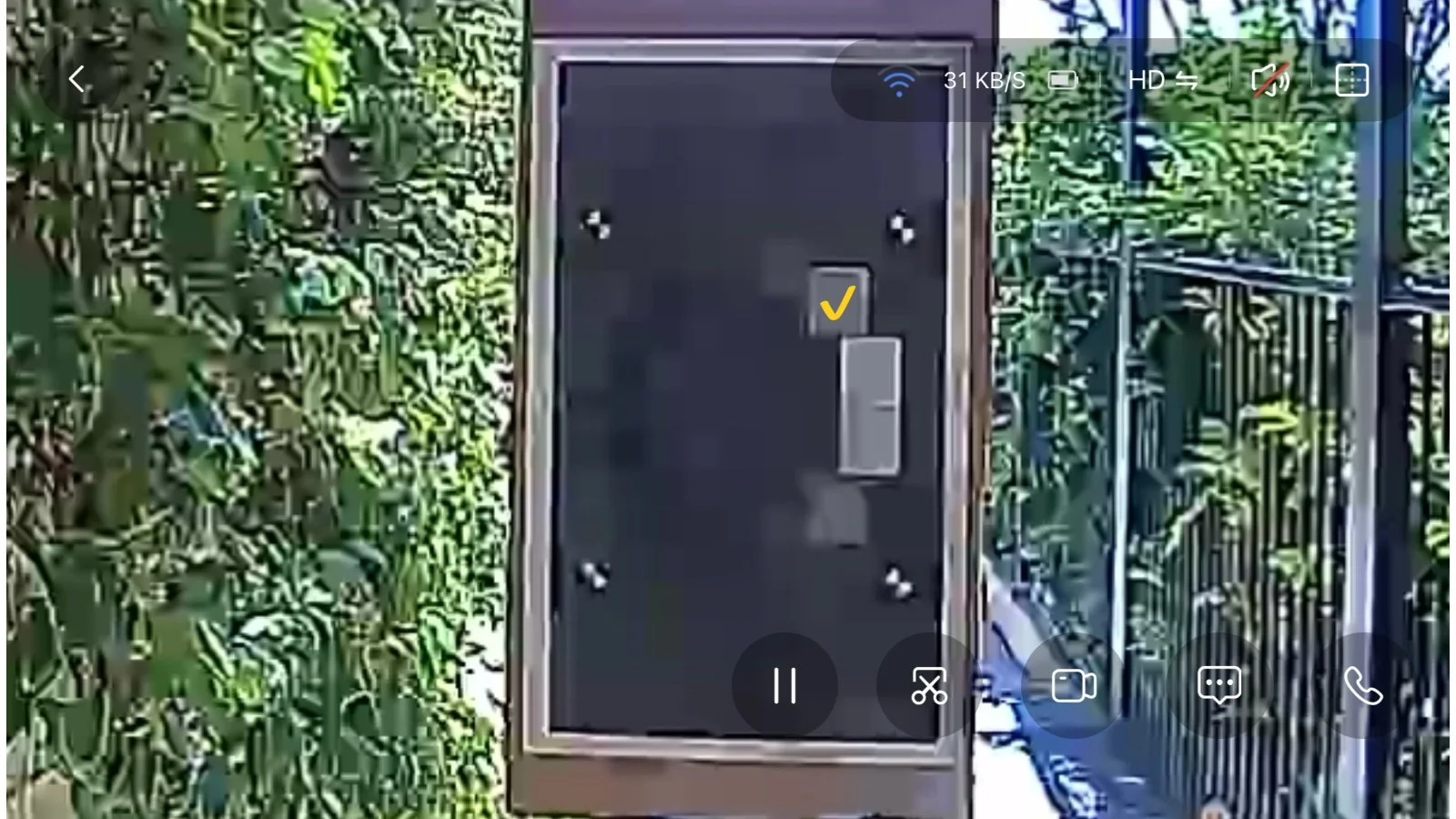
Imatest OECF 36 Test Chart
Audio Performance
Testing the two-way talk feature on a live stream call it was found to be kinda useable, but on the lower end. Voice reproduction was acceptable, but not great, consistent with a low-quality audio encoding flattening the voice tones. The Microphone on the doorbell struggled to pick up much beyond about 4m (13ft), which is a mid-range score that is fine for talking to callers.
Outside, the speaker performed better, producing quite loud output that could be understood out to 8m (26ft), which is actually pretty good. Unfortunately, during the test there was a recurring audio glitch or breakup in the stream every 1-2 seconds. This interfered significantly with understanding what was being said and resulted in a low of requests to repeat.
To eliminate issues with the app, the test was repeated with the indoor monitor which produced the exact same results.
Unsurprisingly, the recorded audio was also very poor. This was marked by frequent audio breakups/skipping in the audio stream, significant compression artefacts and noise, and poor voice reproduction as a result. Speech could be heard beyond 3m (9ft), but not much more before artifacts overwhelmed the poor pickup volume.
It’s not the worst result for this test, but it’s in the bottom half of the pack.
Notification Performance
Notification speed is an important aspect of any smart doorbell. There’s no point in having something that can alert you to activity if it does so too slowly to act on it. Being able to tell what caused the alert at a glance makes thumbnails very helpful, unfortunately the SwitchBot doorbell doesn’t seem to provide that functionality. There is an option buried in the notification settings to “Show images and events” which I enabled for all motion types, but it didn’t have the expected effect…or any effect.
As such, the score for this category is slightly inflated as it is based on an average of all notification types. Without thumbnails, which are typically slower, we get an average notification delivery time of 5.8 seconds. Even with that advantage, this result is still below average as a 7+ second delivery time for just a basic text is quite slow.
I also found the doorbell ring notifications to be slow, at 5.4 seconds from pressing the button to receiving an alert on my phone. This is unusual since the doorbell camera has already woken up before the button is pressed. Most doorbells take advantage of that and are able to send the alert very quickly. The average doorbell notification time across all my test is only 3 seconds, so SwitchBot isn’t competitive here either.
It’s unclear if the SwitchBot app can actually generate rich thumbnail notifications, the support documentation isn’t clear and even with the settings that would seem to allow it enabled I still wasn’t able to get anything from the app beyond text notifications.
This is disappointing as rich notifications are essential for being able to vet alerts quickly without having to open the app and view the clip. This is especially important if you get a lot of notifications that can be ignored from things like plants or street activity. Without rich notifications you either have to drastically turn down your motion detection features, risking their usefulness, or you just end up ignoring the notifications for the most part.
Motion Detection Performance
Overall motion detection accuracy, meaning the ability of the doorbell to correctly detect me in each test pass, was fairly typical. I encountered a handful of missed events during daytime tests, and more frequent misses at night. This is a pattern I see often with low end doorbells. At this price point, the SwitchBot doorbell shouldn’t be giving this behavior profile.
During day test the doorbell failed to detect me 14.3% of the time, or 3 out of 21 attempts. At night this increased to 25% with 6 out of 24 attempts missed. This is still a usable miss rate, but it’s not great and well above average.
The missed events are likely a consequence of the camera being slow to wake up (see below) as the motion sensor itself seems quite sensitive. Detection range was excellent, and it was quite prone to detecting small motion. Unfortunately, this also means it delivered a lot of false positives on windy days, even on a toned-down medium setting.
Battery powered doorbells need to conserve power to extend their useful battery life. To do this they go into a sleep mode where the camera is off until triggered by the motion sensor. This test measures how quickly the camera can wake from sleep in order to capture an event.
By walking across the camera’s field of view at close range, we can eliminate other factors such as motion sensitivity and detection range and measure the portion of the frame used up before recording commences. In this case, the results varied wildly. On some days the doorbell would wake quickly and record me across the entire frame. On other days it would completely miss me multiple times, resulting in a 0 score.
Day and night performance showed a very similar spread from nearly 100% to 0% from one test to another.
The ability to capture an approaching person is important as it directly ties into how much of a motion event will be recorded, and how much warning you’ll have between someone entering the property and receiving an alert. The SwitchBot doorbell demonstrated the ability to detect a person at long range, easily picking me up from the beginning of the 10m (30ft) test run.
The flakiness of the camera wake had a significant impact in this test, as it translated to widely varying start times for the recording. In some day tests the camera would fire up quickly and record my entire approach, other times (day and night) it wouldn’t start recording until I was literally standing stationary in front of the doorbell.
Overall, the doorbell averaged a recorded distance of 4.5m (14.7ft).
Smart Detection Performance
SwitchBot doesn’t offer any package detection, even with their subscription smart features. With a 16:9 aspect ratio on the camera and the limited field of view vertically, there is no realistic way to see a package delivered near the door, or to keep an eye on things on the ground. As such, the doorbell doesn’t have any viable package monitoring capability, and I’ve regarded this test as not applicable.
Feature scoring:
✘ Visibility of the test package directly below doorbell.
✘ Visibility of porch area in front of the doorbell.
✘ More than 30 degrees off center visibility to the side.
✘ Presence of active package alerting feature.
✘ Presence of additional package alerts
The SwitchBot app provides basic motion detection, and human detection as standard. You can also add vehicle and pet detection with a cloud subscription for a few bucks a month. Human detection was not as reliable as I’ve come to expect from other models, in fact I recorded the lowest accuracy of any doorbell I’ve tested so far at a lowly 46%.
Vehicle detection seemed fine, although it did tend to detect my parked car every time the camera was triggered for some other reason, and pet detection literally never detected my small dog no matter how much he ran up and down the test run. This feature seems tuned more to suit SwitchBot’s indoor cameras rather than the viewing angle provided by the doorbell.
Feature scoring:
✔ Custom motion zones.
✔ Person detection.
✔ Animal Detection.
✔ Vehicle Detection.
✘ Facial Recognition.
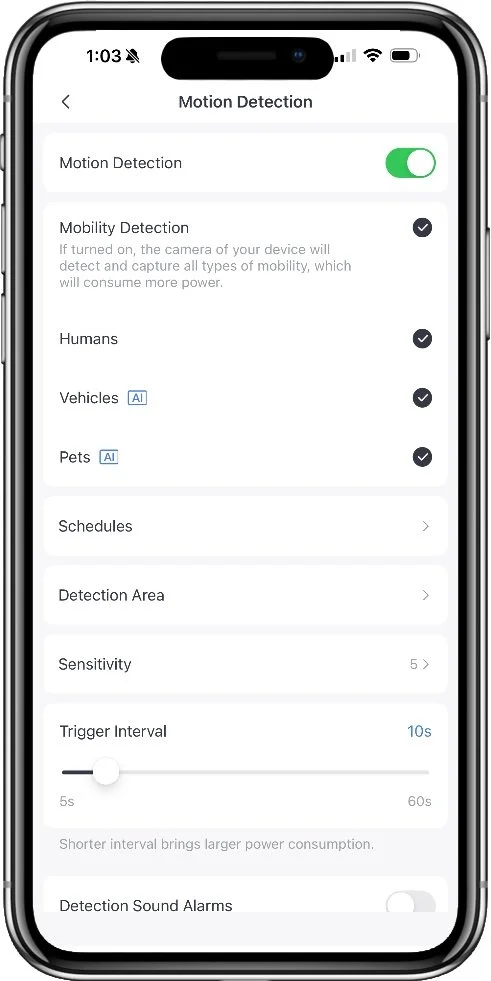
Smart detection settings
Battery Performance
SwitchBot manages to take out the worst-score-to-date trophy again with this one. Running the standard 30-day test cycle with settings on high to measure the full capabilities of the doorbell, the battery ran down to 50%. Continuing the run down test beyond the 30 days with a consistent level of activity saw the battery die after only 47 days, which is very poor.
Run down rate was very unpredictable, with stretches where the battery would show no change for days at a time and then drop suddenly. I even had one day where the percentage when up, which is a first.
SwitchBot Battery Profile
App Experience
Live view is an important feature of any smart camera as this your first port of call when an alert is raised that you want to check up on. Being able to fire up the live stream quickly is essential to that task if you want to have any chance of seeing what’s actually happening in time to respond to it.
Accessing the live view from the SwitchBot app, and from the indoor monitor was about the same. This experience was somewhat inconsistent with an average wait time of 5.3 seconds but a spread of around 2 to 12 seconds with attempts varying across that entire range.
Access the live view from a doorbell ring notification was about the same, with an average wait of 5.9 seconds. While the live view time is fairly typical, although more varied than other doorbell models, answering a doorbell ring was in the bottom half of the field with many models achieving this in under 3 seconds.
The SwitchBot app has been around for a while as part of their broader smart homer platform offering and is quite mature, so fairs reasonably well here.
The app uses device-based tokens to keep you logged in on your phone, which can be set as a trusted device. You can manage which devices have logged into your account and forcibly log them out if needed. Two step verification is offered as an option, but is not mandatory and can be bypassed by setting a trusted deivce.
Device sharing is handled through the smart home functions. By creating a ‘home’ you can then invite members and give them some level of permissions. Members can be managed through the app and removed if no longer wanted. This all seems quite robust.
SwitchBot is proactive with firmware updates and supports their devices for the long term. Firmware updates are notified prominently in the app, and can be installed automatically. This is a setting on the doorbell specifically and can be disabled if you prefer to handle things yourself. You can check the current version on the doorbell through the settings, but there’s no history log to see what has been installed (there IS a log feature in the menu, but I’ve never seen anything in it).
While the SwitchBot app itself has matured well and been around for a while, the doorbell functionality is new. The overall experience is very similar to a number of low-end budget models I’ve tested, down to the same awkward timeline view, and limited playback functionality.
The feel of this functionality and the issues I’ve encountered with various performance tests make it look very much like SwitchBot has licensed some whitebox commodity doorbell hardware and the app to go with it and shoehorned it into their own. This might also explain why everything to do with the doorbell feels slow. Even displaying the status of the doorbell on the dashboard screen when opening the app is delayed, alternating between offline and online at least once, usually more before it finally decides what is going on.
Accessing recorded clips takes time, with a delay while it retrieves the list of events and then the clip itself, even when using local storage. Sometimes I would have to cancel a playback and try again as it seemed to get stuck. The playback window in the event list offers no way to move forward or backward in the clip, and even when switching to full screen view, you also get given a timeline of events at the bottom. This is a sliding bar with lines representing events. To use it to actually play something you need to zoom it in quite a way. It can be useful if you want to find something in a block of time, but otherwise it’s just really awkward.
This in particular makes me feel like this is cheap as it’s the exact same feature I’ve seen in low end Chinese models from the likes of WUUK, TMEZON, and Aosu. This tack on feel extends to the menu layout with settings often feeling buried or hard to find because of where they are and what they are called. For example, the indoor monitor has no volume control to change the playback volume of recorded clips, you have to find a setting called ‘Intercom volume’.
Overall the app works ok, and you’d get used to commonly used settings, but it needs some work on the layout and performance.
Smart Home Features
Live video access from Alexa or Google smart displays.
Can be used to accept NFC tokens to unlock paired SwitchBot doorbells.
Extra Features
Tamper Alarm - Optional flashing red lights and beeping when the doorbell is removed from the mount
Quick Responses - Pre-recorded voice messages that you can play when someone ring the doorbell. One can also be selected to play automatically.
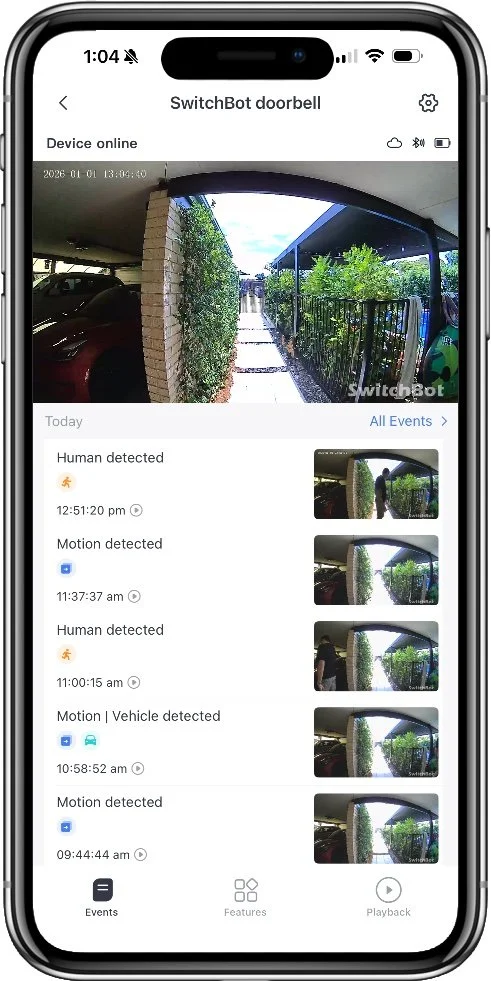
Main event list and playback
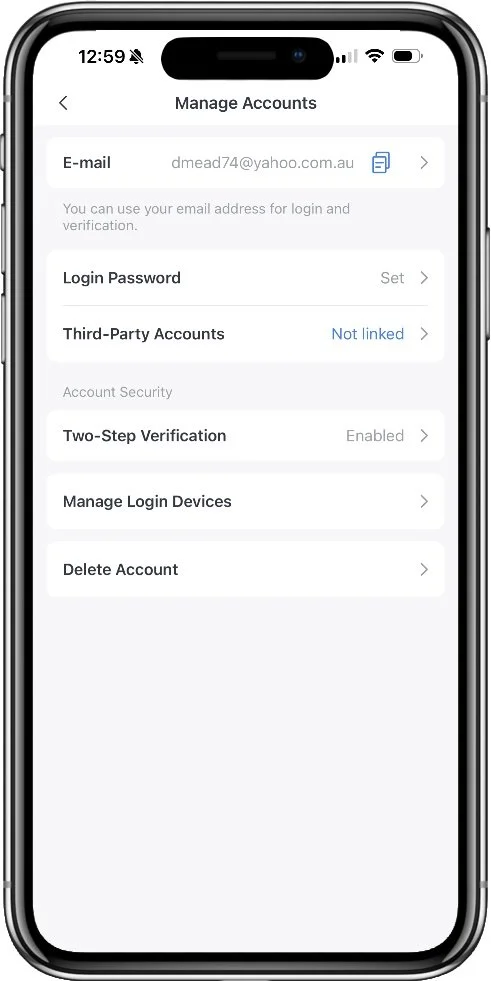
Account management options
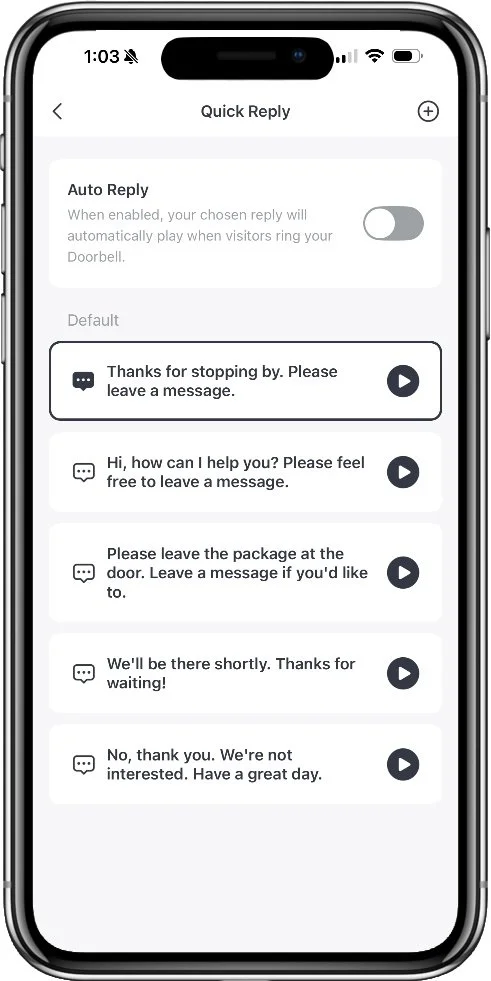
Quick response choices
Alternatives
Package Security
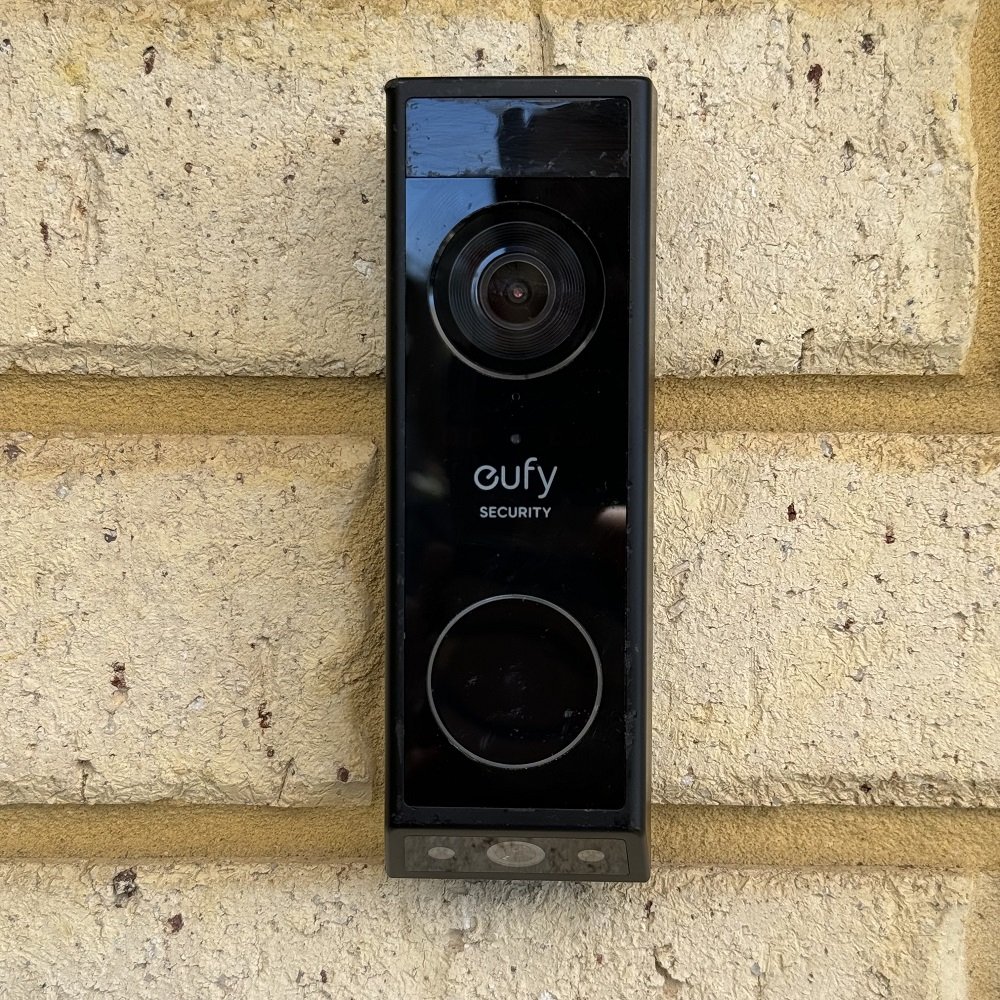
Eufy E340
7.5 Overall Score
A dual camera design from major player Eufy Security provides far superior package security thanks to a dedicated package monitoring camera, built-in LED porch lighting, and the Delivery Guard feature. Delivery Guard not only detects packages and alerts you, but actively monitors them for interference and reminds you to collect them if you forget for too long.
Best Battery
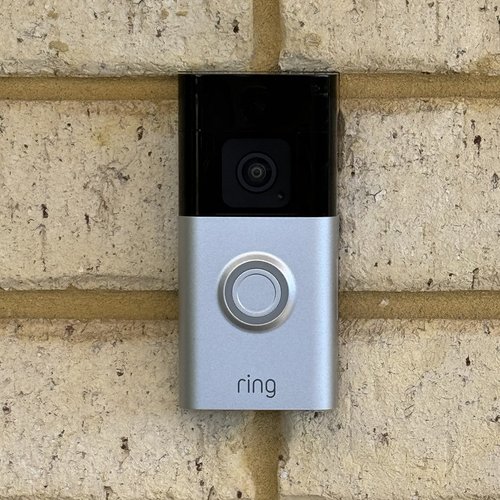
Ring Battery Doorbell Plus
8.1 Overall Score
While Ring doorbells do require a modest subscription, the notification performance and overall app experience is far superior. A wide angle lens provides for greater overall security coverage with very fast rich notifications and a class-leading video playback system that allows for seamless scrolling back and forth through the entire day. This model also has the longest tested battery life of any doorbell I've tested so far.
Smart Detection
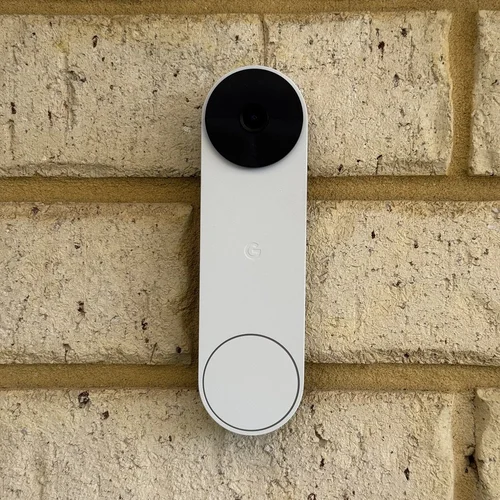
Google Nest
7.3 Overall Score
The Google Nest battery doorbell doesn't fare particularly well on video quality, but if you're looking for smart detection of various objects and known people, this is the best option by far (outside of using Apple HomeKit). Most features are usable without a subscription, and you get a short 3 hours of event history for free. If you're only interested in the immediate past this may be enough.
Common Questions
Is cloud storage worth it?
No one is looking for the opportunity to pay for yet another subscription, but in some cases it might be worthwhile. Having your security recordings in the cloud keeps them safe from theft or disaster, and you can access them from any internet connection if needed, where a local storage card can be stolen or destroyed by fire. The best case for a cloud subscription is where it comes with a range of other benefits like a monitoring service, extended warranties, longer recording times, and so forth. These are most often worthwhile if you have invested in a brand for a more complete security system.
Does the SwitchBot Smart Vieo Doorbell come with a memory card?
Yes, if you get the option with the indoor monitor included, that comes with a MicroSD card already in the slot. It’s only 4GB, but that will give you about 6 months or recording with standard settings.
What is a good battery life for a doorbell?
In temperate climates, you can expect a doorbell that sees frequent motion to consume about 1% per day, so you can reasonably get 3 months at a minimum from a charge. In my testing, this generalization holds up fairly well with battery doorbells giving me a run time between 74 days and 102 days depending on model. Most models land close to 90 on maximum settings. Reducing the sensitivity and types of capture events can help extend this further.
See my video doorbell guides to learn more about other models, features, and options.



In a rare showdown between two native HomeKit video doorbells, I pit the Aqara G4 against Wemo's smart doorbell. There are some clear wins on both sides with this one.