When you buy through links in this article, I may earn an affiliate commission. Learn More.
The product sample was provided for this review.
As the smart lighting market has matured, we’ve seen a lot of new and interesting devices that provide far more interest, and arguably utility, than simple dimmable color bulbs. A wide range of new form factors like light bars, strips, and interactive panels have proved popular for enhancing the ambience of a living space, and many of these also incorporate animated lighting effects to that end.
The flame bulb is another similar result of the push to find new uses for LED lights. These devices are replacements for regular light bulbs and can be used in any standard socket, but that utilize an array of LEDs to create and animated effect that looks like flickering flames. These have become popular for creating that fire-light abmience, and especially around certain holidays like Chrismas and Halloween.
To date these lights have relied on either a very basic manual control such as turning them on and off multiple times, to using a standalone app to control their effects. Smart home integration has been virtually non-existant, so they haven’t been a great option for those of us who want full control over our home. LIFX has provided an option here for some time, but I hadn’t seen any other brand attempt any kind of integration, until now.
The new Linkind Smart Light stick not only does this, but does so with Matter over Wi-Fi, guaranteeing broad compatibility with virtually every smart home platform worth mentioning, while provided a bright bulb with vastly more effects than the competition. Those effects still rely on the proprietary app as Matter, and smart home platofrms in general, don’t have any standard way of accessing custom features like these, but Matter provides the usual smart light controls for those times when you don’t need the animations.
Linkind Smart Light Stick Overview
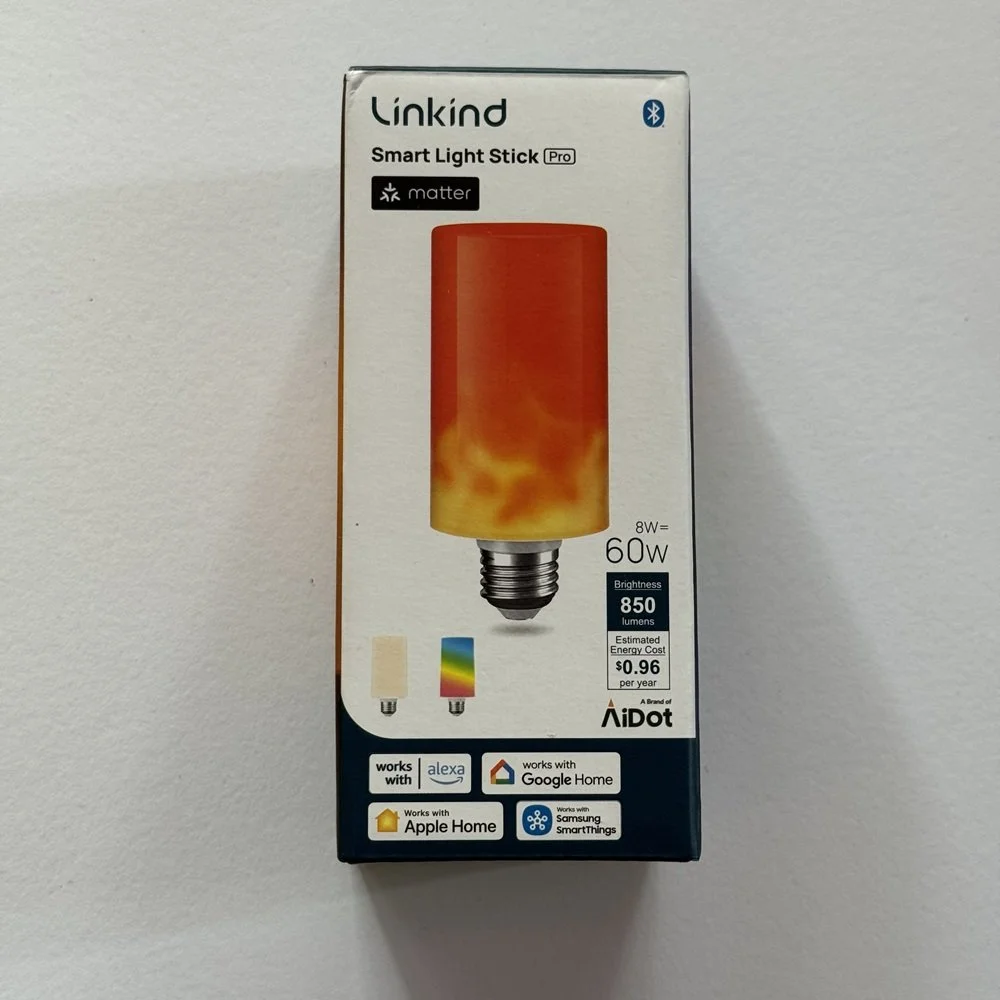
Linkind Light Stick
Key Features:
• Matter support
• Wi-Fi, no hub required
• E26/27 socket @ 110V
• Multi color LED array
• Scores of built-in animations
• 850 lumens
Pros
✔ Very Easy Setup✔ No visible LED spotting
✔ Matter support
Cons
✘ Flame animation isn't the best✘ Needs AIdot app for effects control
✘ North America voltage only
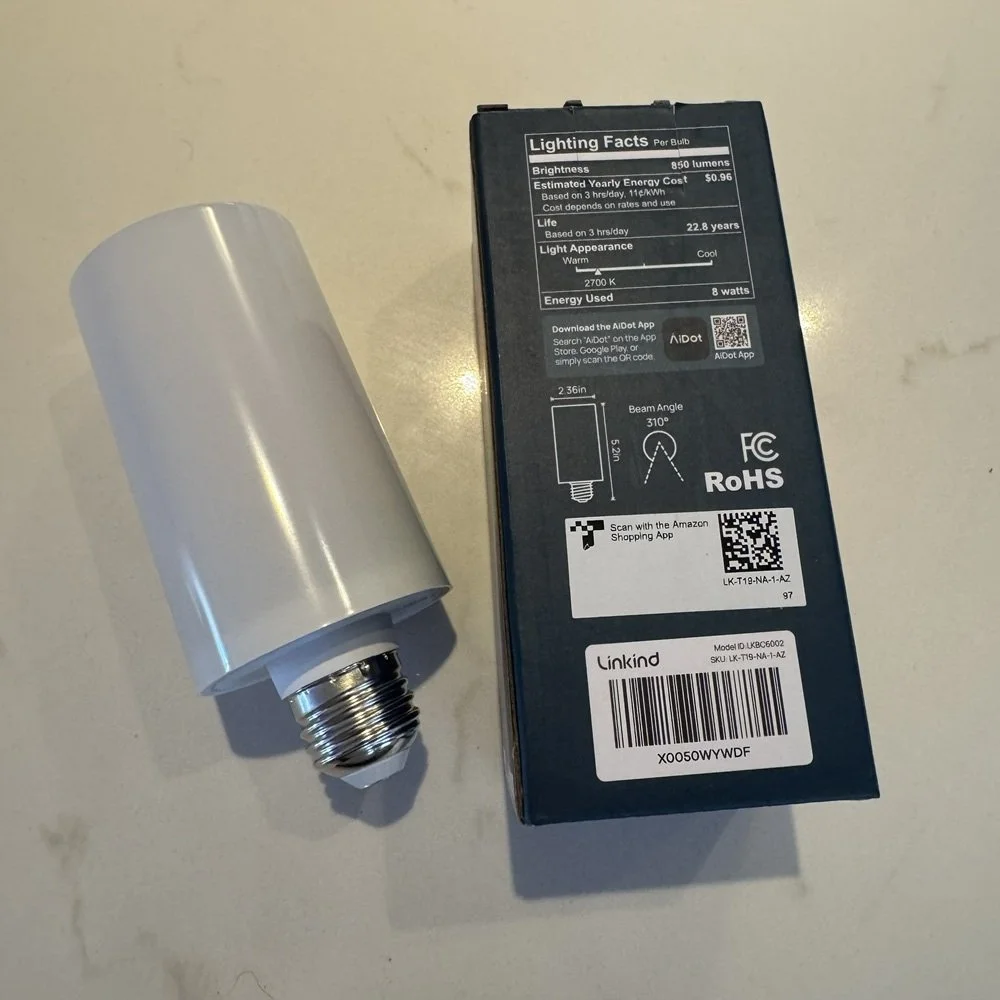
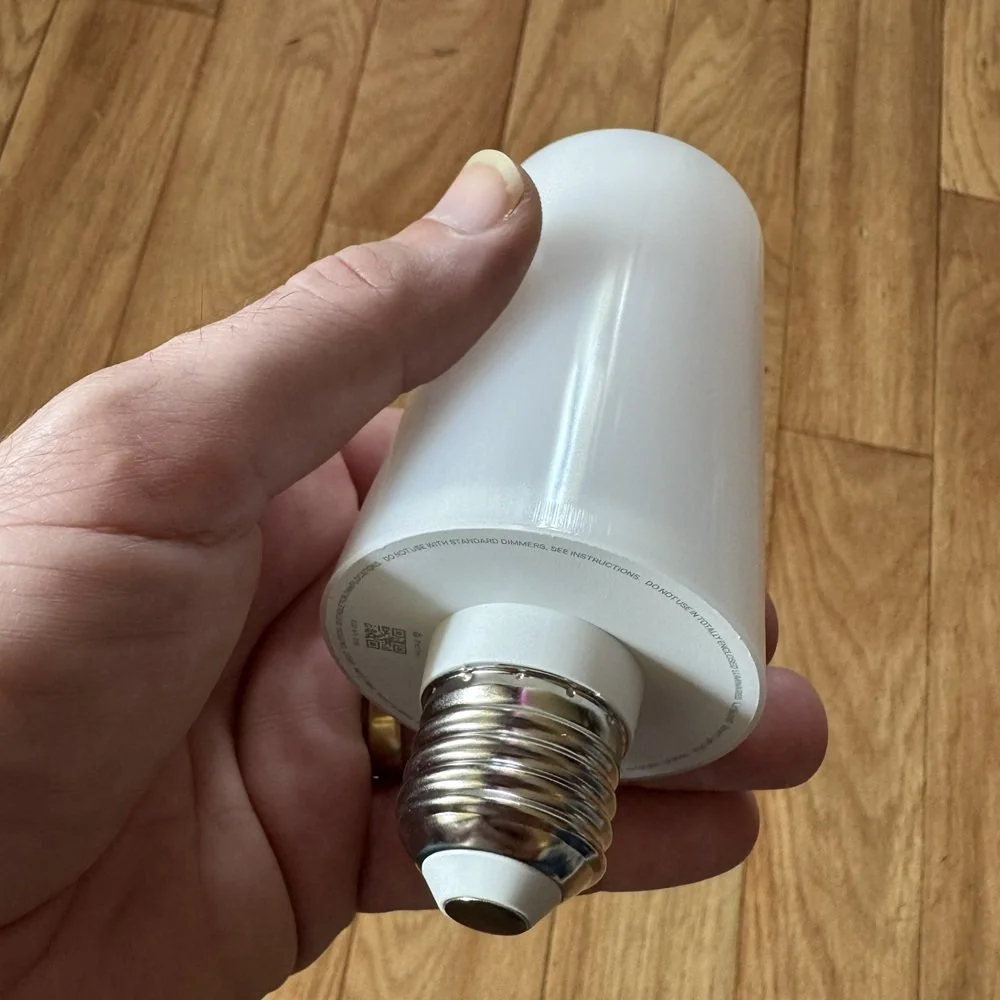
Right out of the box, the Linkind Smart Light Stick has a good solid feel and appears to have a decent build quality, unlike some of the cheaper offerings on the market that can feel cheap and flimsy. The bulb is fairly standard as far as flame bulbs go, being a white plastic cylinder with the E26 screw cap on the bottom. The cylinder makes up the diffuser than conceals the individual LEDs of the array inside which wrap around the full 360 degrees of the bulb.
Most smart homes are supported via Matter over Wi-Fi - the first flame bulb I’ve seen to support this standard. Only 2.4GHz Wi-Fi is supported, with Bluetooth also included to aid in pairing, but not for control. The bulb itself stands about 4.5 inches outside the socket. This should make it fine for most installations, but it’s worth making sure you have clearance if it’s going inside an enclosed fitting like a coach light. Worry not if your socket is at the top, the Light Stick has a gravity sensor that will flip the flame effects appropriately.
A small quick start pamphlet is included in the box, on the back of which is a QR sticker for Matter pairing, so don’t be too quick to throw this away. Linkind uses the AiDot app. This has nothing to do with AI, but rather is a smart home brand that’s been around for a while now. AiDot provides devices makers with an app platform that allows for a unified smart home experience across a range of brands. It’s kind of a smart home platform in that it provides a unified control interface, automations, and user profiles for the home, and includes a store to showcase the various makers that are on board.
As smart home standards don’t yet provide for custom functionality outside of the standard interfaces, you’ll need this to control that flame and animated effects of the Light Stick. Matter will provide integration to most other smart homes and gives you the normal smart lighting controls of power, brightness, and the selection of a single color. This means you can use the bulb in place of any of your normal lights and control it with your normal scenes and automations, while still being able to whip out the AiDot app for special occasions.
Installation And Setup
Thanks to the built-in Bluetooth, pairing the Light Stick was a breeze. I opted to set up the AiDot app first as it’s the only way to use the animation effects. I wouldn’t always as using Matter directly avoids needing to set up another account, but in this case the core use case for the Light Stick (the flame effects) requires it either way.
Using the AiDot app, I was able to quickly detect and pair the Light Stick without any issues. I then went into Apple Home and scanned the QR code on the back of the quick start guide with my iPhone camera. This went equally smoothly, with the light being detected right away and setting up as a regular smart light in the Home app.
As part of the setup you’ll be asked to give the bulb a name and assign it to a room in your existing Home setup. The AiDot app will create a room for you if it’s your first device. After that it’s all good to go with nothing else to configure. You can, however opt to set the default power on state, this is the behavior the Light Stick will use after a power cut. In the settings for the device, you can select the Configure Power on Mode option. Here you can keep whatever state the bulb was in before the outage, or have it turn on automatically. You can also configure a custom color and brightness to use, this can be useful to act as an emergency light if you need.
It’s always nice when a smart device connects right away, it’s certainly not always the case. The inclusion of Bluetooth for the initial discovery makes a big difference here, and it’s something that should be the default on any Wi-Fi-based device.
Configuration Options
Once you’re up and running, controlling the device through your existing Matter-enabled smart home is like any other smart light. You can turn the Light Stick on or off, set the brightness and select a color to use. The Light stick is a full color luminary, so you have the full rainbow to choose from. You can also set it up in any of your existing scenes or automations as normal.
The real fun comes from the AiDot app. There is a whole lot of options here for different effects and uses. There’s the same basic color and brightness options as with a Matter controller, of course, but you can skip that and go into the Flame section. This is where you can manually set the flame effect to your liking. Unlike most flame bulbs that have a single orange flame effect, the Light Stick gives more control. You can set the speed of the animation, and the intensity. The latter determines how much of the bulb’s vertical length the flame effect will use and can be low, middle, or high. As for color, you can opt for a single flame color, like most flame bulbs, or a two-color mode which allows you to choose a different color for the top and bottom halves of the flame.
Moving into the Presets section you’ll find dozens of different effects, both fire-related and more whimsical. These are divided into a number of categories: Flame, Festival, Warm and Relax, Night Light, Activity, Entertainment, Season, and Natural Landscapes. There is a lot to play with here, and many of these produce nice ambient lighting effects that could be used in a variety of situations. Others are just amusing gimmicks, but to each his own. In the DIY section you can create your own custom effects, or check out those created by other users that have been uploaded to the Light Lab.
Finally, you can synchronize your Light Stick to music. In this section are an additional five effects specifically designed for this purpose. The audio is picked up by your phone and the beats relayed to the Light Stick. I didn’t find these to follow the music very noticeably, and there’s probably some inherent delay by using the phone as the audio source, so it’s not the best use case when compared to something like the Nanoleaf Lines that have an audio pickup built into the lighting controller itself.
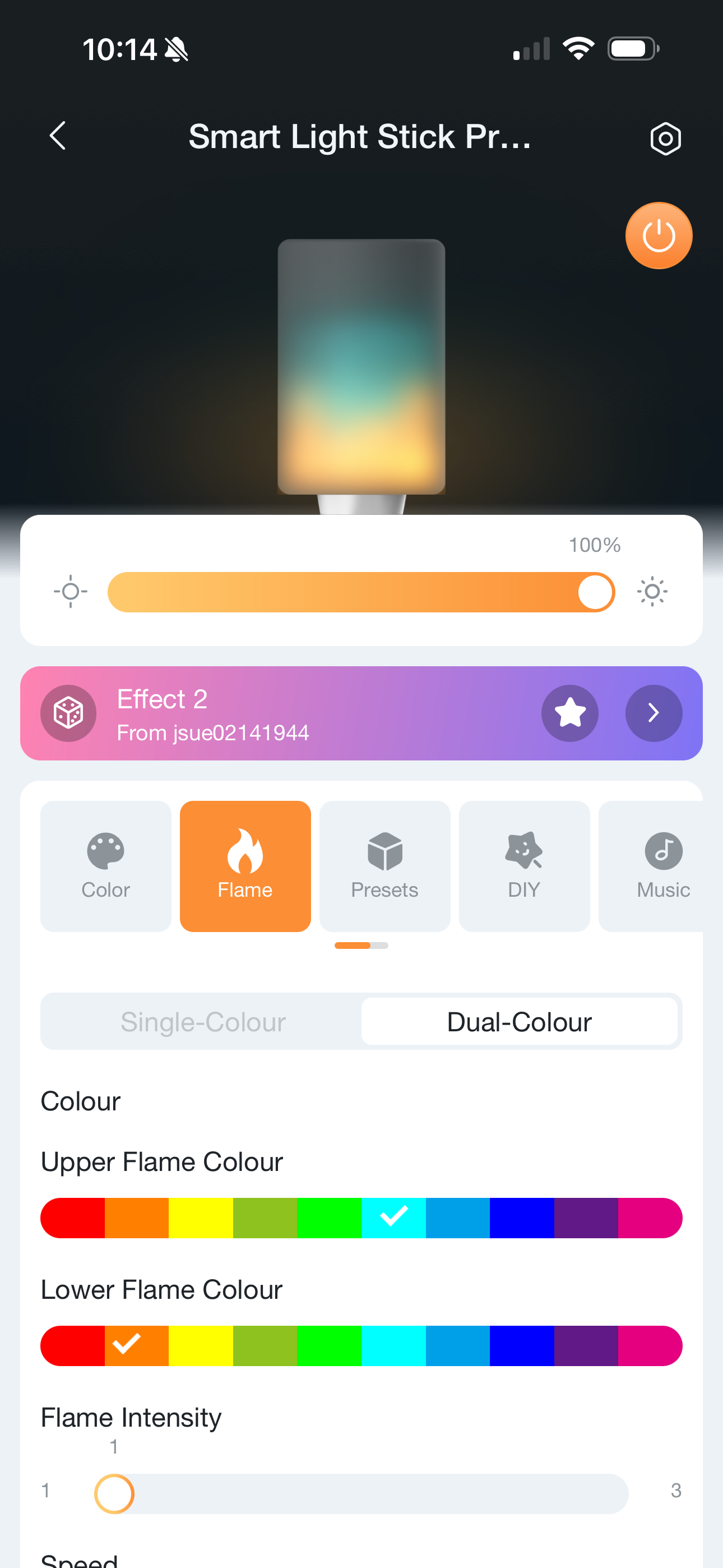
Manual flame control settings
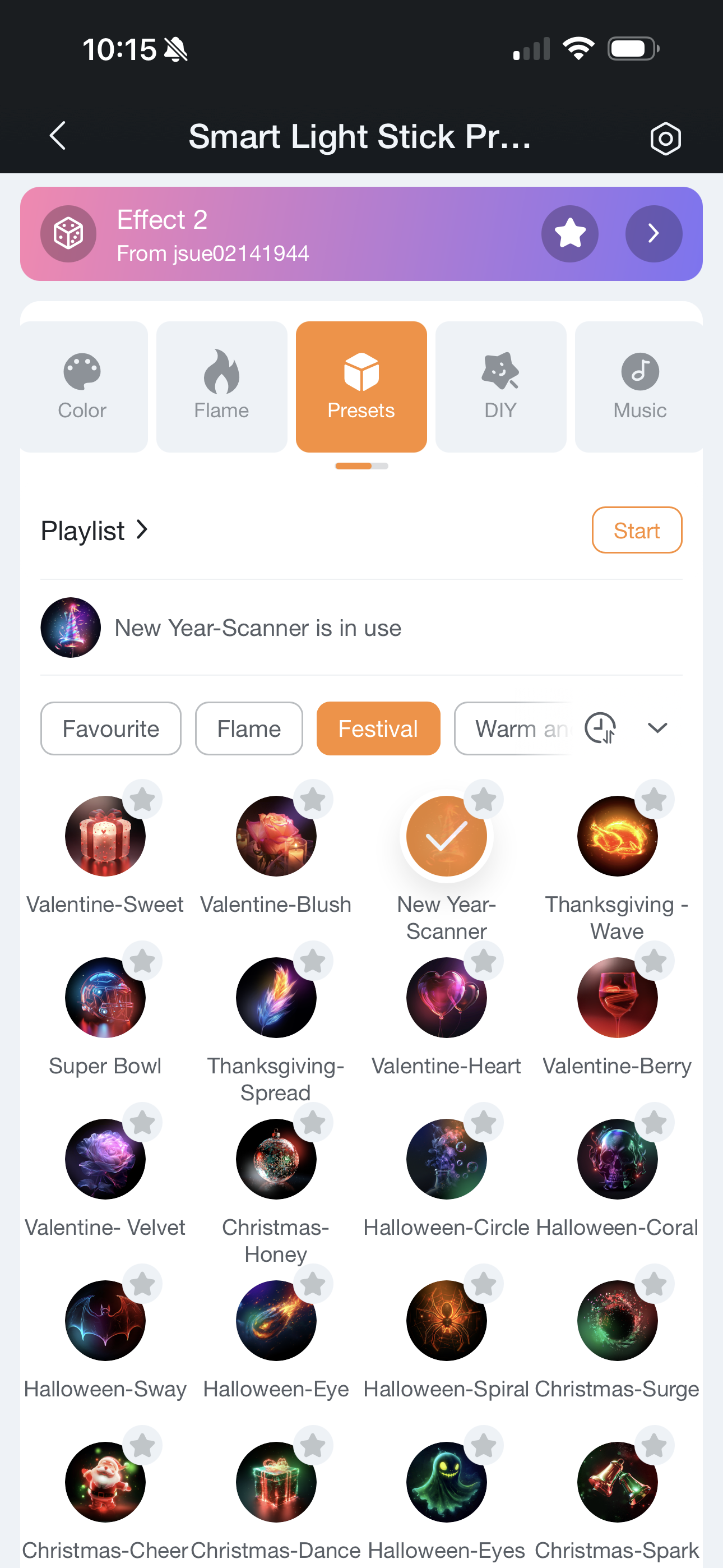
Dozens of animated presets
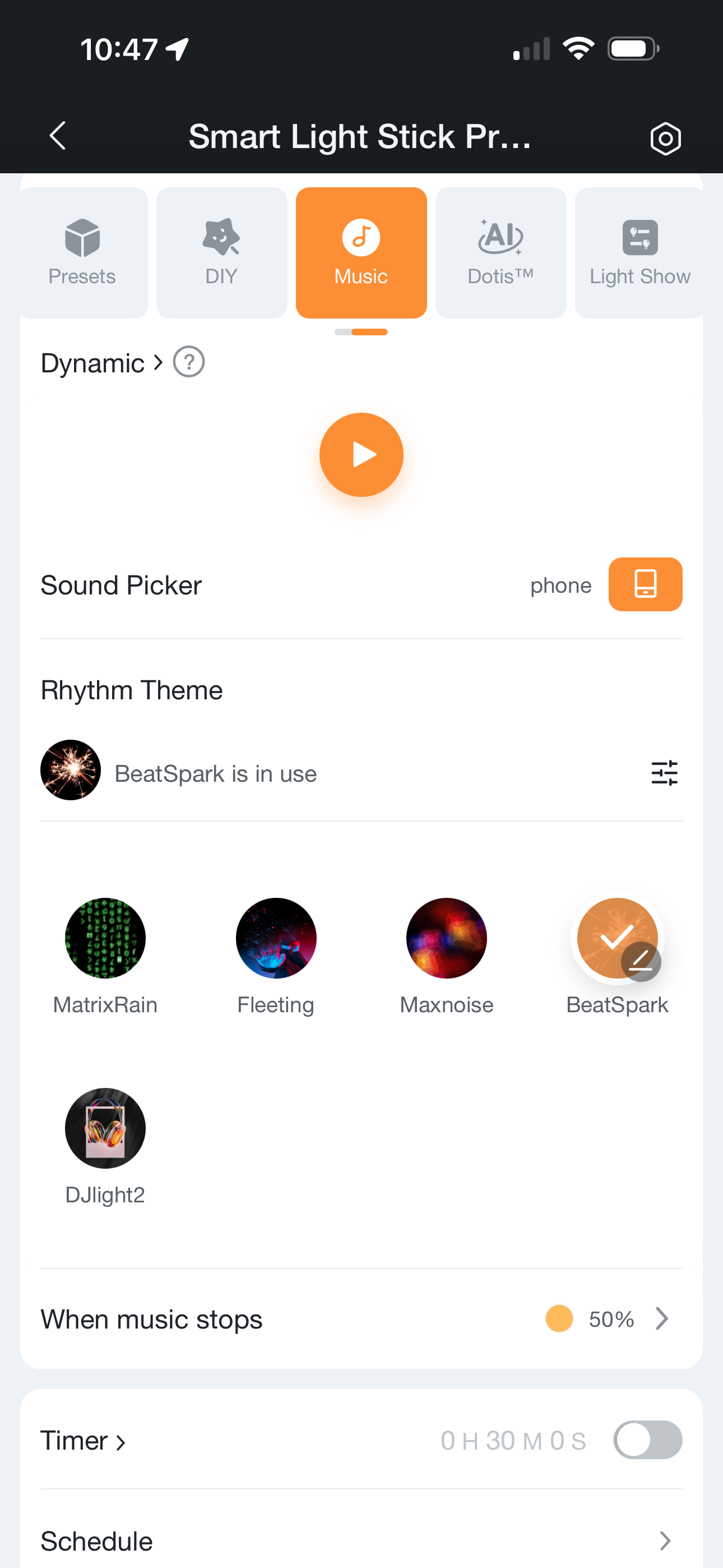
Music sync settings
Real World Performance
Light Performance
Overall, I’ve been impressed with the quality of the light itself. The diffuser is very good in that it completely obscures any visible LED presence, so there’s none of the ‘spotiness‘ that can be seen in many light strips or other cheaper flame bulbs. The output is bright and consistent, with a stated brightness of 850 lumens, which on par with most other ordinary smart bulbs. This makes it a viable replacement for most light in the home, with the added bonus of being able to switch to animated effects when desired.
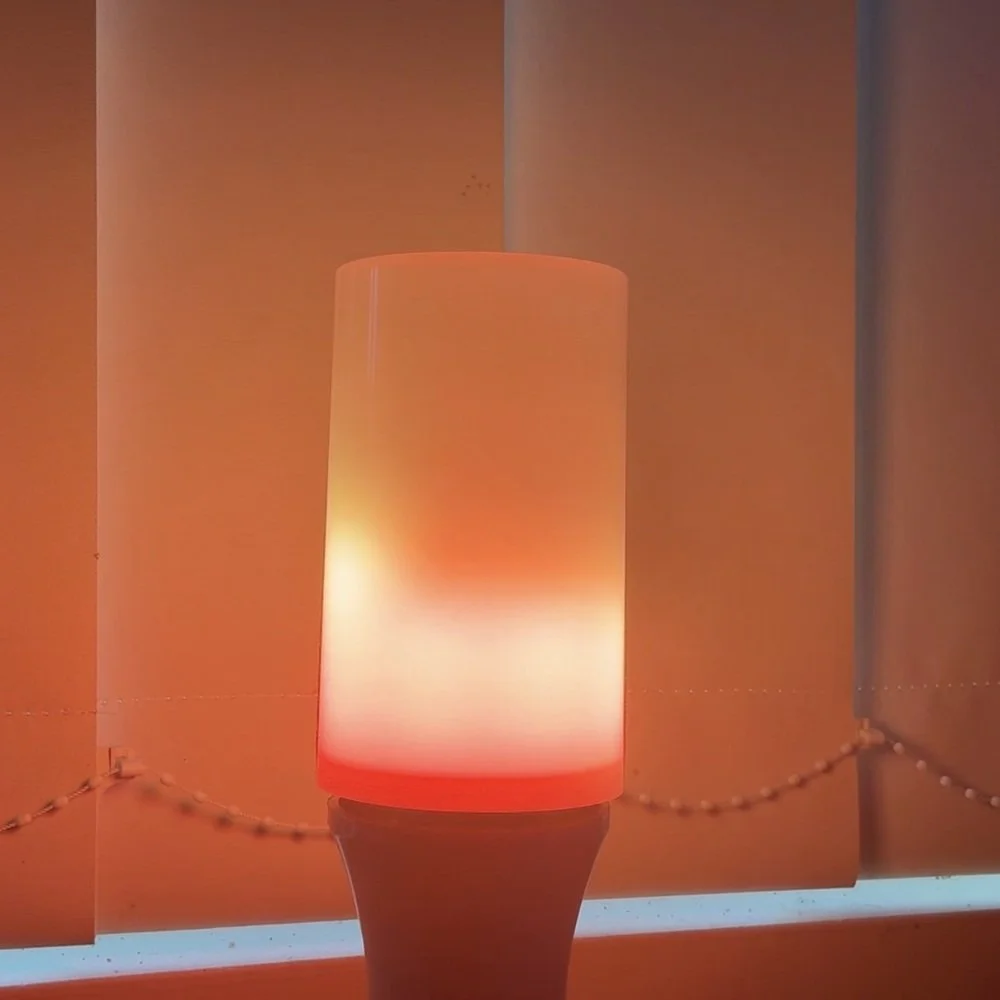
The ability to produce a wide range of animations with full color is also pretty unique. The only competitor is the smaller LIFX Candle Color bulb, but that’s considerably pricier, but does have more addressable color zones. This ability is far and away superior to other flame bulbs on the market which are limited to two or three basic effects in a single color (or perhaps range of orange hues). Some of those other bulbs, do, however, have more convincing flame effects. The Linkind effects are less fluid, seemingly having a lower ‘frame rate’ even at the highest setting.
I don’t consider that a deal breaker given the much more diverse capabilities, color options and Matter control, and in most cases the bulb will be hidden in a light fixture or lamp, so this minor deficiency would be only noticeable under close scrutiny. The effect of having a flickering candlelight is still very much achieved from an ambience standpoint. I’ve captured several of the effects so you can judge for yourself in the video below.
Smart Home Integration
Any kind of smart home integration is something that has been largely missing from the flame bulb market. Linkind has completely broken the mold here, with full support for the Matter standard. That means the Light Stick will work with just about every smart home platform, hub and app on the market (with a Matter controller on your home).
As I’ve noted above, that smart home support is limited to the usual smart lighting functions of brightness and color, and you can’t access any of the animations or multiple color settings the bulb can produce. This is simply because the standard, and smart home platforms in general don’t have any way of knowing about those capabilities, or have a way to communicate their use. This might come in future Matter updates at some point, but these effects tend to be very bespoke to a given device, so that’s going to a challenge to resolve.
Still, the inclusion of Matter, and the full color range and brightness the Light Stick can produce means that you can safely use it as a regular smart bulb in any of your home situations, control it along with any other smart lights you have, and then just use the AiDot app when you want to break out the fun stuff. This is a pretty big contrast with other flame bulbs where you need to replace the bulb to get the effect, and change it back again to go back to normal lighting.
As such, the inclusion of Matter support provides a good level of flexibility and is probably the best of both worlds for the time being.
It’s also worth noting the AiDot ecosystem is itself a smart home platform, so if you want to stick with products from the AiDot store, you’ll only need to use the one app anyway. I don’t recommend that as a smart home approach as it’s a bit limiting, and you’ll not have the same capabilities or privacy protections or a fully local smart home like Apple Home or Home Assistant, but it is an option nonetheless.
The Verdict
While the Linkind Light Stick is a bit more expensive than other flame bulbs on the market, it far surpasses then in terms of capability, performance, and compatibility with smart homes. Simply put, this flame bulb is the best option for sprucing up your holiday lighting while also being able to competently serve as a regular smart bulb in most home lighting situations.
The build quality seems solid, with bright, full saturation multi-color lighting, a wide range of customizable animated effects, and a smooth even light output without any visible LED spotting. If you’re looking for a flame bulb that can serve year round, and deliver a lot more than just a basic flame effect, this one is hard to beat.