
Sensereo MS-1 Interlink Smoke Alarm: Review
When you buy through links in this article, I may earn an affiliate commission. Learn More.
Sensereo provided the samples for this review.
Every home should have a least one smoke detector, and likely more than that to ensure the occupants have enough time to escape in the event of a fire during the night. Even when this is the case, it may still be possible for the occupants closest an alarm that is triggered to be slow to wake, or sleep through until it is too late. A good solution to this is an interlinked alarm system.
Interlinked smoke alarms can communicate and trigger each other so that whenever one alarm goes off, all of them will. This provides much more assurance that occupants of the home will notice and be woken in time to escape. These types of alarms have historically needed to be hard wired together, but more recently there have been models that use radio protocols like Wi-Fi or Z-Wave to do this.
Smart home models add some extra utility by allowing the alarm to trigger automations as well, such as unlocking doors, turning on lights, and sending alert messages to phones. Sensereo has now released their newest MS-1 model with interlink capability, and it’s a great option for the modern smart home where local control and privacy are wanted.
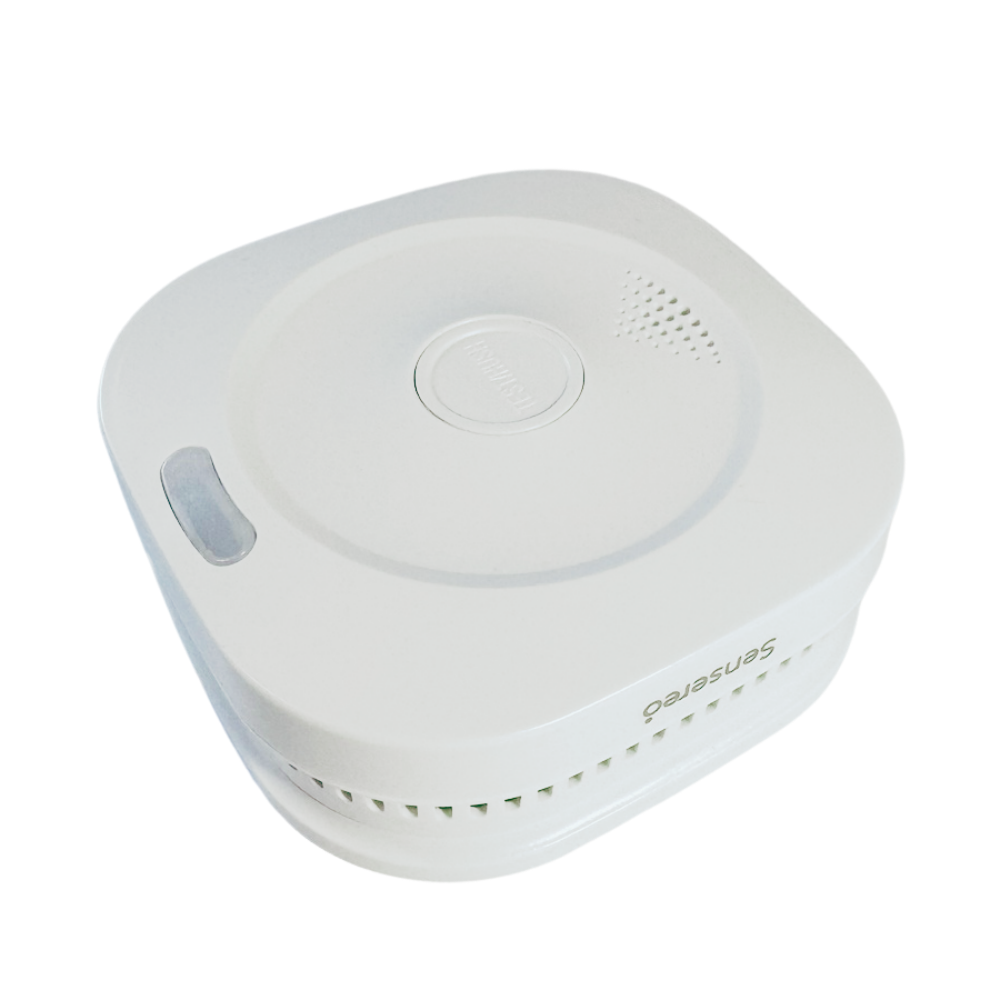
Sensereo MS-1 Interlink
✔ Matter over Thread
✔ Works with any Matter controller
✔ Photoelectric Smoke Sensor
✔ No third-party app
✔ Battery Powered, no wiring
✔ 7-year sensor life
✔ 85 decibel alarm
✘ Thread router required
Up Front Considerations
Interconnected Smoke Alarms
A useful feature of many connected smoke alarms, like this one, is that they are able to link together (interconnect) so that if one goes off, they all do. This enhances the safety of the system by ensuring all members of the house are woken together regardless of where the smoke is detected. This obviously works best with multiple alarms in key areas.
Communication Protocol
Smart devices use different methods of communication, which has been a source of confusion and complication in the past. With the new Matter standard this is beginning to improve, and most smart home platforms now support it. Matter itself needs a word of caution though as it can run over both Wi-Fi and Thread protocols. We all have Wi-Fi, but Thread requires specific hardware known as a Border Router. This allows your Thread devices to talk to your wider home network, including your phone.
Sensor Type
There are two common types of smoke sensor used in smoke alarms.
Photoelectric - These use a light beam to detect large particles like thick smoke. Modern furnishings tend to produce these smoldering smoke signs before igniting, making this type well suited for early detection inside the home.
Ionization - These sensors detect the disruption of electrical current in an ionization chamber caused by the presence of smoke particles. These are sensitive to fast flaming fires that can be produced by workshop tools and chemicals. Suitable for garages and workshops.
Installation and Setup
The MS-1 comes is fairly plain packaging, which is frankly good to see in my opinion. A simply cardboard box with a cardboard insert to hold things securely. The device itself is in a plastic sleeve for moisture protection, and the only other plastic is a small bag containing the mounting screws. A small manual and the mounting bracket are the only other items included.
The manual is quite comprehensive for its size, covering LED states, maintenance tasks, testing and troubleshooting steps for various issues, as well as detailed product specs and performance data.
The Matter setup process was delightfully simple. Sensereo does not require (yet another) account to be created, in fact, they don’t even have an app you need to download. The MS-1 is a pure Matter device. This is exactly the kind of thing I look for since it is a purely local device. There is no internet connection required here, no phoning home, and no juggling of apps for different features.
I opted to set up first in Apple Home. My HomePods handle Thread routing, so I didn’t need to worry about any additional hardware setup. Simply pull the battery tab out to turn the device on then scan the QR code on the back of the device with the Home app. It detected right away and configured the M-1 on the Thread network automatically.
Smoke alarms in Apple Home don’t show as distinct devices on the control pages, but as sensors in the top bar of the room view. The Smoke sensor showed up in my selected room, where I could tap to view the device status and battery view to confirm everything was working.
I then enabled pairing mode and added the MS-1 to Home Assistant as well. This worked right away and I was able to assign the sensor an area and see it’s status in the same way as Apple Home.
While you can use the smoke detection status to trigger automations, the MS-1 doesn’t support remote activate of the alarm, or remote silencing either.
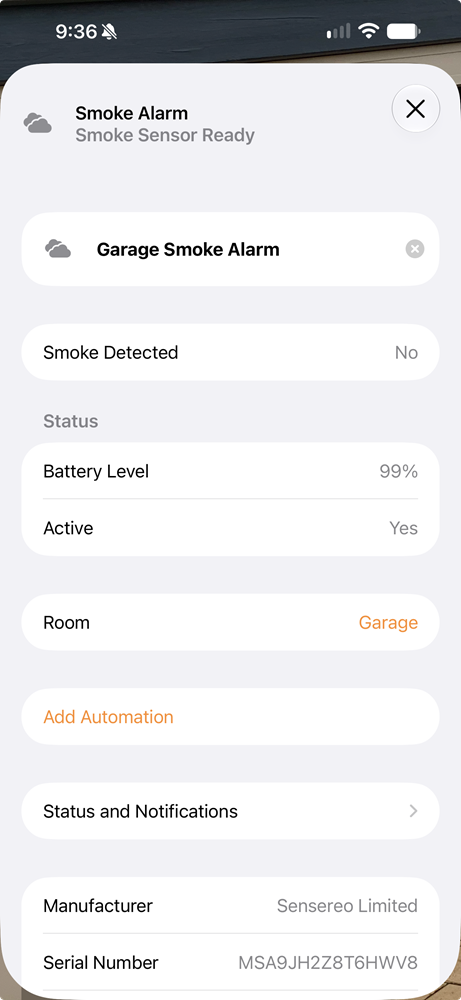
MS-1 in Apple Home

MS-1 in Home Assistant
Sensereo MS-1 Features
Local and Private
The MS-1 is exclusively a Matter device and communicates via Thread. Most smart homes now will support Matter, but Thread will required a Border Router device. This functionality is typically built into various hubs and smart speakers, such as larger Amazon Echo devices, Apple HomePods, and Google Nest Hubs. Other platforms that use hub devices like the Athom Homey and the Smart Things hubs also have Thread on board.
Using Thread provides superior battery life, efficient communication and keeps the devices completely inside your own network. Using Matter as the interface to your smart home provides a standardized integration so that no third-party app is required at all. All communication with the MS-1 is purely between the device and your smart home over a secure encrypted channel. This ensures privacy and protects the device from exposure to hackers by removing the need for any internet connectivity.
Many Matter devices still have the option to use the makers app, and this is often needed for functionality that is unique to the specific device and isn’t supported by the Matter standard yet. Smoke alarms are simple enough that this is not needed, which is a refreshing relief when those smart device apps start piling up.
Thread Interlink
Using Thread provides another advantage. The MS-1 Interlink is able to find and communicate with its brethren on the same Thread network. This functionality is enabled by default, so there’s no extra setup required. When one MS-1 is triggered, the others will sound as well. I tested this using the self-test functionality, and this also works as expected.
The interlink can be turned off, but that kind of defeats the purpose of going with this model. It’s also temporary - when the device is powered on again (after a battery change for example) the interlink will reactivate as the default state.
Dual Battery Powered
If you don’t have hard wiring for a smoke alarm in place already, going battery powered can save a lot of cost and headaches. With modern alarms, the battery life is decent, and you’ll be notified if you need to change them. In this case you have two batteries in play: one that powers the sensor and alarm, and the other that powers the Matter interface and Thread radio.
The first one is hardwired and part of the alarm itself. The sensor has a limited shelf life of 7 years and needs to be replaced after that, but the internal battery will keep it going for that long. The second battery is a removable CR123 3V lithium battery. These are often used in small smart home sensors and last well with low power systems like Thread. Based on my experience with other sensors that use this battery type, you can expect at least a year of use between changes.
When that second battery comes due for changing, you’ll get beeps from the device as with a conventional smoke alarm, but your smart home should also alert you as with other battery powered devices. Just remember, only the Matter controller battery is replaceable.
Real World Usage
After setting up a pair of the interlinked MS-1 units I’ve been running them for a month. During this time the Thread connectivity has been rock solid and, as I would expect, battery life has not moved. Testing the MS-1 with both smoke and self-test functions confirmed detection occured quickly and both units triggered as expected and as described in the manual.
The siren on the MS-1 is rated at 85 decibels, which is pretty much standard for domestic smoke alarms. The alarm was sharp and clear. If you’ve heard a smoke alarm go off you’ll know what this sounds like. It’s hard to miss, but the addition of other units that go off at the same time ensures you’ll get decent volume through the house.
The Verdict
Sensereo has delivered the ideal smart smoke alarm for Matter users. No app, no account, just pure Matter integration with no fuss, long battery life thanks to Thread, and automatic interlinking with other MS-1 units for extra protection. Setting up a robust smoke alarm system through the house couldn’t be easier.




The Sensereo MS-1 Interlink shows the way to true Matter-first smoke alarms with long battery life, and simple smart home integration.