
Ring Wired Doorbell Plus (Gen 2) Review
When you buy through links in this article, I may earn an affiliate commission. Learn More.
This product was purchased for this review.
Tested with scoring system 1.0
What do these scores mean?
Learn about our data-driven scoring system.
Pros
✔ Superb motion detection and identification✔ Fast live stream activation
✔ Fast, rich notifications
Cons
✘ Video quality is dissappointing✘ Audio suffers from patchy breakups
✘ No pre-roll recording
The Verdict
In my past test Ring doorbells have always had class-leading performance, and the 2ng generation Ring Wired Doorbell Plus is not different. In fast I found significant improvements in areas like package detection and the amount of action the doorbell will capture when motion is detected.
This model features Ring’s radar powered 3D motion tracking, improving detection accuracy and largely eliminating false positives, and you can optionally add on an AI subscription to your normal Ring plan that not only works well but actually provides some useful benefits, which is more than I can say for other implementations in this space.
Unfortunately, it’s not all good news though. Ring has dropped their awesome pre-roll video from this model. I can’t fathom why given it’s a hardwired model and the feature has worked well even on battery models in the past. They’ve also massively dropped the ball on both video and audio quality. Earlier models I’ve reviewed held up really well, even though they were using less than 2K resolutions, and the audio was always superb along with other big-name brands.
Now, Ring seems to have cheaped out on their compression and encoding, with the video being grainy and lacking detail despite the improved resolution, and the audio suffers from frequent glitches causing every other spoken word to be cut off.
The video is not a deal breaker. It’s adequate, but not up to Ring’s expected standards. The audio issue, however, makes two-way talk a chore. This would be a miss if that’s a key feature for you.
Type: Wired video doorbell
Subscription: Required for recording (180 days) and smart features
Price Segment: $$$$$
Test Results
Each doorbell I review is put through a series of repeated test cycles over a 30-day period. These tests give me 32 data points that make up the 7 overall category scores above. These scores rate each doorbell key performance requirements like video and audio quality, motion capture performance, smart detection accuracy and the overall user experience.
Here’s how this video doorbell ranks compared to the average of other doorbells I’ve tested:
| Data Point | ||
|---|---|---|
| Video Quality | 6.2 | 7.6 |
| Night Vision Quality | 6.1 | 6.9 |
| Dynamic Range | 2.9 | 6.0 |
| Two-Way Talk | 6.4 | 7.5 |
| App Audibility | ||
| Outdoor Audibility | ||
| Recorded Audio | 6.7 | 8.2 |
| Notification Delay | 9.5 | 7.8 |
| Thumbnail Average | ||
| Doorbell Average | ||
| Text-only Average | ||
| Thumbnail Effectiveness | 10.0 | 7.1 |
| Day Success | ||
| Night Success | ||
| Missed Events | 9.6 | 9.4 |
| Day Misses | ||
| Night Misses | ||
| Camera Wake Delay | 5.1 | 8.0 |
| Frame Remaining Day | ||
| Frame Remaining Night | ||
| Event Capture | 8.2 | 6.3 |
| Record Start Day | ||
| Record Start Night | ||
| Package Monitoring | 9.0 | 6.3 |
| Package Features | ||
| Detection Success | ||
| Smart Detection | 9.0 | 7.7 |
| Smart Features | ||
| Day Accuracy | ||
| Night Accuracy | ||
| Live View Response | 9.0 | 8.2 |
| Live View Time | ||
| Doorbell Ring Response | ||
| Privacy Features | 10.0 | 8.1 |
| App Usability | 9.3 | 7.3 |
| Battery Performance | N/A | 6.6 |
| After 30 days | ||
| Time To Dead |
The Basics
Tech Specs
Power: WiredRemovable Battery: No
Can Use Wired Chime: Yes
Connectivity: Dual Band Wi-Fi
Resolution: 1920 x 1920
Storage: Cloud
Weather Rating: 'resistant'
Field of View: 140 degrees
Compatibility: Alexa
Smart Detection: Yes
Footprint (WxH): 54mm x 132mm
Notable Features:
- AI Descriptions
- Color Nightvision
- 3D Motion Tracking
- Adaptive Nightvision
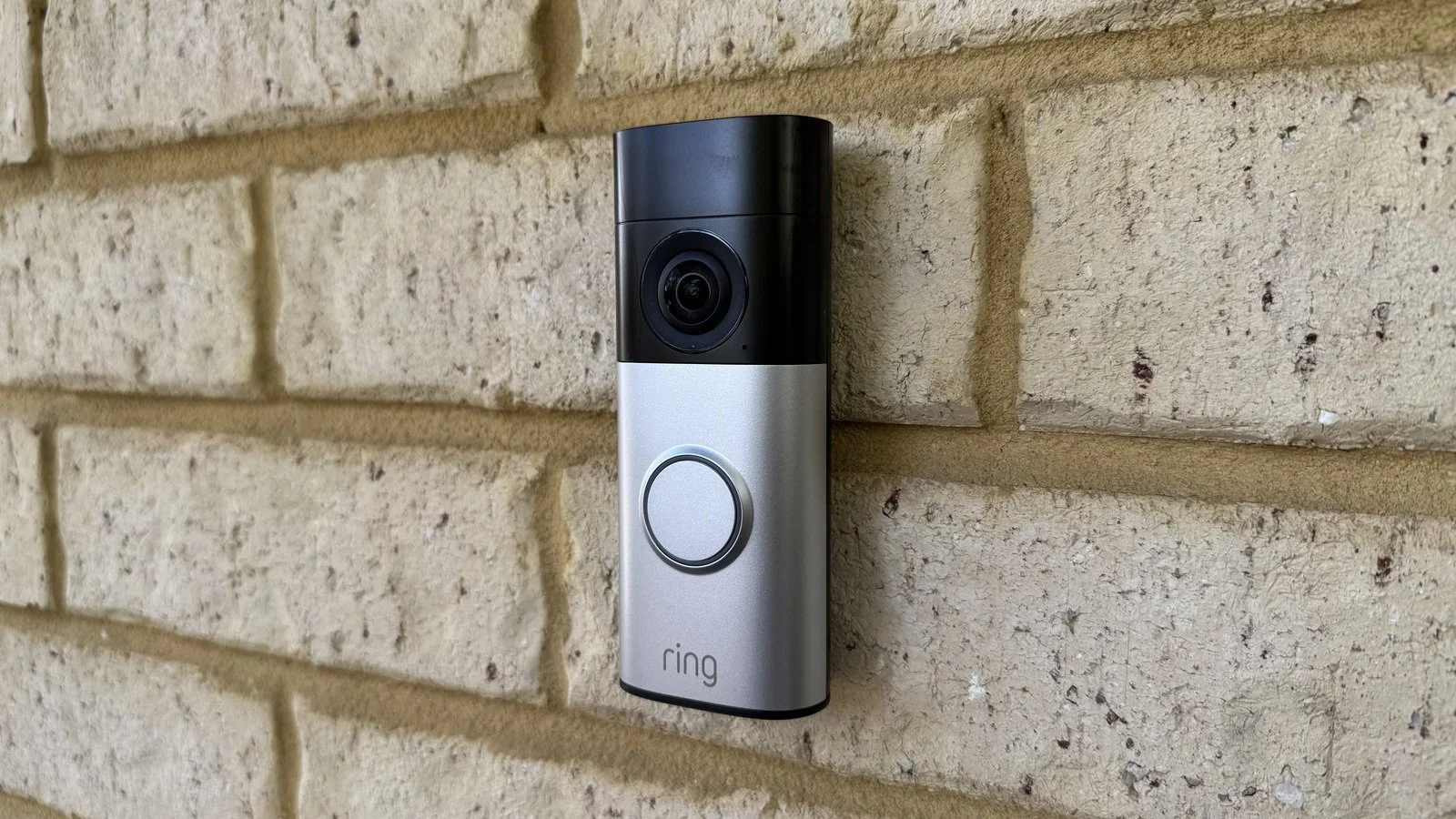
The Ring Wired Doorbell Plus 2ng Gen upgrades the previous model by adding new motion detection hardware, a 2K camera, and adopting Ring’s new, sleeker, styling. You’ll also get dual band Wi-Fi support up to WiFi 6.
This model uses a newer mounting bracket design that does away with the Torx screw and dropping back to a regular Philips head inside the face plate. A shame, since Ring seemed to be the only doorbell brand taking security remotely seriously.
On the other hand, the reality is that doorbell theft is extremely rare, and Ring provides a theft replacement guarantee anyway, so perhaps they deemed simplicity for the customer as more important.
Mounting is straightforward; with a simply plastic plate screwed to the wall, the doorbell hooks on at the top and is secured with a screw at the bottom. This is then covered by the faceplate which just snaps into place. To access the screw requires a special tool (included) to release the faceplate clip from the underside of the doorbell.
The doorbell button is encircled by an LED ring light that flashes to indicate various states during setup and then remains white at all times to highlight the button to callers. You’ll need a minimum of a 16VAC transformer (10-40VA) to power the doorbell, or you can use a 24V DC power pack.
Video Storage
Ring Cloud (180 days storage)
Chime Options
Wired mechanical chimes (with chime kit)
Ring Chime (sold separately)
Alexa smart speakers and displays
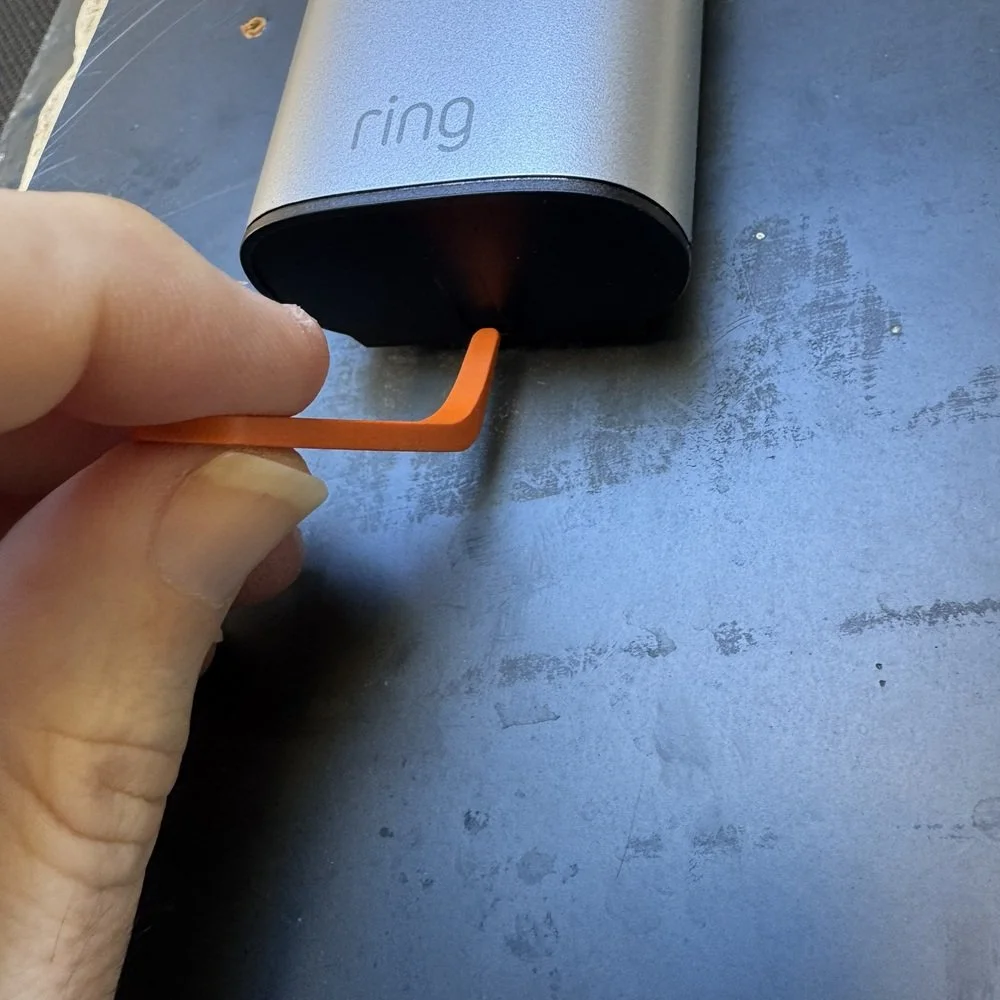
A special tool removes the faceplate
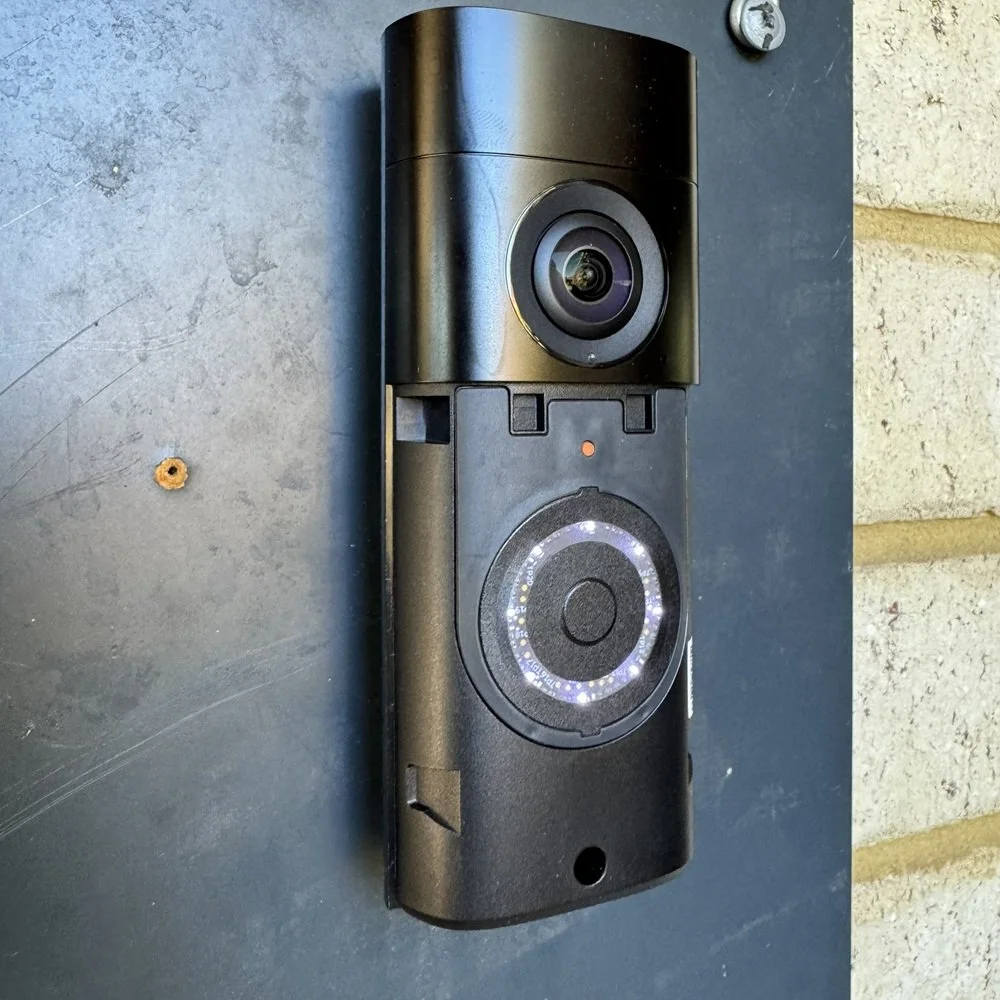
Deep screw hole at the bottom
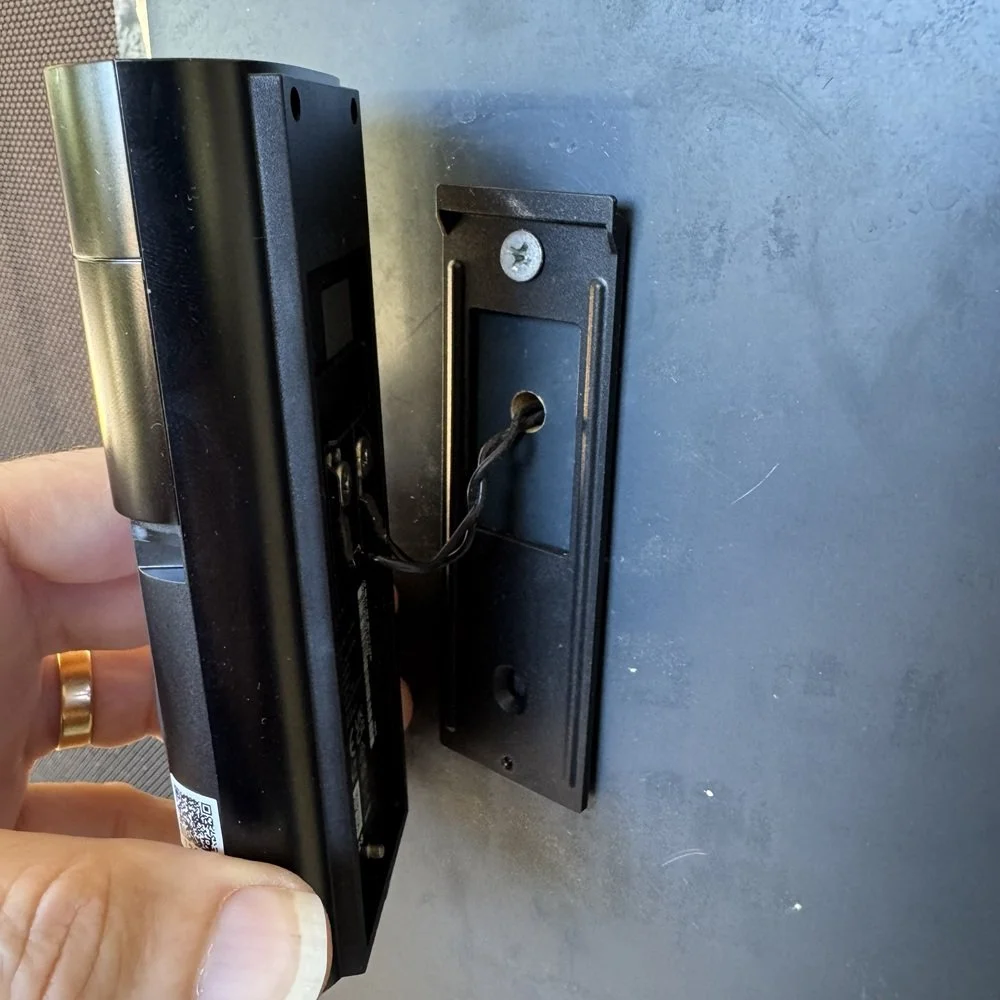
Simple mount with wire access
Camera Performance
This new generation of the Ring Wired Doorbell Plus sports a, now familiar, 1:1 aspect ratio running at a 2K resolution of 1920 × 1920. This gives it significantly more pixels than the older models and brings Ring up to the more common 2K standard for doorbell cameras. In spite of this, my tests delivered a disappointing result with the visual clarity test during the day falling short of previous Ring doorbells I’ve tested.
Ring’s camera and encoding pairing was often superior to the competition, with even their 1080p models often delivering better clarity than cheaper 2K offerings. Ring seems to have dropped the ball with this model, however. The camera seems to live up to its specs, but the encoding let’s it down with significant temporal artifacts and a graininess in the zoomed image. Because of this the best I was able to read the test chart was at 5m (15ft).
This is still better than many other less expensive doorbells but is now underperforming against other products at this price point, and cheaper options from the likes of Eufy and Aosu.
Night vision performance is almost always worse due to limited lighting and high gain on the camera. My scoring formula accounts for this, so a test chart read at 4.3m (14ft) is not a bad effort. Ring’s infrared illumination is excellent as you can see in the sample below, which allows for good visibility of the action out to a fairly long range. The encoding issues I saw during the day were apparent here even more so, with significant grain in the black and white image which limited the score.
While this result is better than some older Ring models, it’s not clear win, and falls short of many other purely wired models, so this is also disappointing.
The Wired Doorbell Plus, as with other Ring cameras, has an HDR feature which was enabled for this test. Ring’s implementation has struggled in past tests, and this one was no different. While it handles shadows and bright areas fairly well, the image can be washed out as we see on the test chart image. The darker shades are largely undefined, and even the lighter ones in this case were bleeding together.
I was only able to get 2 well defined swatches, and 3 partials, which is very poor for this test, although Ring is in good company with Google Nest here. Interestingly there’s no real pattern in the results for this one, with individual models all performing very differently even within the same stable.
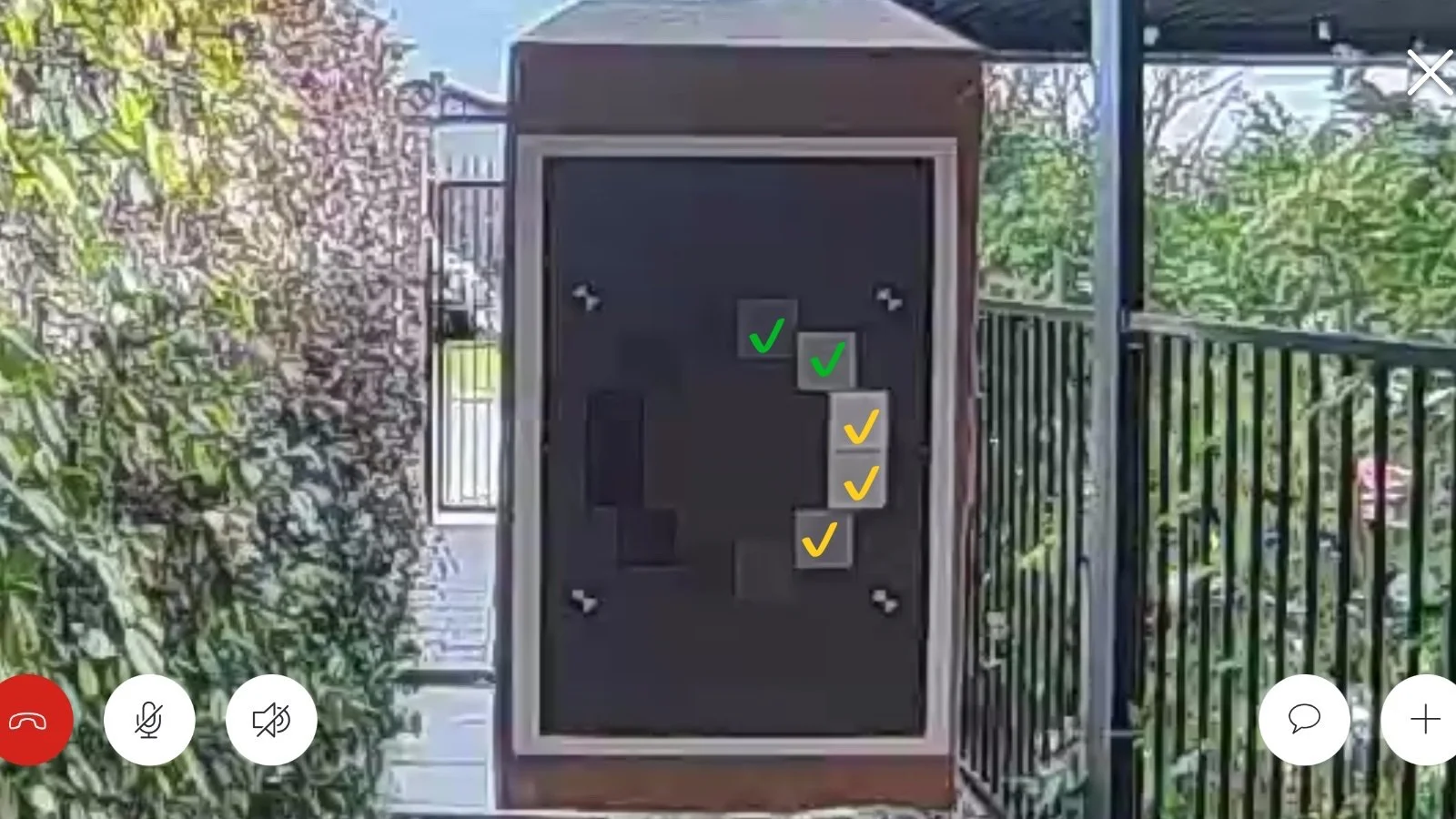
Imatest OECF 36 Test Chart
Audio Performance
Audio is another area where Ring has previously excelled but disappointed this time around. The results were mixed with a very good speaker on the doorbell delivering voice messages loud and clear all the way out to 10m (30ft) with no distortion or glitches.
In the app things were very different. Microphone pickup was more limited, with the callers’ voice coming in notable quieter, but more significantly the audio stream was plagued by frequent skipping and dropouts causing every second word of so to be lost. This made holding a conversation a chore.
In both cases the quality of the stream was notable lower than previous doorbell tests with some loss of fidelity, but this was not significant enough to be an issue on its own.
Audio recoded in video clips was similar, with the same broken audio stream causing loss of words and lacking some fidelity as above. While there were no artefacts or distortion, the breakups and reduced microphone volume limited the usefulness of the audio.
Notification Performance
Getting notifications of activity is vital to being able to make effective use of smart cameras, and doorbells in particular since you need to typically respond to activity at your front door. Ring has always been class-leading in this area, and thankfully the Wired Doorbell Plus continues to deliver. Plain text notifications of the form “There is a person at your door”, for example, were consistently received between 3 and 3.5 seconds.
Rich notifications averaged 5.8 seconds with a 1 seconds spread, although I did have a single outlier at 11.9 seconds. These include the same text message, a still image of the triggering event, and a short video clip if you long press the notification to expand it. This provides a great deal of utility without ever needing to open the app or even unlock your phone. If you subscribe to the AI features Ring now offers, you can also get an updated description with more details. This will automatically replace the text in the notification a couple of seconds later without sending you another one.
Notifications with snapshots are only useful if the image you get sent shows you what you need to know - what caused the notification. This is very useful in enhancing the utility of smart doorbells by allowing you to vet alerts quickly without having to open the app. You can quickly see if you need to look into an event further and go about your business, meaning you’ll likely leave the notifications on and get more value from the system.
Ring’s updated smart detection means the correct frame of the video is captured every time, with my tests delivering a useable thumbnail 100% of the time out of 66 test runs, both day and night. This is the first time I’ve had a doorbell deliver a perfect score in this test.
Motion Detection Performance
Ring’s enhanced detection technology also paid off in the missed events test, although this is one where Ring has also excelled in the past, along with other big-name brands. This is obviously good as being able to trust your doorbell will detect everything that goes on is important. An unreliable smart camera or doorbell is fairly useless from a security standpoint.
Out of the 66 test runs I performed in the 30-day cycle, the doorbell only missed me on 2 occasions, giving a reliability of 96.5%.
How long a doorbell camera takes to wake up and start recording has an impact on how effectively it can capture short events. This is measured by walking past close to the camera and measuring how much of its field of view I was recording crossing. A slow wake means it will only capture the last part of my passage, which a fast wake can capture all of it.
Normally a wired camera will ace this test as there is no need to put the camera to sleep. It is also common for wired cameras to have ‘pre-roll’ recording, which is a rolling buffer that is added to the start of the recording to capture what was happening before motion was detected. Ring has included this feature on all their doorbells, even battery models, for several years. For some reason, this one does not have it, despite Ring’s support page saying all wired models should. This is a shame, since it’s a very useful feature that has worked well in the past.
As a result, the Wired Doorbell Plus has a camera performance more akin to a battery model, with a significant wake delay. This largely resulted in losing half the frame on each test, with some outliers on both ends of the spectrum. Day and night results were the same, suggesting motion detection itself was not an issue.
In spite of the slow camera wake issue, Ring’s motion detection is excellent, and delivered in the event capture test by ensuring the wake delay was somewhat mitigated by early detection. The doorbell is capable is detecting motion at the maximum range of my test run, 10m (30ft) and did so one a couple of tests. For the most part I saw daytime recording covering about 6m (19ft) of my approach, with this dropping at night to 3.5m (11ft).
These distances are still respectable, putting the Wired Doorbell Plus in the top 30% of doorbells for detection distance.
Smart Detection Performance
Package detection is one area where I’ve noticed a massive improvement from Ring. Previous models struggled with reliability, missing a lot of packages over the course of testing. With this new model, the detection has become perfect. Not one single test was missed, all delivering an active package alert in a timely manner for both high and low contrast scenarios.
Thanks to the square aspect ratio, you also get excellent coverage of the drop zone. Depending on your mounting position and height you can even get coverage right in front of the doorbell. You can also define specific areas that you want monitored for packages in case you have some objects in the scene that might be mistaken for one.
Feature scoring:
✔ Visibility of the test package directly below doorbell.
✔ Visibility of porch area in front of the doorbell.
✔ More than 30 degrees off center visibility to the side.
✔ Presence of active package alerting feature.
✘ Presence of additional package alerts
Ring’s object detection has always been good, and the Wired Doorbell Plus is no exception here. I was accurately detected 100% of the time in all tests. Vehicle detection also works well, only alerting for moving vehicles unlike other models that constantly tell me about my parked car in the garage. There’s still no animal detection, but that’s of questionable use for most people anyway.
Familiar face detection is now an option, which is new thanks to the add-on AI subscription Ring now offers. Without this add-on you won’t have access to this feature. The AI features do add some practical benefits, however. You have three key functional options you can opt to enable:
Video Descriptions, which provide a more detailed description of an event over the normal basic object detection text. These are more concise and focused on actions rather than descriptions of people clothing or build, which is useless noise. For example, instead of “A package has been detected in your package zone” you might get “A person is delivering an Amazon package at the entrance”.
Single Event Alerts, which group multiple similar events under one notification. At first I thought this would be a nuisance because you’d have to wait for it to decide if events were similar, but it works the other way around. For example, if you get an alert about kids playing on the driveway the system will look at subsequent motion detection events and decide if they are functionally the same event. This will suppress an additional notification (which you’d normally get for every detection) and groups the recorded events under a single description. This allows you to easily review the overall event later in a single place.
Finally, Video Search. This is as you’d expect, allowing you to do a natural language search of your recorded clips and having the AI analyze the video content to find relevant matches. This one requires allowing Ring additional permissions to your videos, so it’s good that it’s optional.
A couple of additional useful benefits can also be enabled: Retinal Tuning, which dynamically adjusts video quality as required for best results, and Unusual Event Activity, where the system will determine the types of activity that it normally sees and only alert you to something that is different.
Feature scoring:
✔ Custom motion zones.
✔ Person detection.
✘ Animal Detection.
✔ Vehicle Detection.
✔ Facial Recognition.
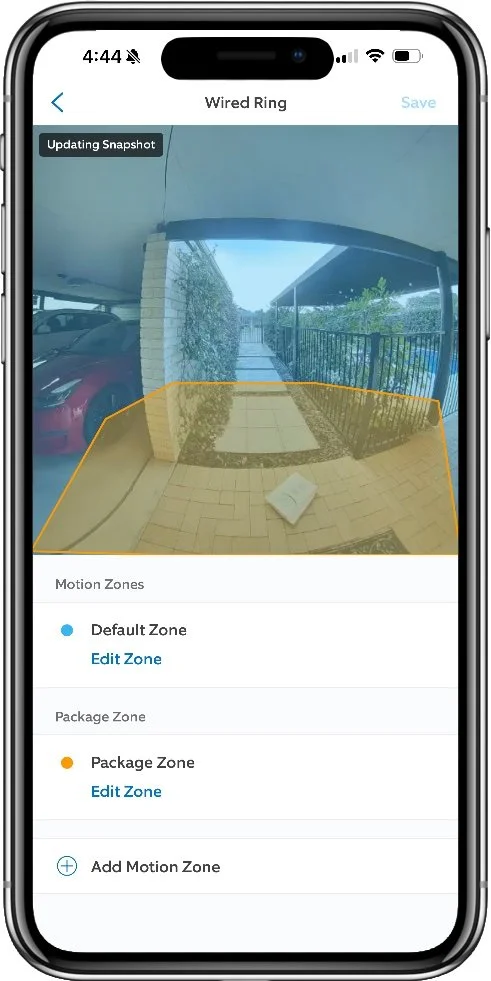
Custom zones for motion and packages
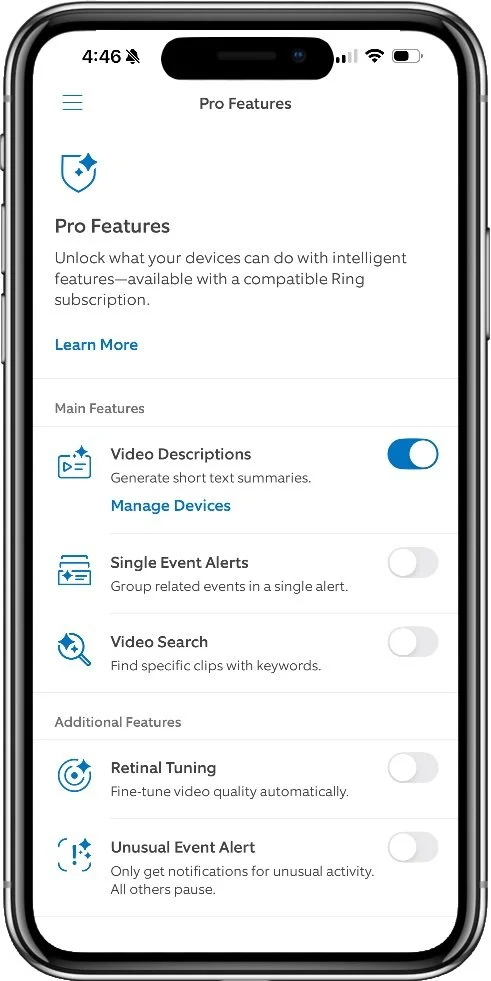
AI Pro features options
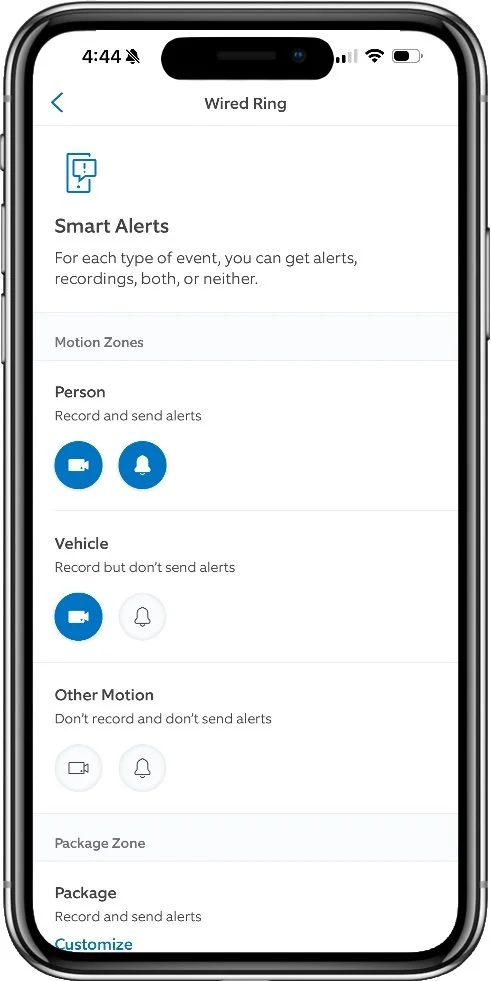
Smart notification options
Battery Performance
This model doesn’t qualify for this test as it’s a purely wired doorbell. You can use either an AC doorbell transformer with a 16-24VAC output or a 24V DC plug pack. Ring sells these separately if you want to go this way.
App Experience
The time to start a live stream is nice and quick, with an average of only 2.0 seconds to commence the stream. This was very consistent with only a +/- 0.2 second variance over the course of the test cycle. This is especially good since its entirely cloud based. Doorbells with a local hub can start this faster when you’re on the same network (at home), but a 2 second delay is incredible for a cloud model, and actually soundly thrashes most other doorbells.
Initiating the stream in response to a doorbell ring is even faster as the camera is already awake. From a locked notification screen to viewing live the average time was only 1.8 seconds, again with a slightly wider spread of +/- 0.5 seconds. An excellent result that ensures you can be talking to your caller very quickly and won’t risk them walking away on you.
Perhaps surprisingly for some, Ring scores a perfect score on my feature criteria. Ring has really stepped up their game in recent years on this front, no doubt due to a lot of public and media pressure given their dominant market position.
Ring is one of the few (perhaps only) doorbell brands that mandates two-factor authentication. This is an important protection against password leaks, especially where users are sharing the same password across multiple services. Ongoing authentication is then handled by a device-specific cryptographic token, which provides convenience and allows for monitoring and cutting off specific devices through the app’s Authorized devices list.
Account sharing is provided through an easy invite system, and can be tailored to specific devices only, and also supports multiple locations if you have devices at different properties. Access to each device can be toggled through an intuitive interface, or the shared user can be removed completely from the same screen.
Firmware updates are a vital part of ensuring the ongoing security of connected devices, and Ring has always handled this well. Updates are delivered seamlessly and automatically, and you can check the supported status of each device through the Control Center to see how low you’ll get updates for each model.
As for privacy features, Ring supports custom privacy zones which allow you to black out parts of the camera view. This is useful if you have areas that you don’t want recorded, especially if your doorbell can see into neighbors properties. Audio recording can be disabled as well, which is particularly useful in public areas like apartment complexes. Similarly, you can easily disable motion recording using a simply toggle button on the device screen, or completely disabled all recording and live view using the Modes feature.
The Ring app is very mature by this point, and is, in my view, the best designed smart camera app in the market at the moment. Everything is laid out in a clean, modern interface with many features available under multiple locations. This ensures you can find what you’re looking for no matter how you might think it should be categorized, which caters to different user expectations without causing added friction.
Advanced features are always supported with clear explanations, diagrams or animations as appropriate, and linked to deeper help resources, if necessary, right from the feature screen. Further help documentation is easily located from each device page with a very clear Help Content button.
There are various helpers which will actively assist you in optimizing things like motion detection and battery life to suit your specific requirements, and you have quite a lot of control over both of these critical aspects. You’ll also get a little in-app ‘advertisement’ announcing any new features that are released which guides you through what it does and how to turn it on if you wish.
Accessing you recorded events is an area where Ring excels. While conventional thumbnail lists are available as an overview of all of your Ring camera activity, each device has the Timeline view. This is provides a completely seamless scrolling view of everything that has happened over time, and can be scrolled smoothly back and forth between events to quickly see what has happened. This works almost completely without any loading delay, no matter how quickly you swipe through the timeline, which is incredible considering it’s all coming from the cloud service.
You can jump to specific days and filter just specific event types to look at (such as person, ring, or package events) using simple pop-ups right on the timeline screen. Deleting, sharing, or downloading specific clips is also right at your fingertips.
All of this works extremely well. It’s fast and responsive, and I’ve experienced no bugs or issues whatsoever.
Smart Home Features
Video streaming and doorbell chime via Alexa smart displays.
Extra Features
Alexa chat - You can opt to have Alexa answer your doorbell and take messages from callers.
Quick Responses - You can choose from a set of recorded messages to play instead of answering the doorbell yourself. Ring provides additional seasonal messages for things like Christmas and Halloween at appropriate times.
Adaptive color night vision - This allows the doorbell to adjust the image depending on the lighting to provide the best image, with boosted contrast and colorization where parts of the image have enough light.
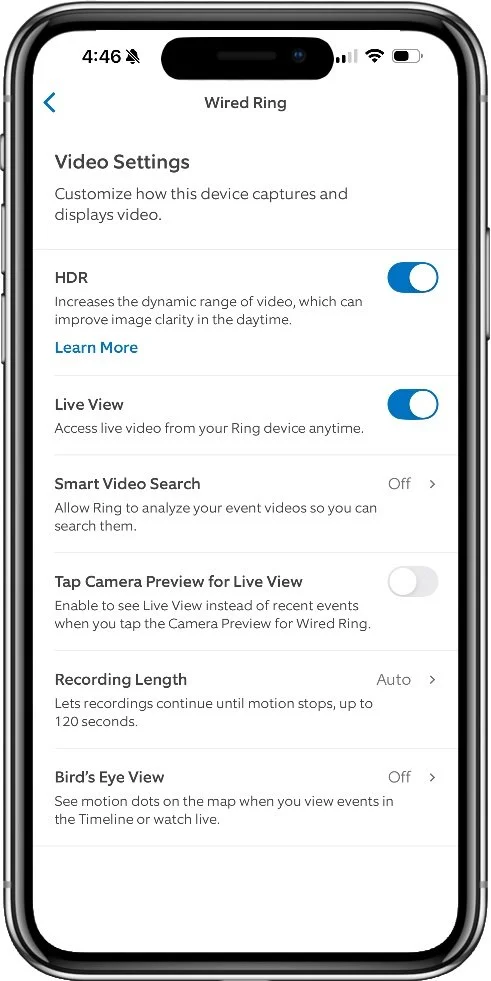
Many options allow for a tailored experience
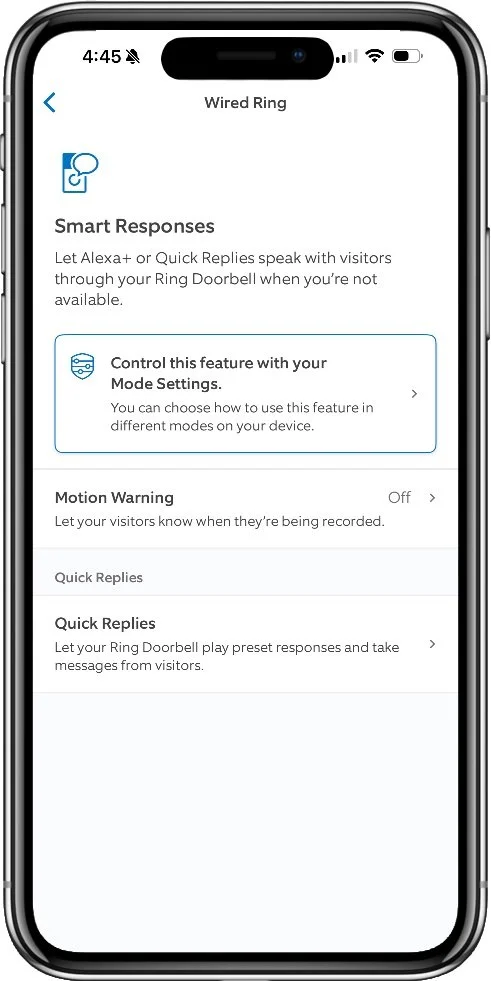
Smart responses are optional
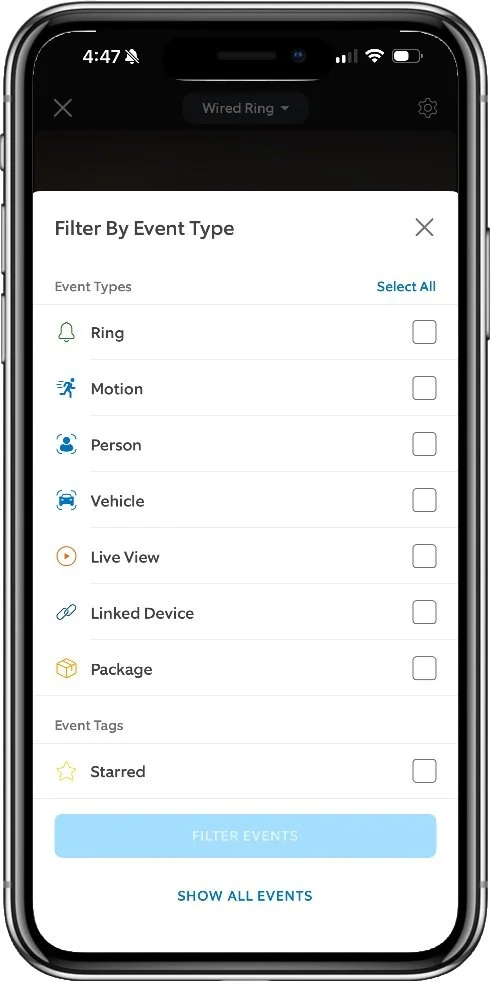
Comprehensive event filtering options
Alternatives
Package Security
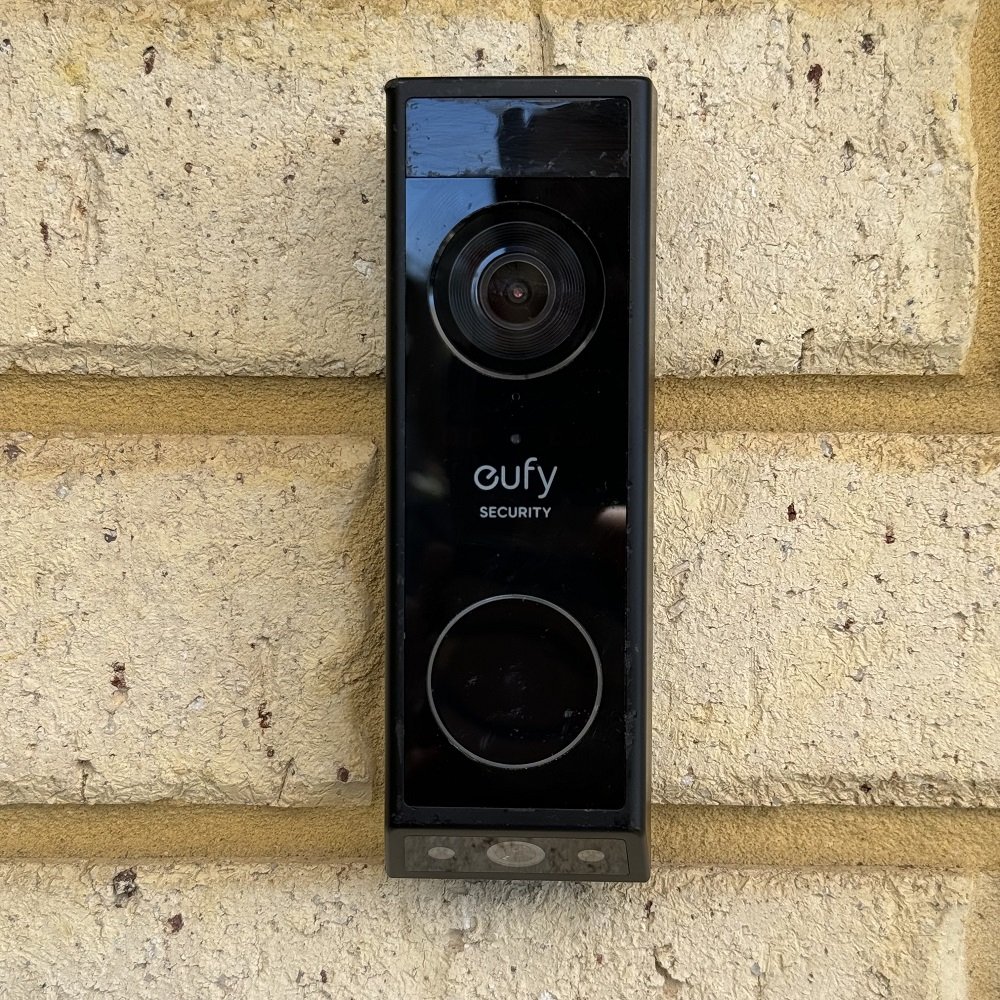
Eufy E340
7.5 Overall Score
A dual camera design from major player Eufy Security provides far superior package security thanks to a dedicated package monitoring camera, built-in LED porch lighting, and the Delivery Guard feature. Delivery Guard not only detects packages and alerts you, but actively monitors them for interference and reminds you to collect them if you forget for too long.
Best Camera

Aosu V8P
7.0 Overall Score
This budget doorbell does costs a bit less than Ring, but delivers competitive performance in many areas. Video quality is superior, but you'll have less in the way of app features, privacy controls, and the audio is basically unusable for anything. If you don't care about two-way talk and want to ditch the subscription, this could be worth a look.
Smart Detection
Google Nest
7.3 Overall Score
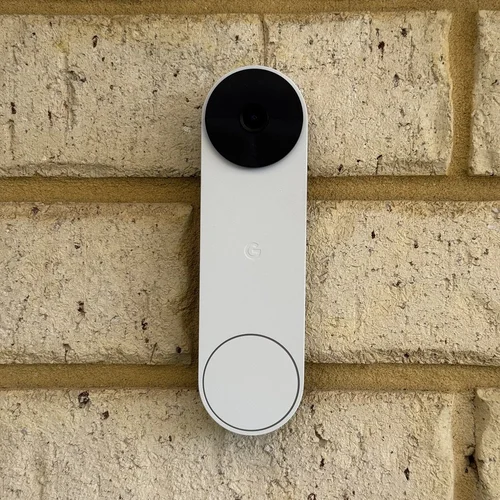
The Google Nest battery doorbell doesn't fare particularly well on video quality, but if you're looking for smart detection of various objects and known people, this is the best option by far (outside of using Apple HomeKit). Most features are usable without a subscription, and you get a short 3 hours of event history for free. If you're only interested in the immediate past this may be enough.
Common Questions
Can you turn off recording?
Yes, there are a couple of easy ways to do this with the Ring app. Using the Motion Detection toggle on the device settings page is the quickest way. Learn More.
What features do you lose without a subscription?
Ring is a cloud-based service, so you need to subscribe to get recording space for videos. Ring also incentivizes subscription by locking most of the features behind their paywall. This includes rich notifications, smart detection, and the ability to configure armed and disarmed modes. Learn More.
Are Ring devices secure?
While Ring gets a lot of negative press, some rightly so when it comes to their previous relationship with law enforcement, the devices and services themselves have not been subject to any serious security breaches. There have been a few bugs that affected some edge cases, and they were subject to password sharing attacks before they mandated two-factor authentication. See my analysis on these and other issues that have come up over the years.
Can you change the ring tone on the doorbell?
While you can change the ring tone you get on your phone, the sound played by the doorbell is built-in and cannot be changed. Your only option is to lower the volume. Learn what you can change and how.
See my video doorbell guides to learn more about other models, features, and options.



In a rare showdown between two native HomeKit video doorbells, I pit the Aqara G4 against Wemo's smart doorbell. There are some clear wins on both sides with this one.